
…an entrepreneur with a background in graphic design and IT. His understanding of what creative businesses need, and just as importantly do not need, drives his work at Filecamp. LinkedIn profile Keld Vraakjaer Co-founder Keld is a self-taught software programmer and entrepreneur. When it comes to building application frameworks, he is an architect of the highest calibre. LinkedIn profile Frequently Asked Questions Visit the FAQ Need help with a Filecamp feature? Visit the Knowledge base See video tutorials View videos…
FTP Alternative
…simply too time consuming when there is more important work to be done. From small firms and freelancers to blue chip firms like HBO, Wall Street Journal, and LEGO, companies of all sizes trust Filecamp to manage their files. Used in more than 60 countries around the world, Filecamp is a 100% cloud based solution that’s designed for a global workforce. Whether you’re across town or around the world, your team stays in sync and your files stay secure. With…
Low-cost DAM solution
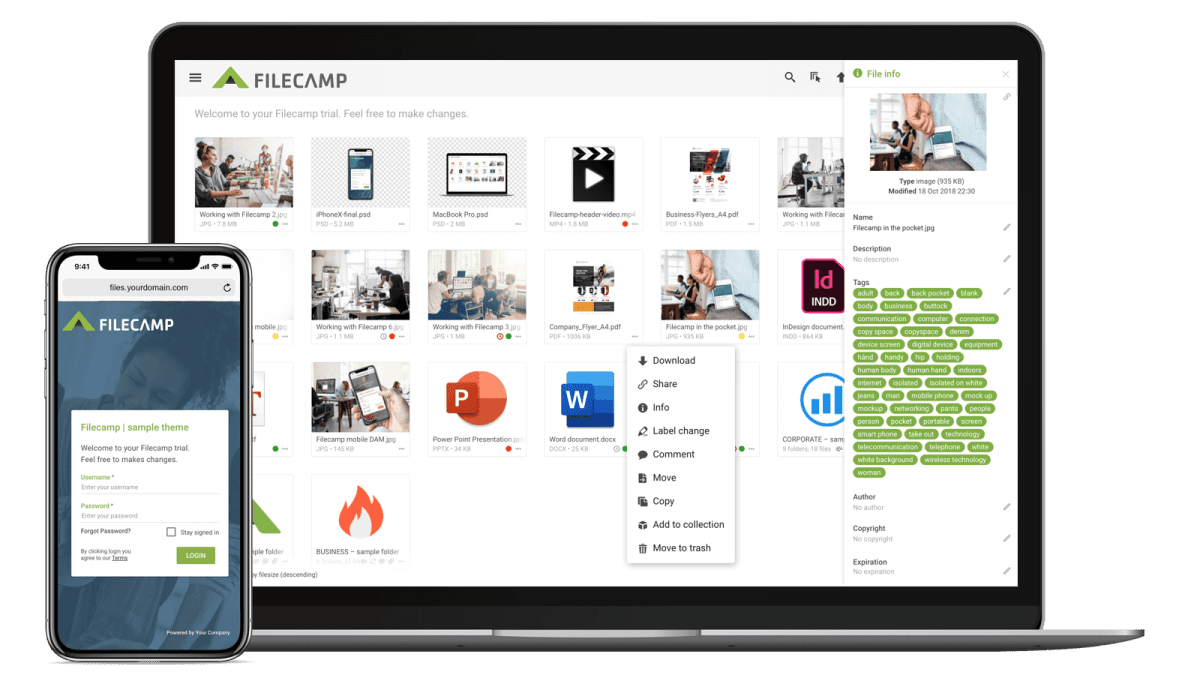
…cost) The Filecamp interface can be branded with your logo and colors. You can assign different logos and colors to individual folders. If you work with different products or clients, each one can have its own custom-branded folder. You can customize the URL and login screen. Filecamp can be accessed from a subdomain under your main website, such as “media.yourdomain.com”, and you can fully customize the login screen. Supports white labeling. You can remove the Filecamp brand completely and make…
Features
…Easily manage all your files and control access and usage. Filecamp comes with unlimited users in all plans, so you don’t have to worry about price per user or other hidden costs. Learn more … Comment & Collaborate Unify your teams and keep them moving fast with online communication tools that allow commenting, real-time alerts and approvals. Learn more … Advanced download options Get the file format you need, when you need it. Download high-resolution PSD files from Adobe Photoshop or…
Canto Alternative
…pages easy. They’ll even appear right in the navigation. Learn more. Keywords/Tags Need to read, write, or edit metadata? With most file types, you can do so right in Filecamp! Learn more. Branded folders Got a lot of clients, projects, or brands to handle? You can associate different themes with different folders. Learn more. Security Our servers are located in a secure data center with 24/7 surveillance. We use secure HTTPS for all file transfers. Learn more. Easy File Transfer…
Phone support
…This ensures nothing gets lost if we need to escalate your issue, and you won’t have to repeat previous questions. We can route complex questions to the right team member. It’s faster. We can investigate complex questions properly without keeping you on hold. In the future, we hope to offer more ways to communicate with the Filecamp team. For now, please email us, and we’ll respond as quickly as we can. Related articles Knowledge Base Contact Filecamp FAQ Video tutorials…
Freelancers and Small Creative Companies
…experiences for different clients. White label. Use Filecamps white label options to resell Filecamp to your clients. Easy to Use. Your clients and your team will love Filecamp´s simple, yet powerful interface. Online proofing. Online commenting and approval of artwork. Email notifications. Receive notifications when new files are uploaded to your Filecamp. Extensive Logging. Keep track of everything that happens in your Filecamp. Bonus. Filecamp was built from the ground up with features for creative businesses. All Industries Advertising…
Edit Folder
…folder description. Advanced settings: Banner – Click on the image field to upload a banner image. We recommend using a 3000 × 600 px well-compressed .jpg image. Read more. Vanity URL – replace the secure and encrypted default folder name with a text of your own choice. Here is an example: Default folder URL: “https://files.company.com/hdDj9MIrkgoDSHPv” User-defined folder vanity URL: “https://files.company.com/imagebank” Theme – choose another Theme if you do not want to use the default Theme. Read more. Page – select…
Zip and unzip files and folders
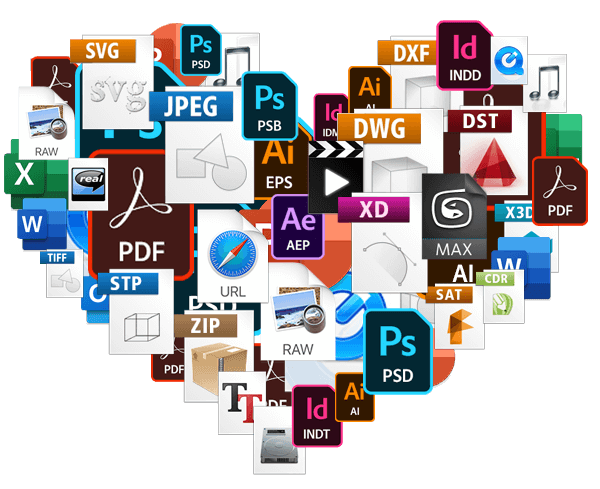
…folder Control-click it, then choose Compress from the shortcut menu. If you compress a single item, the compressed file has the name of the original item with the .zip extension. If you compress multiple items at once, the compressed file is called Archive.zip. To unzip (extract) files or folders from a zipped folder Double-click the .zip file. The unzipped item appears in the same folder as the .zip file. If you want to, you can delete the .zip file. Zip…
Extensis Portfolio alternative
…$29/month Try now Extensis Portfolio $2199.00 / one-time / user No free trial Unlimited users Granular access Share file links Share folder links Web-Based, Cloud, SaaS On premise (own server required) Multiple themes Keywords/Tags Search for file names/tags/keywords Embedded metadata (XMP) Watermarks Request file links Pages (WYSIWYG editor) Auto tags (smart keywords) Labels White label Custom thumbnails Lowres download Commenting & markers …
Brand Portal
…way. Gone are the days of emailing company logos, typeface, images, and printing your company brand guidelines. With an online brand portal, your colleagues and stakeholders will always have instant access to the latest assets and guidelines. Equip your global teams with always up-to-date brand material! Filecamp Brand Portal allows you to customize the interface with your brand logo and easily distribute your brand assets and brand guidelines. Benefits Multiple themes Take custom branding to a whole new level,…
Share folder (without login)
…or a text of your own choice. Here is an example: Default share folder URL: “https://files.company.com/s/o/z68FV3rkltUKyWoI” Vanity share folder URL: “https://files.company.com/s/o/imagebank” Related articles Folders Create folder Edit folder Permissions Copy or move Delete Upload folder Share folder links Request files links Custom thumbnails Banners Embed via iFrame VIDEO SHARE FOLDER LINKS How to share a folder through a shared link, and what the recipients see. More videos Notice: Only users with permission to share files & folders can share…