
…visited, links clicked, non-sensitive text entered, mouse movements, as well as information more commonly collected, such as his/her IP address, referring URL, browser, operating system, cookie information, device, and any other information from the visitor regarding his/her use of your Filecamp. If you invite new users to your Filecamp site, we store first name, last name, and email address (username) as provided by the user. This information is used to give your users access to your Filecamp. Your Filecamp administrators…
Payment options
…plan upgrades Credit Card Management for recurring transactions Filecamp uses stripe, a Level 1 PCI Compliant service provider, to manage credit card data and PCI compliance. Filecamp only stores the absolute minimum card details such as the last four digits and the expiration date for identification purposes. Notice: Filecamp does not offer different pricing options for a yearly subscription as opposed to monthly. The reason is that invoice orders are managed by our staff manually, where recurring monthly payments by…
Signup & secure Trial
…articles Payment options Billing overview Billing information & plan upgrades Don’t have a credit card? No problem! You can also pay by yearly invoice. Invoice order payments can be made via Credit Card, Bank transfer, or PayPal. Notice: To signup and secure your Trial, you must be an Administrator! Credit Card Management for recurring transactions Filecamp uses stripe, a Level 1 PCI Compliant service provider, to manage credit card data and PCI compliance. Filecamp only stores the absolute minimum…
Share Collection
…& download If you select the View & download option the recipients will be directed to a branded preview page where the files in the Collection can be previewed, commented on, and downloaded. Notice: You always have two options for distributing share links: you can email the link directly from this window and specify specific link recipients in the “Add email” field, or you can copy and paste the link into your email application, social media, your company’s website, etc….
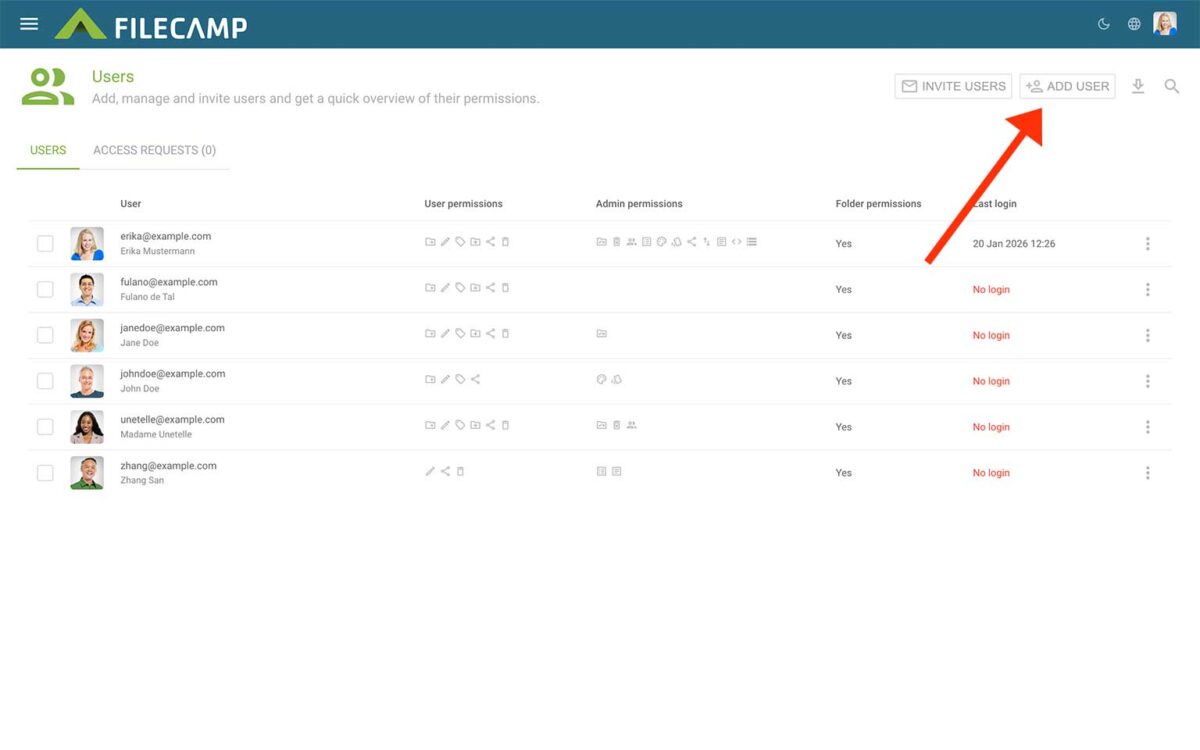
Users
…be assigned to Roles or given Viewer or Editor access to specific folders. Add users To create new users, click the Add users button in the Toolbar. Enter one or more usernames or email addresses. You can add multiple users by entering more usernames or email addresses. Separate them with commas, spaces, or line breaks. You can assign one or more Roles while adding the users. This is optional. If needed, you can also create a new Role by clicking…
Remember me
Remember me Tired of entering your username and password every time you need to access your Filecamp account? Don’t worry, help is just a checkbox away! Remember me (Automatic login) Checking the Stay signed in checkbox on your Filecamp login page will automatically log you in each time you visit your Filecamp account from a specific computer. When you have checked this checkbox, you are automatically logged in the next time you visit Filecamp. Disable Remember me (Automatic login) To…
Request Files Links
Collect files from people with file requests Upload links can be used to receive files to your Filecamp without requesting the sender to log in. The possibilities are endless Add a Request Files link in your email signature and receive files directly in your Filecamp, without having to deal with mailserver file size limits. Add a Request Files link to your company website, and give your stakeholders a easy way to send you large files. Send out a business proposal…
Filecamp status
…unavailable for some customers We’ve had some issues with our email-sending service (mandrillapp.com) over the last few days. Our team has identified and resolved the root cause but some email notifications and invites might have to be resent. The incident has been resolved. February 14, 2023 Unexpected downtime for certain US-based customers We have resolved an issue impacting one of our US-based servers. We apologize for the downtime this incident caused specific customers. The incident has been resolved and we…
Filecamp Guest Article Guidelines
FILECAMP Guest Article Guidelines Our goal is to provide insightful and well-researched articles. We are open to high-quality Guest Articles on our blog. Filecamp.com currently has a Domain Rating of 76 according to Ahrefs! Getting Started These guidelines will provide you with everything you need to know to get started with your article. What kind of articles does Filecamp publish? Topics are loosely based on design, branding, and marketing. Topics include branding, marketing, freelancing, remote working, social media, content marketing, logo…
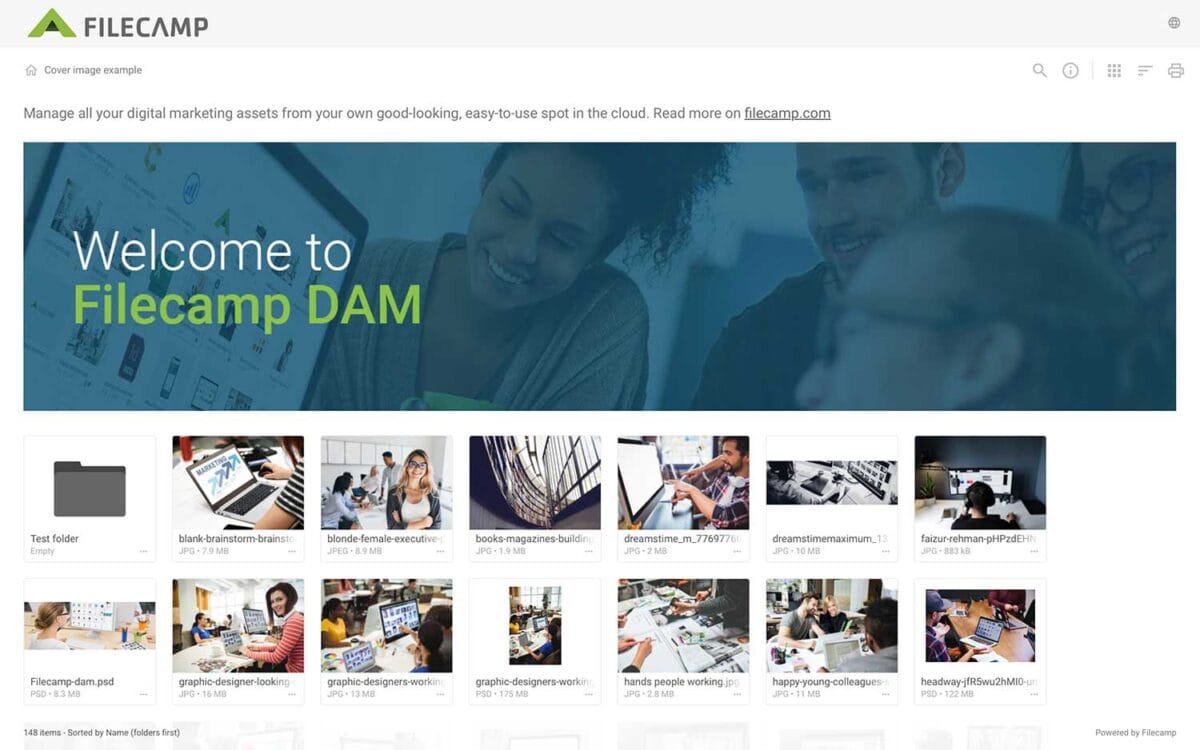
Banners
Banners Elevate your custom branding to new heights by adding personalized banners to your folders and collections. Add a banner To upload a banner, open the folder or collection and click the Info icon in the toolbar. Or select Info from the Three Dots Menu below a folder. This action opens the Infobar . Scroll down to the Advanced section, then click on the Banner image field to upload your banner image. We recommend using a well-compressed .jpg file with…
Case Studies
Share your story Help us expand this resource by sharing your work and telling your story and how you benefit from Filecamp. Contact us! Case Studies Whether you’re looking for inspiration or precedents, Filecamp´s Case Studies are a perfect place to start. TRUE “… for a design agency to succeed it not only has to do good work, it has to look good doing it.” Mark Christensen, Partner at TRUE™, truecph.com In today’s world, a brand needs to represent itself…
Supported file types
…might be too large to preview. You can upload all file types to Filecamp, but image previews are not available for files larger than 400 MB or 150 megapixels. A file’s megapixel count is calculated by multiplying its width and height in pixels. For example, an image that is 4000 × 6000 pixels equals 24 megapixels. Note on upload limits: Files can be uploaded up to 20 GB or 25 minutes in duration (whichever comes first). For uploading files larger…