
…design files, documents and other brand assets for enhanced searchability. Online, and from any device. Start my free trial! Filecamp vs. Wiredrive – pricing Here’s a comparison of Wiredrive vs. Filecamp using both of our mid-level plans. Each includes basic digital asset management features, but Filecamp comes with unlimited users in all plans. Filecamp vs Wiredrive Cost comparison chart Filecamp Starting at $29/month Try now Wiredrive Starting at $350/month No free trial 1 user $59/month From $350/month 5 users $59/month Quote…
Extensis Portfolio alternative
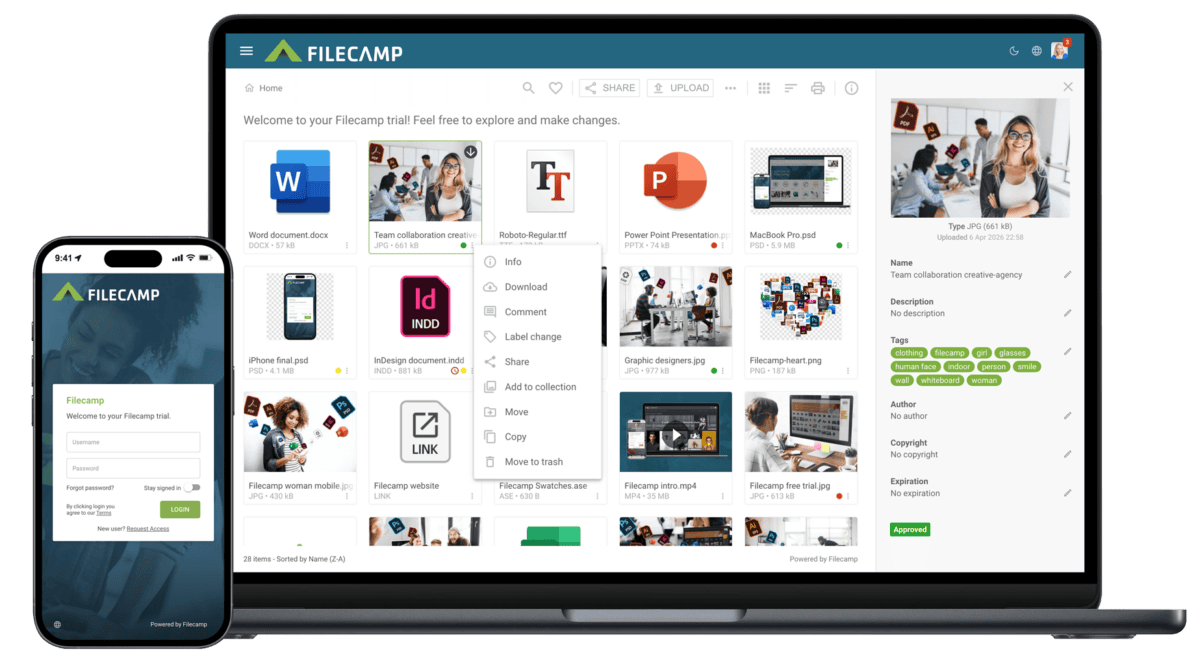
…user interface can be customized to reflect your company logo and colors. CLICK TO ZOOM Filecamp’s user interface Perhaps we are biased but we think this looks more slick and user friendly. CLICK TO ZOOM Extensis’s user interface Screenshots from 2020; both products have changed since. Try Filecamp free for 30 days and compare for yourself. What is Filecamp? Filecamp is a professional-grade SaaS digital asset management system. We’re continually adding new features to make our DAM better. And we’re constantly working…
Share file links
…HIGHLIGHT Vanity URL With Vanity URLs, you can replace the automatically generated text string in a share URL with the file name or text of your choice. Click the pencil icon next to the share link to edit it. Here is an example: Default share file URL: https://files.company.com/s/d/z68FV3rkltUKyWoI Vanity share file URL: https://files.company.com/s/d/my_cool_file Notice: Enable Save as default message to reuse your message as a template for future share emails. The template is saved locally in your browser. This is…
Low-cost DAM solution
…Review the history of comments and visual annotations added to files. Service Model Filecamp offers a simple, self-service model at 1/10 of the cost Affordable plans start at $29 per month, with unlimited users included in every plan. See our pricing. Get immediate access with a 30-day free trial. No credit card or sales call required. Get knowledgeable email support directly from the team behind Filecamp. Version Control Filecamp provides simple version control at 1/10 of the cost Upload a…
Media Asset Management Software
…& intuitive This 90 seconds video will give you a super quick tour through some of Filecamp’s most used and popular features. Online commenting Filecamp’s online commenting and annotation tools make it easy to get feedback on creative projects. With a simple and beautiful interface, your clients, partners, and team can access files for commenting, editing, and review. Download agreements Make specific folders public and link to them from your website. Add permission controls to other folders, or prompt your…
Quick Start Guide for new Users
…query. Filecamp will search the titles of your files and folders as well as the descriptions and tags/keywords. If you receive too many results, simply dig into the more advanced search options like changed date, labels, etc. Read more about search. STEP 8 – Adding Comments to a File Comments provide a powerful way to drive discussion around content in your Filecamp account. Use comments to request feedback from others, make notes to yourself, notify others of files updates, and…
Canto Alternative
…Filecamp’s user interface can be customized to reflect your company logo and colors. CLICK TO ZOOM Filecamp’s user interface Perhaps we are biased but we think this looks more slick and user friendly. CLICK TO ZOOM Canto’s user interface Screenshots from 2020; both products have changed since. Try Filecamp free for 30 days and compare for yourself. Test Filecamp for 30 days and discover an easier way to manage and share your digital assets. Start my free trial No credit card required!…
Secured Media Library
…control file and folder access. Some administrators need sophisticated permissions where others just want simple yet adaptable access rules. Filecamp gives you both, and more. Online commenting Filecamp’s online commenting and annotation tools make it easy to get feedback on creative projects. With a simple and beautiful interface, your clients, partners, and team can access files for commenting, editing, and review. Download agreements Make specific folders public and link to them from your website. Add permission controls to other folders,…

Incognito or private mode
…Filecamp site and try again. Shortcut: Command + Shift + P For more help, visit Mozilla’s documentation. Safari Open Safari. Click File in the top menu. Select New Private Window. Go to your Filecamp site and try again. Shortcut: Command + Shift + N For more help, visit Apple’s documentation. Microsoft Edge Windows Open Microsoft Edge. Click the menu icon in the top-right corner. Select New InPrivate window. Go to your Filecamp site and try again. Shortcut: Ctrl + Shift…

How to Show Hidden Files on a Mac
…files from view and from the visible file count. However, browsers and other applications may detect them when you select or upload an entire folder. This can result in a browser reporting more files than you can see inside the folder. It does not necessarily mean that any of your documents, images, or other visible files are missing. Filecamp automatically ignores common hidden macOS system files when folders are uploaded. Should I delete hidden files? Usually, no. Most hidden files…
Knowledge Base
…Collection Share Collection links Delete Collection Labels Using Labels Commenting Start Commenting Invite users to comment Trash Trash Admin Billing General Domain Users Log Themes Labels Shares WebDAV Pages Tags Storage Subscription Billing overview Payment options Billing information & plan upgrades Signup & secure Trial Tech stuff Problem solving Browsers Filecamp Status Keyboard shortcuts Check out our Release Notes to learn about the latest updates. If you can’t find an answer in the Knowledge Base, please send an email…
Professional Photo Database
…Create an photo database for your company photos. Customize it with preview, tags and privacy settings. LOGOS Upload your photos and even vector files. Filecamp provides download options of the original and common file conversions. VIDEOS Store, view and share your company videos alongside your other brand related content. DOCUMENTS Make your important documents, presentations and guidelines accessible and ready to be shared. Try Filecamp for free. All features included. No obligations! Start my free trial No credit card required!…