
…https URL Login logo Login body background color Login page background image Your own custom Terms or copyright notice Secondary color (buttons etc.) White Label text Login description Login logo background color Your own custom fields for access requests. Interface You can see which aspects of the interface are customizable below: Favicon and page title Own secure https URL Logo Custom thumbnails on folders and files Folder description text Labels and Labelset Secondary color (buttons etc.) White Label text Default…
Brand Guidelines
Brand Guidelines Creating & maintaining your brand guidelines should be simple, fast and fun. Filecamp helps businesses manage their digital assets and maintain brand consistency. Start my free trial! Start my free trial! Your own online brand portal An online Brand Guide ensures brand consistency and transparency with the public. No more emailing company logos, typeface and color codes. Filecamp’s Brand Manual allows you to manage, store and share your guidelines. Make sure your colleagues and partners…
Log in to Filecamp
Log in to Filecamp Access the login page for your Filecamp by typing the account URL into your browser. Log in Normally, the URL is : [YourCompanyName].filecamp.com. However, your company may use a custom URL. In this case you need to contact your system Administrators for the URL. On the login page, enter your username and your personal password. If you have forgotten the password, see Reset your password. Click Login or press ENTER. When you try to log in…
Keyboard shortcuts
…the previous item: ← Open/close the Infobar: i Open in full-screen mode: f Open/close Commenting: c Close preview: esc Save actions: ctrl (or cmd) + enter Drag actions: Drag files or folders to a different folder to move them. Hold the Alt (Option on Mac) key while dragging to copy instead of move. Drag files or folders from your computer into a folder to upload them. Tip: Press ? anywhere in Filecamp to open the keyboard shortcuts guide. …
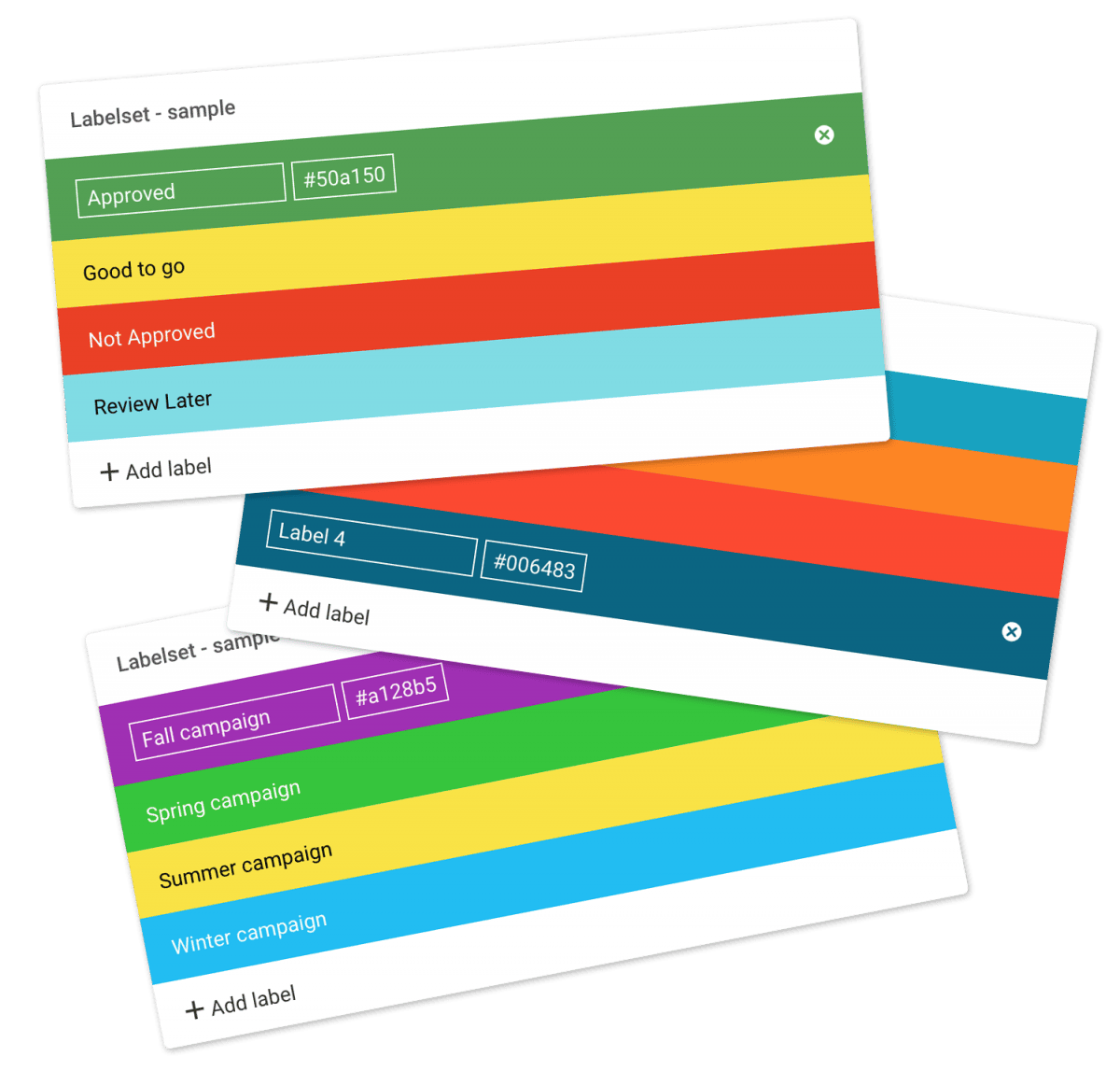
Using labels
…folders Select all files or folders you want. Then click the Label change icon in the Bulk Action Bar. Choose the label you want to assign to the items selected in the pop-up window. OBS: Administrators and users with permission to “Manage labels” can edit and create new Label sets in Admin > Labels. And the same users can turn Labels and Label changes on and off on folder level in the Edit Folder menu. Tip: Remember to turn on…
Edit My Profile
Edit My Profile Add a username, avatar (profile photo), and manage your personal notification settings. My Profile Click your avatar in the top-right corner of the browser window and select My Profile. Edit your avatar, username, and password From this menu, you can update these details. If you change your password, enter the new password twice to confirm. Click Save when you are done. Say cheese! Your profile picture should be a square format with a minimum of 110×110 pixels,…
Granular Access Control
…And yes, you can even give the same user different permissions to different folders so that e.g. Erika gets “view-only” access to folder A, but “Upload-access” to folder B. Pretty cool, huh? Invite multiple users.Invite multiple users to your Filecamp and control access with a single mouse click. You can create your own user templates and use them when adding new users. Try Filecamp for free. All features included. Start my free trial No credit card required!…
Edit Collection
…be shown on shared links etc.). Theme – allows you choose another Theme for this Collection. Read more. Default sort – your files are sorted by name. For example, change this to “Modification date” if you want the newest files shown first. Default view – choose between List or Galley view for this Collection. Cover thumbnails – allows you to turn cover thumbnails on and off. You can do some testing to see what looks best given your usage. This…
Folder permissions
…view this folder and its content. But will not be able to download or upload files. View & Download = The user can view this folder and its content and can also download from this folder and subfolders. Full access = The user can view and download this folder and its content. He or she can also upload to this folder and subfolders. This is the default folder permission for all new users. Remove = The user will no longer…
How to safelist emails
…Contacts then Save If the email ends up in your Spam folder: Select the email to open it Then click Not Spam Apple iPhone To add the sender to your Contacts: Select the email to open it Press the From address Select the arrow next to the From Choose “Create New Contact” Press “Done” If the email ends up in your Junk folder: Select the email to open it Press the arrow at the bottom Select “Mark as Not Junk”…
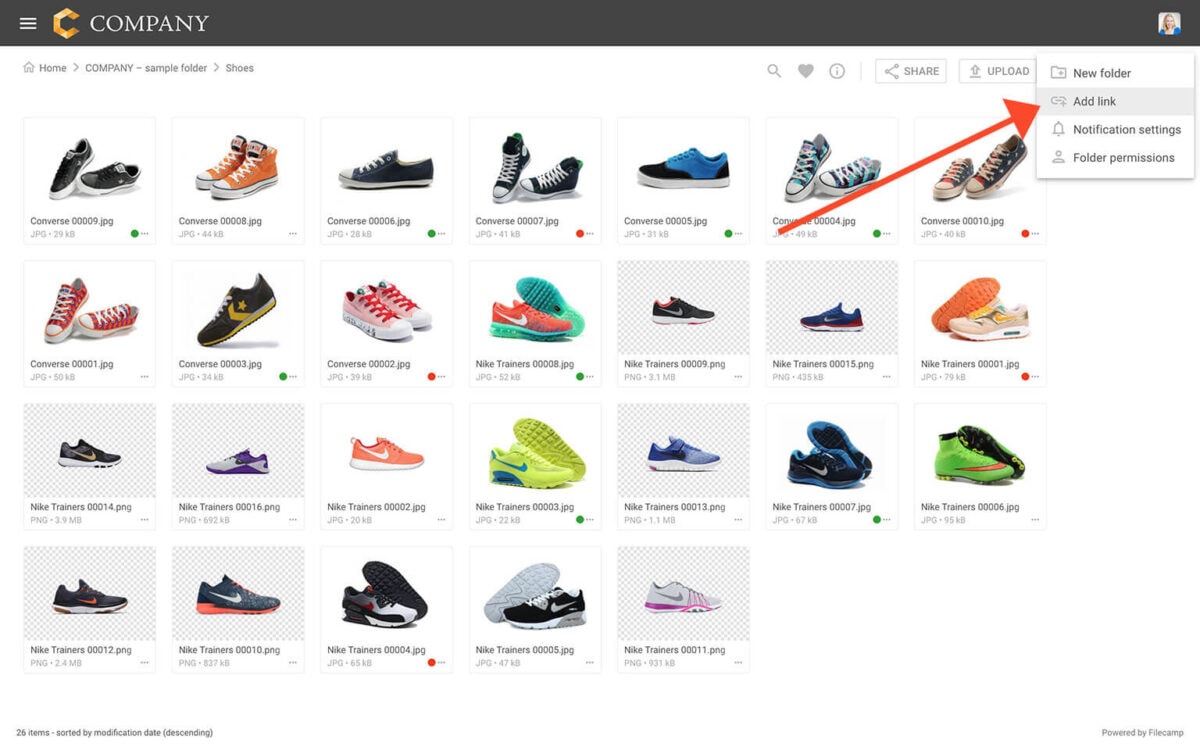
Add link
…link file will be included within the folder. Clicking on the file will initiate the opening of the URL in a new browser tab. Notice: For more customization you can add custom thumbnails to these link files ? Related articles Files Uploading files Downloading files Copy or move Delete Edit files Share file links Supported file types Version control Expiration Metadata Tags Auto tags Custom thumbnails Folders Create folder Edit folder Permissions Copy or move Delete Folder upload Share folder…
Tag manager
…list is updated daily, so recent changes or uploads may not yet appear. Add tag Click Add Tag to create a new tag in your account. This does not assign it to any files. It only makes it available for tagging. AI Review Tags Click AI Check to analyse all tags in your account. It identifies problems such as: Duplicates (for example “airplane” and “aircraft”) Spelling variants Low-quality or irrelevant AI tags AI Review can help you clean up and…