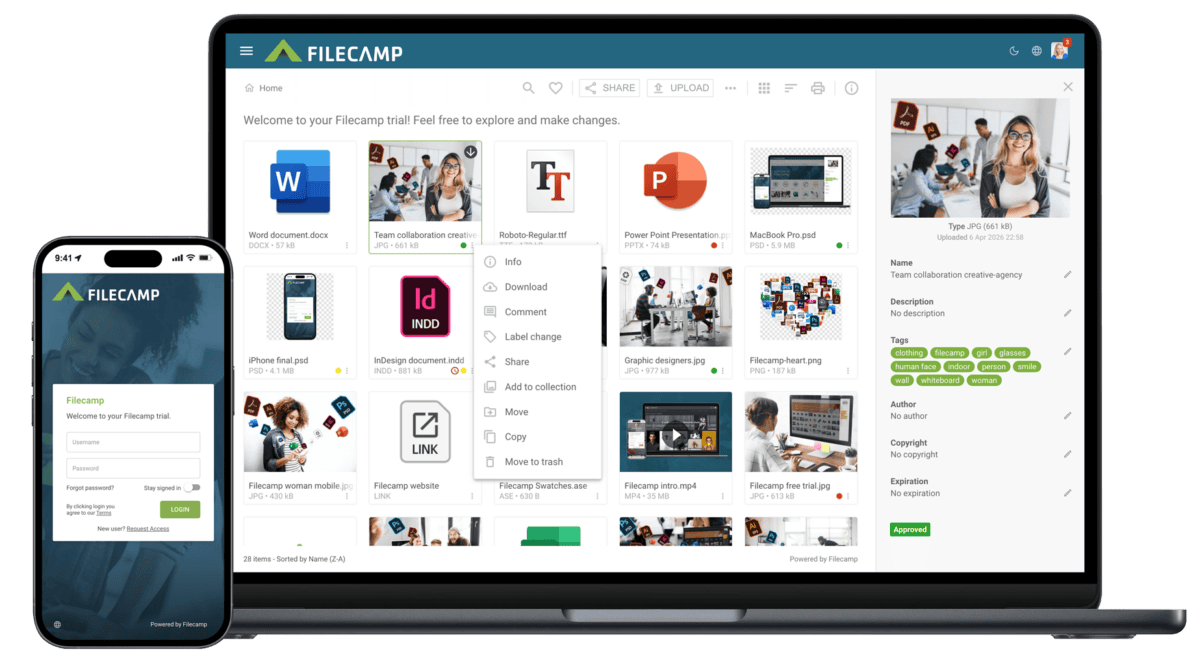
…Collection Share Collection links Delete Collection Labels Using Labels Commenting Start Commenting Invite users to comment Trash Trash Admin Billing General Domain Users Log Themes Labels Shares WebDAV Pages Tags Storage Subscription Signup & secure Trial Payment options Billing information & plan upgrades Tech stuff Problem solving Browsers Filecamp Status Keyboard shortcuts Check out our Release Notes to learn about the latest updates. If you can’t find an answer in the Knowledge Base, please send an email to support@filecamp.com …
Freelancers and Small Creative Companies
Industries Freelancers and Small Creative Companies Filecamp is an affordable file sharing and digital asset management platform for freelancers and small creative agencies. With Filecamp, you get a secure and affordable file sharing solution with powerful Digital Asset Management (DAM) features When you work as a freelancer or run a small creative company, you know that you have to make it easy for your clients to work with you. You have to be efficient, responsive, and professional. With Filecamp, you…
Zip and unzip files and folders
…folder Control-click it, then choose Compress from the shortcut menu. If you compress a single item, the compressed file has the name of the original item with the .zip extension. If you compress multiple items at once, the compressed file is called Archive.zip. To unzip (extract) files or folders from a zipped folder Double-click the .zip file. The unzipped item appears in the same folder as the .zip file. If you want to, you can delete the .zip file. Zip…
Canto Alternative
…metadata (XMP) Watermarks Request file links Pages (WYSIWYG editor) Auto tags (Suggested tags) Labels White label Custom thumbnails Lowres download Commenting & markers No markers. Activity log Trash bin feature Custom terms & conditions Branded login page Mobile ready/responsive UI Mobile app Version control Emails notifications Own secure URL (e.g. dam.yourcompany.com) Brand guidelines/style guides Access request (self-registration) Favorites …
Brand Portal
…way. Gone are the days of emailing company logos, typeface, images, and printing your company brand guidelines. With an online brand portal, your colleagues and stakeholders will always have instant access to the latest assets and guidelines. Equip your global teams with always up-to-date brand material! Filecamp Brand Portal allows you to customize the interface with your brand logo and easily distribute your brand assets and brand guidelines. Benefits Multiple themes Take custom branding to a whole new level,…
Share folder (without login)
…or a text of your own choice. Here is an example: Default share folder URL: “https://files.company.com/s/o/z68FV3rkltUKyWoI” Vanity share folder URL: “https://files.company.com/s/o/imagebank” Related articles Folders Create folder Edit folder Permissions Copy or move Delete Upload folder Share folder links Request files links Custom thumbnails Banners Embed via iFrame VIDEO SHARE FOLDER LINKS How to share a folder through a shared link, and what the recipients see. More videos Notice: Only users with permission to share files & folders can share…
Browsers
…version? Click on the button below to see which browser you are using. Also learn how to share this information with your Filecamp support team. What is my browser Notice: As we add new features and enhancements, older browser versions may not support these new standards. Keeping your browser updated to the newest version will enhance your security and provide the best Filecamp experience. Related articles Hard refresh Clear cache Incognito or private mode Turn off extensions Browsers Email delivery…
How to save a multipage PDF into separate pdf files
…a new file for every page you’re extracting. Click OK and choose a destination folder for the extracted files. 4. You’re done and can now upload the pdf files to Filecamp, and invite your stakeholders to review, comment and approve each page. Related articles Commenting/Proofing Start Commenting Invite users to comment How to save a multipage PDF into separate pdf files When sharing a multipage pdf file for proofing you might want to split it into single pages, so that…
File Sharing Platform
…branding to a whole new level. Learn more. White Label The Pro plan offers a full white label experience to ensure your brand is the only brand represented. Learn more. Cloud based platform Filecamp is a cloud-based file sharing solution. It’s a secure and affordable way to share your company images, videos and other digital files while reinforcing your brand. This helps to increase brand awareness and build trust with your company. No training required Filecamp makes managing and accessing…
Clear browser cache
…Data. Check the Clear the cache and Clear cookies, site data options Tap Clear. What is browser cache? Your cache is where your web browser saves tiny files onto your computer when you visit a site on the internet. This means the next time you view that site, it’ll load faster. However, sometimes your web browser will load old content that was cached (saved) rather than the new files you want to view. Clearing your cache improves your browser function…
WebDAV
…before files and folders uploaded via WebDAV become searchable. WebDAV Mount Map or Mount your Filecamp instance as a Network Drive on your local Mac or Windows Mac OS Use Mac´s own Connect to Server feature to mount your Filecamp instance on your local Mac. Navigate to any Finder window and click Go and Connect to Server, or press Command+K. In the Connect to Server window, enter your Filecamp URL, followed by the port number (8444) e.g. https://yourcompany.filecamp.com:8444 When you…
Pricing & Plans
…50 GB 100 GB Unlimited users Custom branding Access control Public Download page Share folder link Labels Banners Request files link Log Search function Notifications Metadata & Keywords WebDAV access Message templates Email support 24/7 Multiple themes Pages Collections Auto tagging Bulk Auto tagging Access Requests Custom domain White Label Commenting ALL SUBSCRIPTIONS ARE PAID IN US DOLLARS (USD) All accounts start with a 30-day free Filecamp Pro trial. Start my free trial No credit card required! How does the…