…attributes. A DAM manages the related media assets, so DAM and PIM systems are usually complementary. Related: Digital Asset Management (DAM), Content Management System (CMS), Digital Experience Platform (DXP), Integration Proofing # Workflow & Collaboration A review process that allows users to comment on, annotate, compare, or approve creative work. Proofing may include visual markers, time-coded video comments, and approval status. Related: Workflow, Approval Workflow, Annotation, Comments Proxy Files # Media & File Formats Lower-resolution or otherwise simplified versions of…
Box.com Alternatives
…$29.95 $500 $40 $24.99 $14.99 $49.98 Users included 5 users 4 users Unlimited 3 users 2 users 25 users 5 users 1 user 5 users 2 users 20 more users $300 $300 Included $199 $99.95 $400 $160 Custom $158 Enterprise 100 more users $1500 $1500 Included $995 Custom $2000 $1500 Custom $790 Enterprise Online storage Unlimited 500 GB 100 GB 1 TB 5 GB 100 GB 2 TB 250 GB 250 GB Unlimited Custom branding Custom branding of individual folders…
Dropbox Alternative
…to read more about it below. FEATURES Dropbox Box.net Filecamp Soonr Sharefile Huddle Egnyte SugarSync Copy Hightail Plan Business Business Professional Pro Basic Workgroup Office Individual Pro Professional Monthly subscription $49.99 $75 $89 $29.85 $29.95 $500 $40 $24.99 $14.99 $49.98 Users included 4 users 5 users Unlimited 3 users 2 users 25 users 5 users 1 user 5 users 2 users 20 more users $300 $300 Included $199 $99.95 $400 $160 Custom $158 Enterprise 100 more users $1500 $1500 Included…
Users
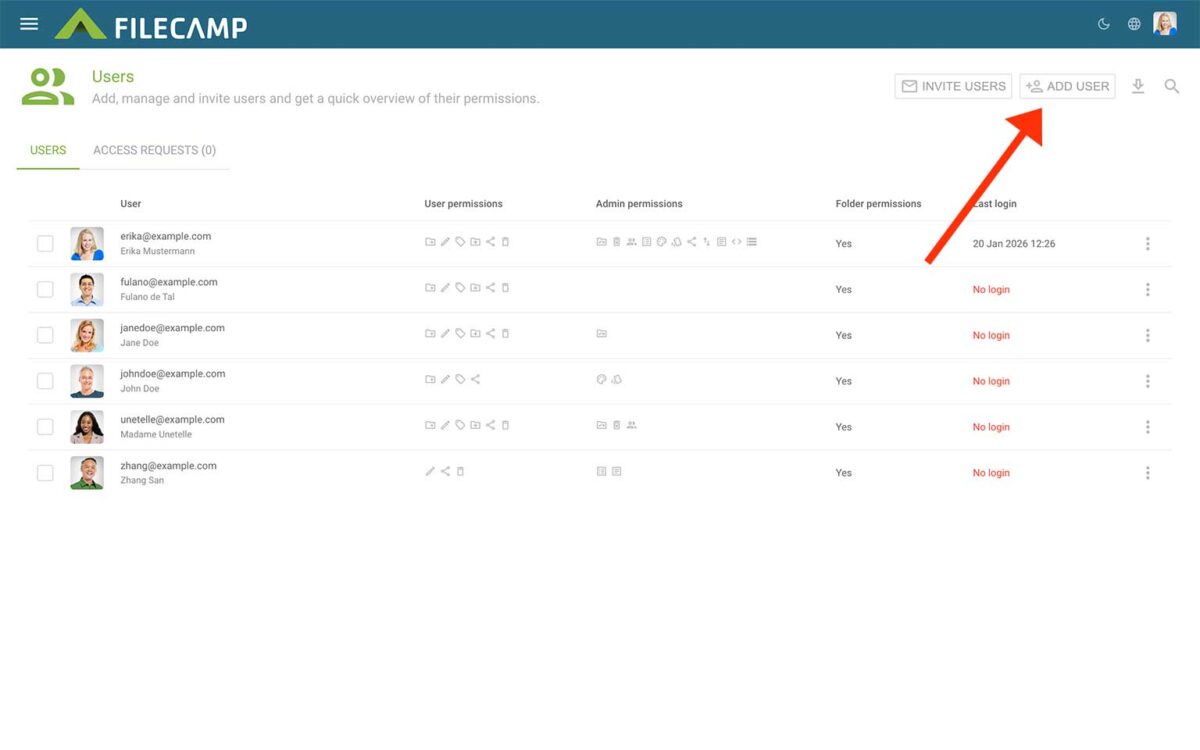
…be assigned to Roles or given Viewer or Editor access to specific folders. Add users To create new users, click the Add users button in the Toolbar. Enter one or more usernames or email addresses. You can add multiple users by entering more usernames or email addresses. Separate them with commas, spaces, or line breaks. You can assign one or more Roles while adding the users. This is optional. If needed, you can also create a new Role by clicking…
Service Level Agreement
…compliance with the Company’s Privacy Policy. The Company does not claim ownership of data contained within the Customer’s server space and applications on the Company’s servers. 8. Data Integrity The Company employs sophisticated RAID techniques to ensure the integrity of the data on its servers. Routine backups are performed for emergency recovery purposes only. THE COMPANY SHALL NOT RESTORE THE DATA UPON CUSTOMER’S REQUEST. In the event of data corruption, hardware failure or other data loss, the Company will make…
Invite users to comment
…topics: Invite external users to review, comment and approve a single file Invite external users to review, comment and approve files in a folder Invite managed users to review, comment and approve a single file Invite managed users to review, comment and approve files in a folder Related articles Commenting/Proofing Start Commenting Invite users to comment General information about inviting users to comment via shared links: All recipients of a shared link will be directed to a page where the…
Managed Users vs. External Users
Managed Users vs. External Users There are two user roles within the Filecamp proofing workflow that will be important to your experience while using Filecamp – Managed users and External users. Managed Users To view and manage your managed users, navigate to Admin > Users. Employees and close partners should be managed users since they require a greater amount of control and oversight. Read more about how to add a user and how to give them folder permission. External Users…
Start Commenting
…review, comment, and approve a single file Invite managed users to review, comment, and approve files in a folder Notice: Commenting is only available with the Filecamp Professional plan. Read more about plans Notice: Commenting needs to be Enabled on the folder, otherwise you will not be able to comment on files in the folder. Read more about folder settings This article reviews the following topics: Add comment Markers Open/Closed comments Change label Upload new version Invite others to comments…
Media Management Software
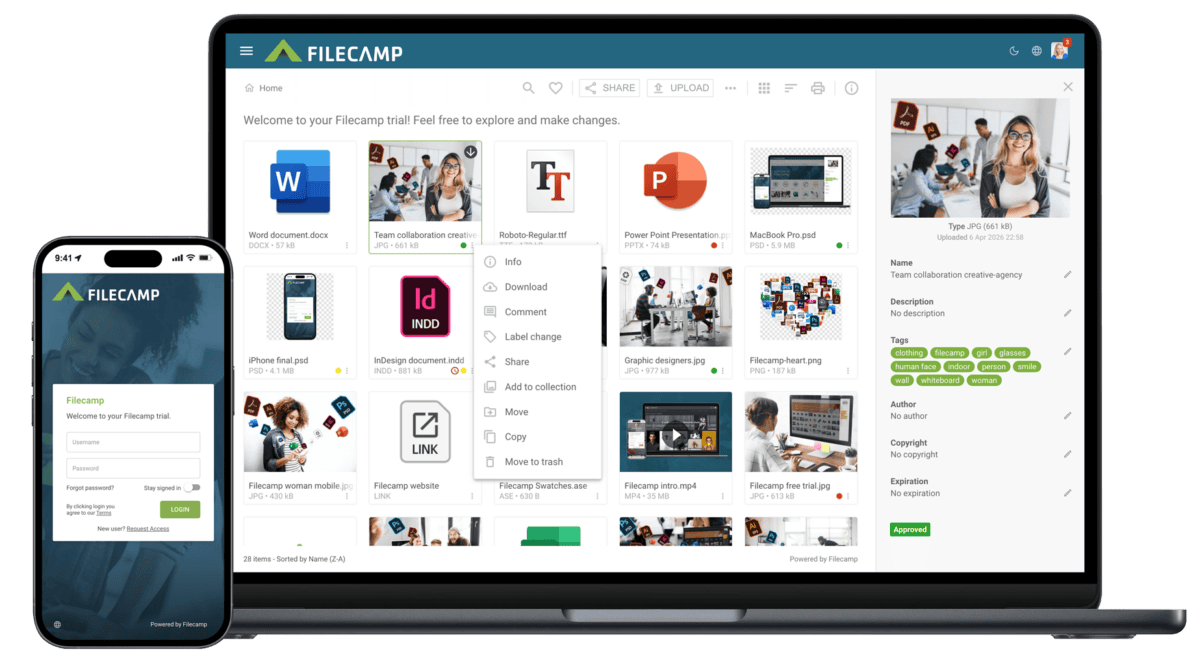
…most used and popular features. Online commenting Filecamp’s online commenting and annotation tools make it easy to get feedback on creative projects. With a simple and beautiful interface, your clients, partners, and team can access files for commenting, editing, and review. Download agreements Make specific folders public and link to them from your website. Add permission controls to other folders, or prompt your users to login and agree to a customized license agreement before downloading files. Designed with your…
Photo organizing software
…for your company images. Customize it with your branding, previews, tags, and privacy settings. LOGOS Upload your logos and vector files. Filecamp provides the option to download original file and a range of common file conversions. VIDEOS Store, view and share your company videos alongside your other brand-related content. DOCUMENTS Make your important documents accessible and ready to be shared. Share files and folders Filecamp allows an unlimited number of users in all plans, and trusted users can add or…
Folder permissions
…that user’s direct access to the folder is removed. Notice: A user may still have access through another Role, another direct folder permission, or a parent folder. Manage users and Roles Click Manage users and roles to open Admin > Users. From there, you can: Add, invite, edit, or delete users. Create and edit Roles. Assign users to Roles. Manage direct folder access for individual users. Read more about Users and Roles. Important notes Account Owners and Administrators: Account Owners…
Google Drive Alternative
…file sharing needs. We make digital asset management easy and affordable. Start my free trial! Filecamp vs. Google Drive – pricing Here’s a comparison of Google Drive vs. Filecamp using both of our mid-level plans. Each includes basic digital asset management features, but Filecamp comes with unlimited users in all plans. Filecamp vs Google Drive Cost comparison chart Filecamp Starting at $29/month (Unlimited users) Try now Google Drive Starting at $6/month (1 user) Try now 1 user $59/month $6/month 5 users …