
Looking for a lightweight & low-cost DAM solution?
See how Filecamp compares to most enterprise DAM solutions

See how Filecamp compares to most enterprise DAM solutions
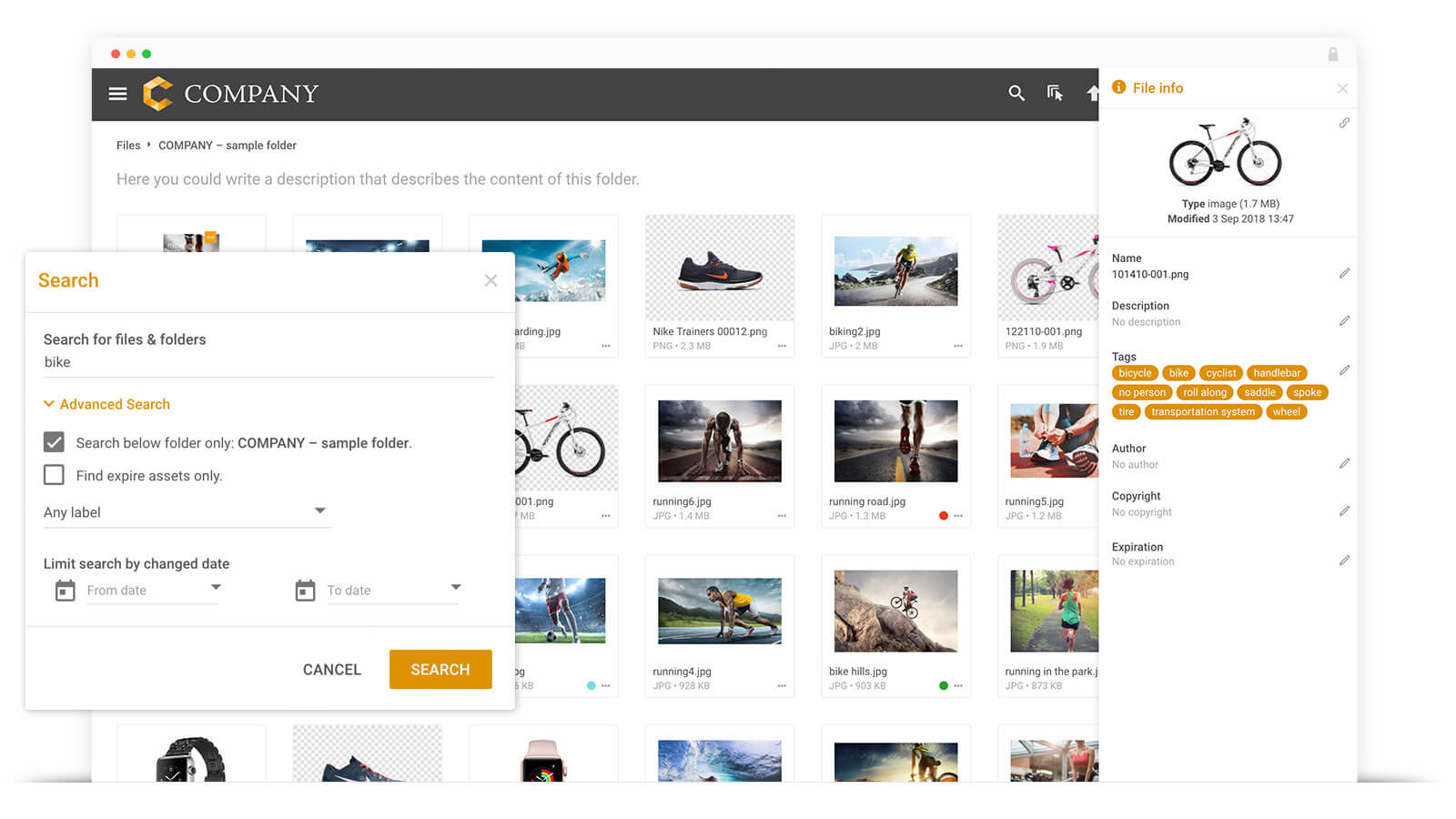
Search and Tagging
Filecamp provides (at 1/10 of the cost)
- Multiple tags and labels can be assigned to media files by any contributor.
- Search by filename, tags, and folders.
- No advanced search filtering, but for many use cases, search by tag and folder is sufficient.
- Captures existing metadata in files and supports the Adobe XMP standard. Any metadata you apply to files in Adobe Bridge or Adobe Lightroom will be imported into Filecamp and made searchable.
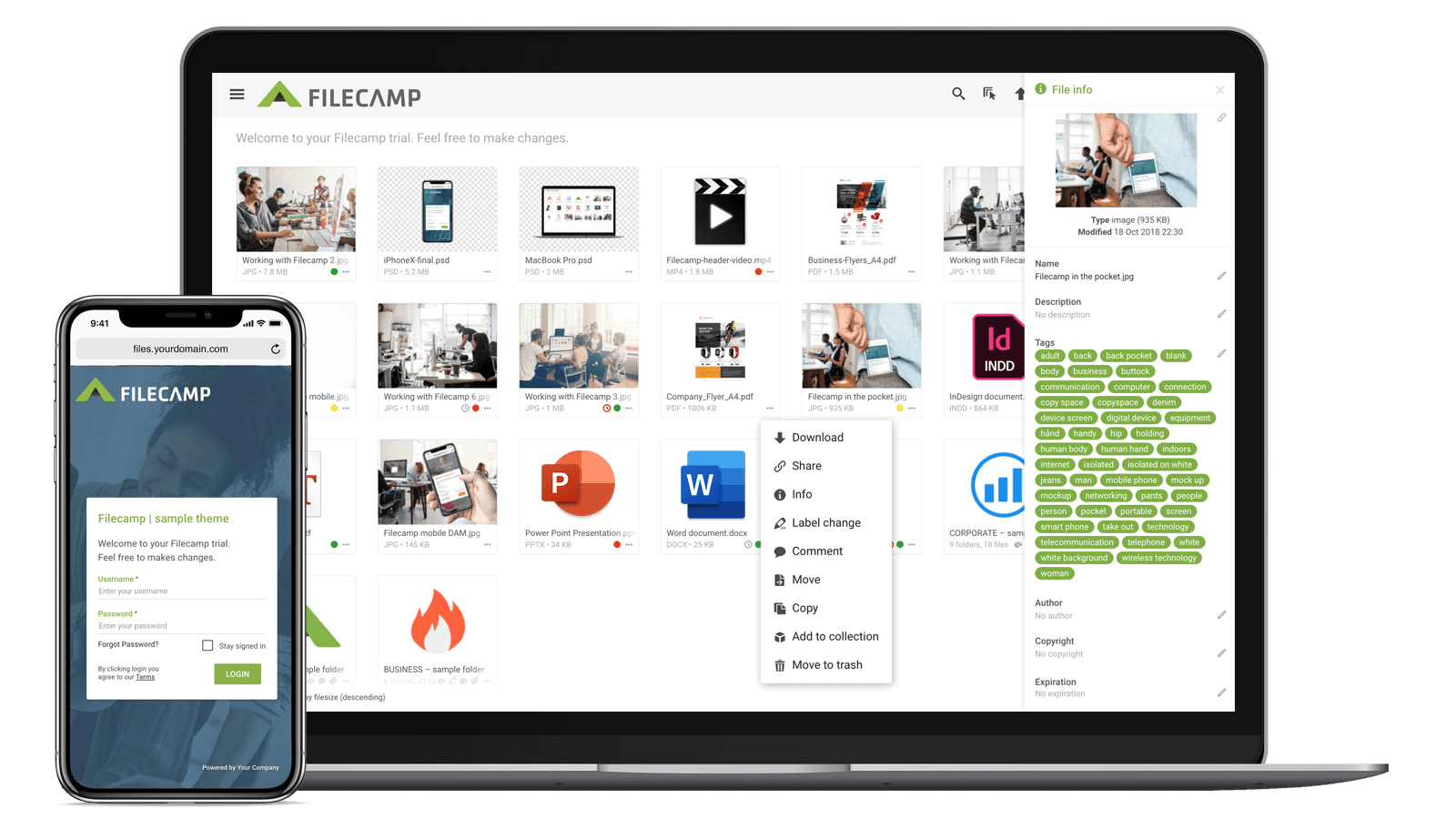
Folders and Collections
Filecamp provides (at 1/10 of the cost)
- Supports folders, just like a regular file system.
- Images can also be added to one or more Collections.
- Folders and Collections can be shared or emailed to collaborators.
- Supports custom thumbnails for folders, Collections, and media files.
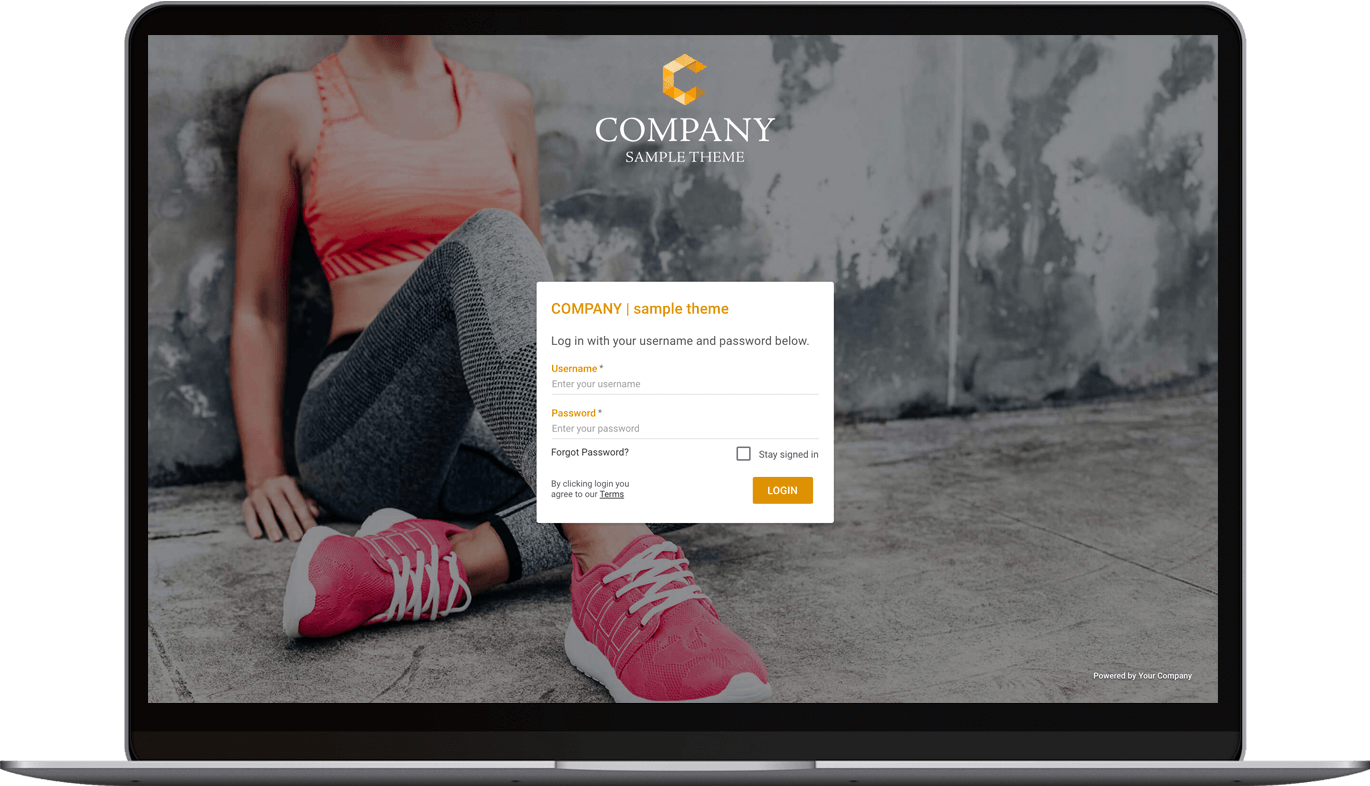
Custom Branding
Filecamp provides (at 1/10 of the cost)
- The Filecamp interface can be branded with your logo and colors.
- You can assign different logos and colors to individual folders. If you work with different products or clients, each one can have its own custom-branded folder.
- You can customize the URL and login screen. Filecamp can be accessed from a subdomain under your main website, such as “media.yourdomain.com”, and you can fully customize the login screen.
- Supports white labeling. You can remove the Filecamp brand completely and make the DAM platform appear to be your own. For agencies, this allows you to resell your DAM technology to clients.
There are many powerful, premium-priced enterprise Digital Asset Management (DAM) solutions on the market. Could you make do with a slightly simpler system that still has most of the capabilities, at less than 1/10 of the price?
Filecamp is a lightweight, cloud-based Digital Asset Management solution that provides most of the important features of premium-priced DAM solutions, and starts at $29 per month with unlimited users included in all plans. Read more about what Filecamp provides in each feature category, so you can decide whether it makes sense to save over 90% and choose a lightweight product like ours.
File Sharing
Filecamp provides (at 1/10 of the cost)
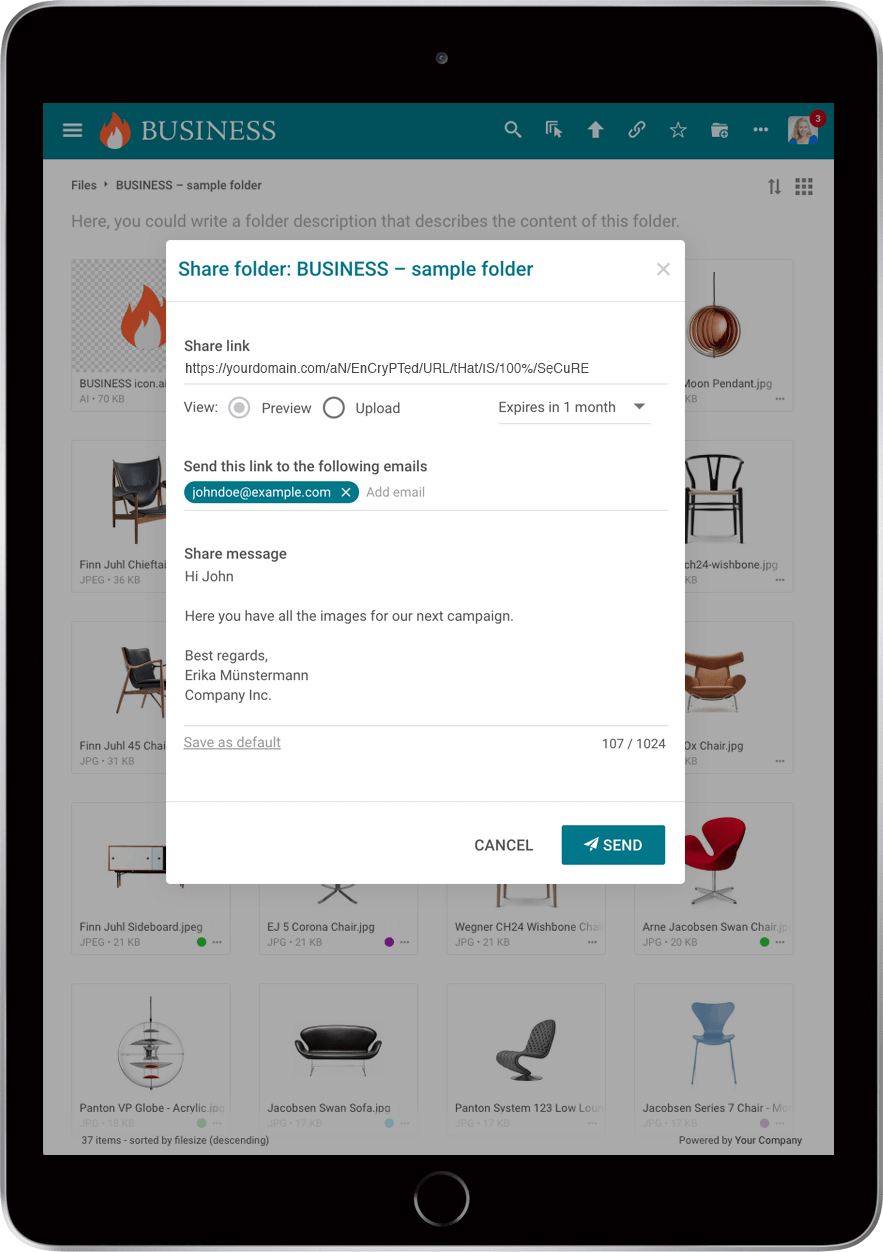
- Send links to files, folders, and Collections with expiration dates.
- Browser-based access to all files, plus WebDAV access.
- Public upload links allow people without a username to upload directly to a folder.
Commenting and Online Proofing
Filecamp provides (at 1/10 of the cost)
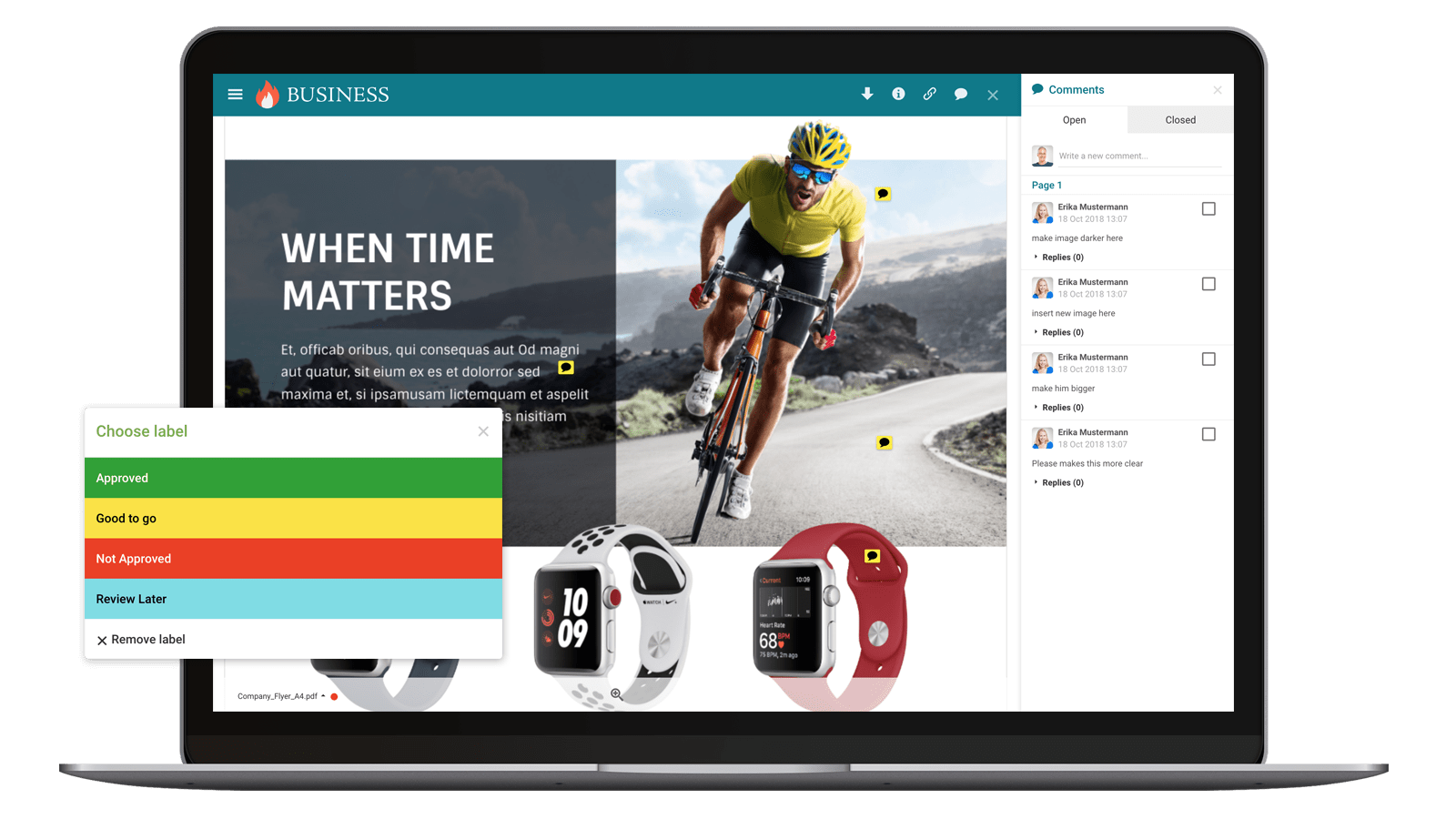
- Basic commenting on files.
- A basic workflow and approval mechanism, where collaborators can label images as “Pending approval”, “Approved”, and more.
- The ability to add annotations directly to graphic file formats, including PDF, AI, EPS, and PSD files.
Activity Monitoring
Filecamp provides (at 1/10 of the cost)
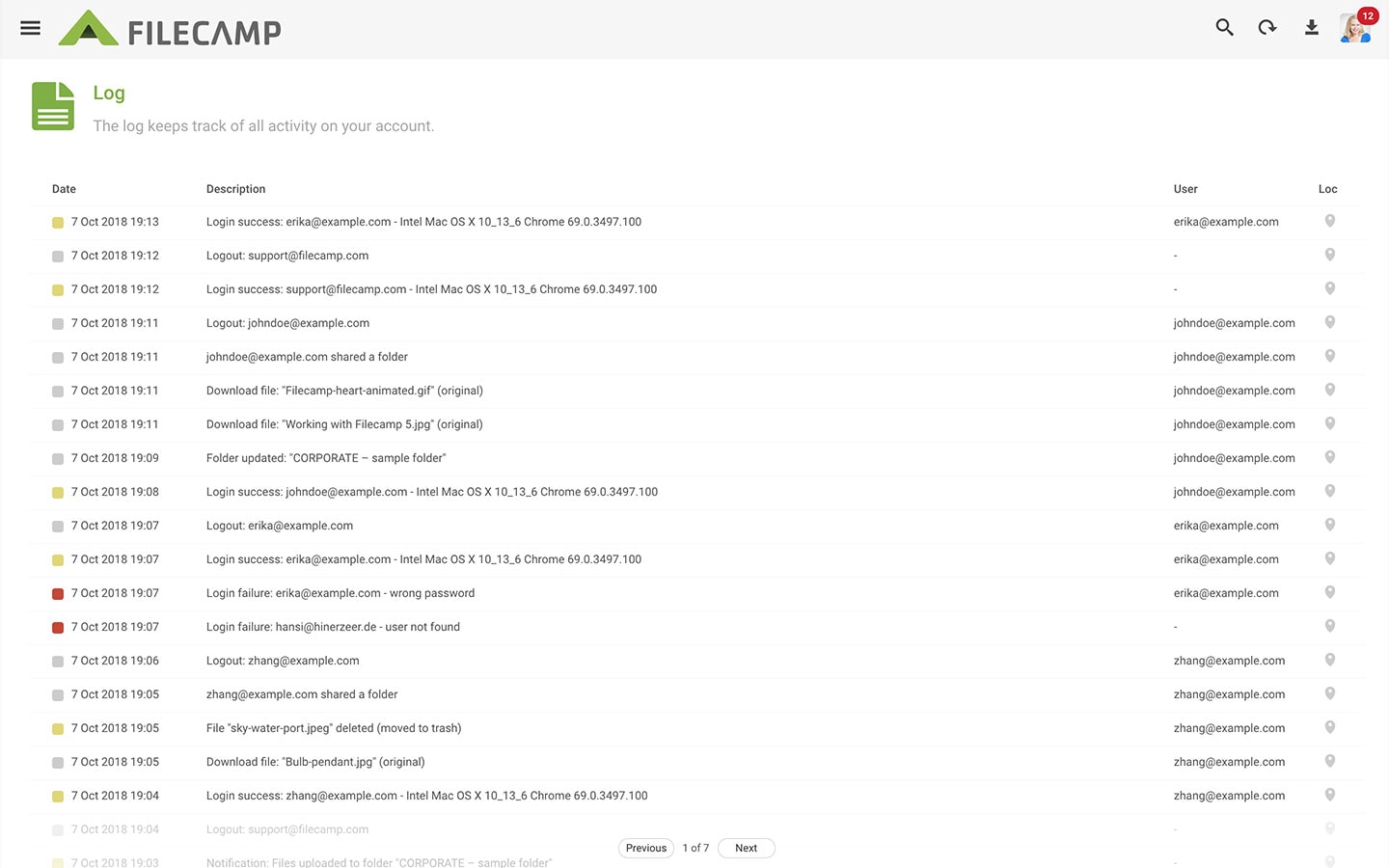
- A basic, easy-to-understand log of all changes made to files in the system.
- The log includes the history of comments and annotations added to images.
Service Model
Filecamp provides (at 1/10 of the cost)
- Highly affordable plans starting at $29 per month, with unlimited users included in all plans. See our pricing.
- Immediate access with a 30-day free trial. No credit card required.
- High-level email support from the original developers of the Filecamp platform.
Version Control
Filecamp provides (at 1/10 of the cost)
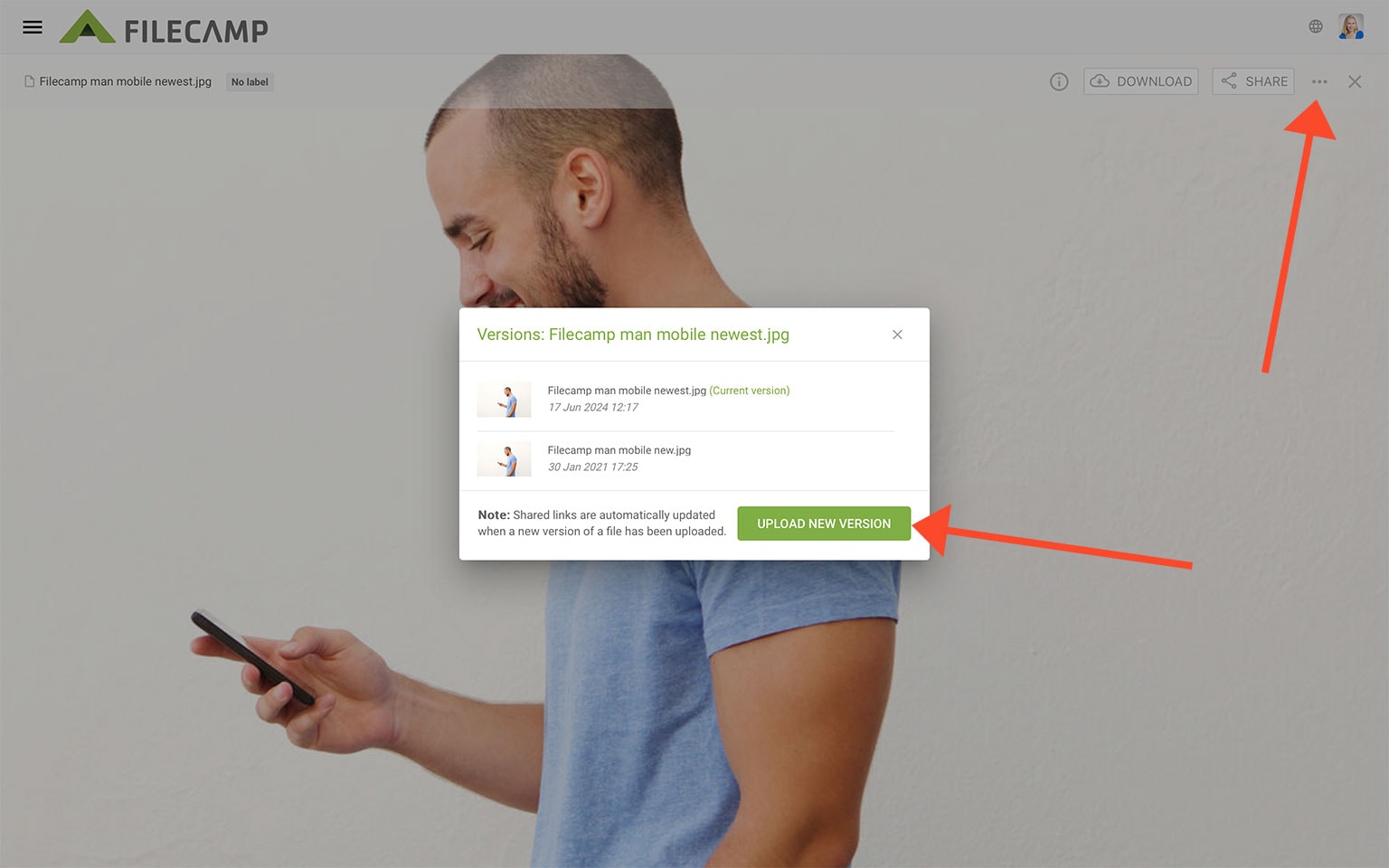
- Uploading a file with the same filename prompts you to replace the old file.
- Uploading a file using the “New version” button replaces the file and allows you to revert to previous versions.
Summary
Across all feature categories, Filecamp provides a comparable solution to most enterprise DAM solutions, at less than 1/10 of the price:
Folders and Collections – Filecamp provides Collections as well as a folder-based model for greater flexibility.
Search and tagging – Filecamp enables search by filenames, tags, folders, and XMP metadata, which is sufficient for many use cases.
Custom branding – Filecamp provides more flexibility than many other DAM systems, with custom-branded folders, custom URLs, custom login screens, and a white-label option.
Commenting and online proofing – Filecamp offers basic commenting and workflow management. It also allows collaborators to add annotations directly to image files, which some high-priced DAM solutions do not support.
File sharing – Filecamp offers strong file sharing functionality, including browser-based downloads, link-based file sharing, and public upload URLs.
Version tracking – Filecamp provides functionality for uploading multiple versions of the same file and reverting to previous versions.
Activity reporting – Filecamp does not offer full reporting, but it provides easy-to-understand logs of all activity and comments in the system.
Service model and price – Unlike most enterprise DAM solutions, you can try Filecamp right away. If you choose to continue, you can save over 90% compared to many enterprise DAM systems.

What is Filecamp?
What is Digital Asset Management?
As your organization grows, it becomes harder to keep your digital files under control. Time is wasted handling requests for images, logos, and other files. People may receive the wrong file type for their needs, and a lack of control can lead to branding issues.
Digital Asset Management (DAM) systems let you store digital assets and assign metadata to your library of images, videos, presentations, logos, design files, documents, and other brand assets, making them easier to find.
Online, and from any device.

Morgan Heinrichs, ANDE

Gary Hilson, LEE Filters

Kelly Morris, Vacutech, LLC


