
Artwork Approval system
Because all artwork needs to be Reviewed, Commented, Proofed and Approved.

Artwork Approval system
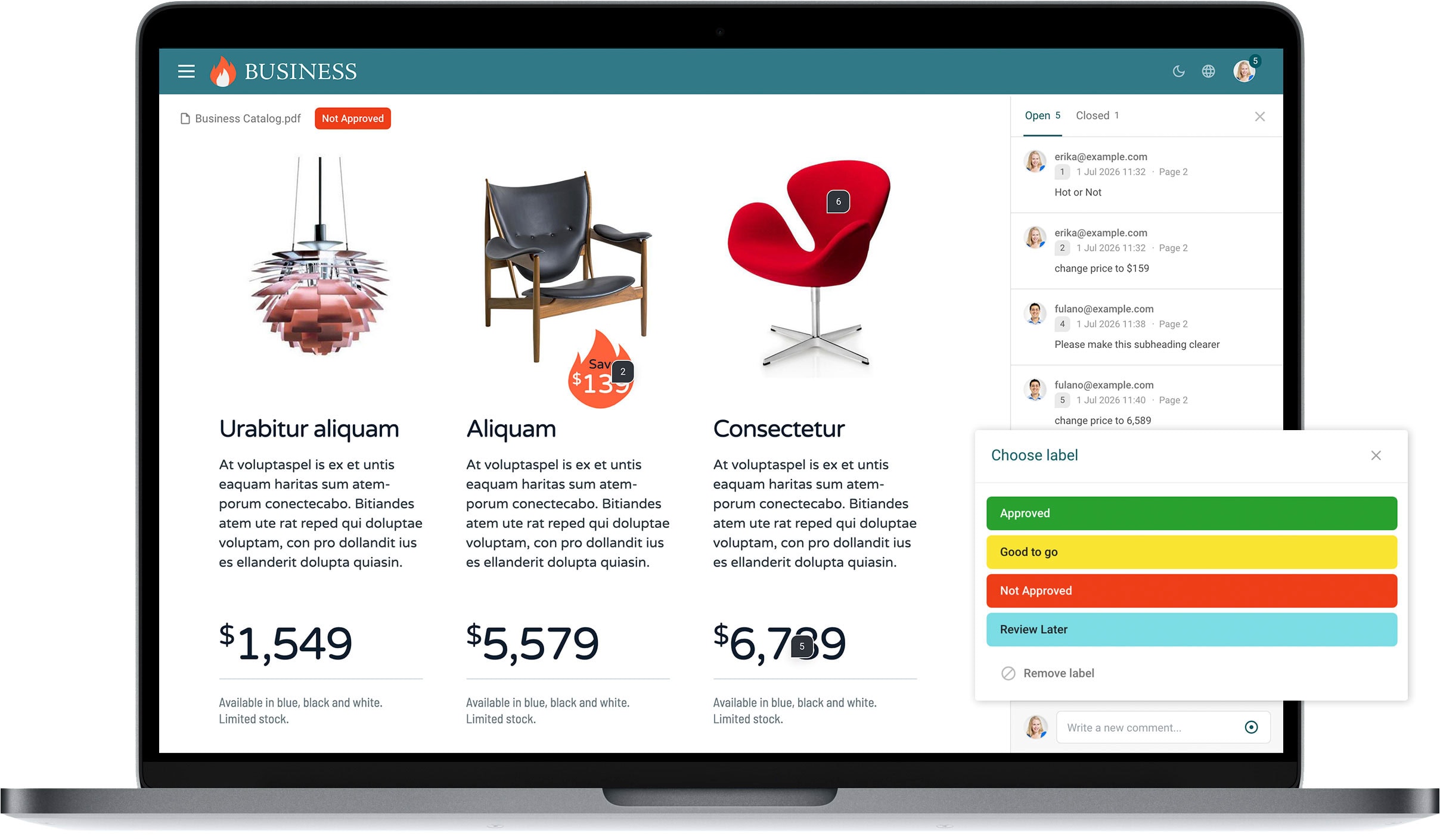
Filecamp is an Artwork Approval system that helps you exchange feedback on creative content. Clients, new users or non-technical users can get up-to-speed immediately with our intuitive commenting and marker tools.
Secure Third Party Approvals
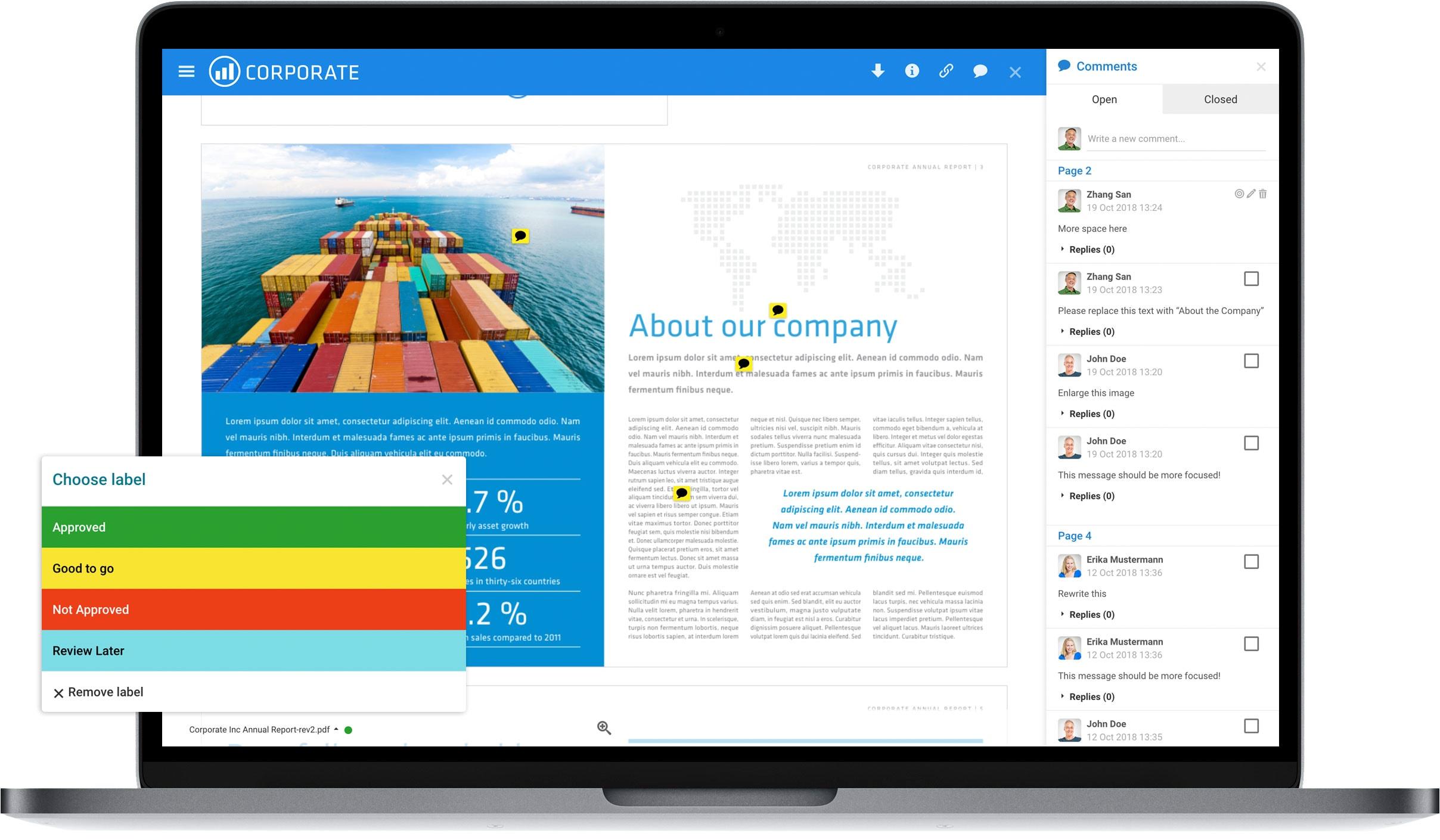
Invite external partners to approve content through a secure email link. They are directed to a secure page displaying the approval content. External stakeholders can review comment or mark up files online, just like internal stakeholders.
Collaborative Review
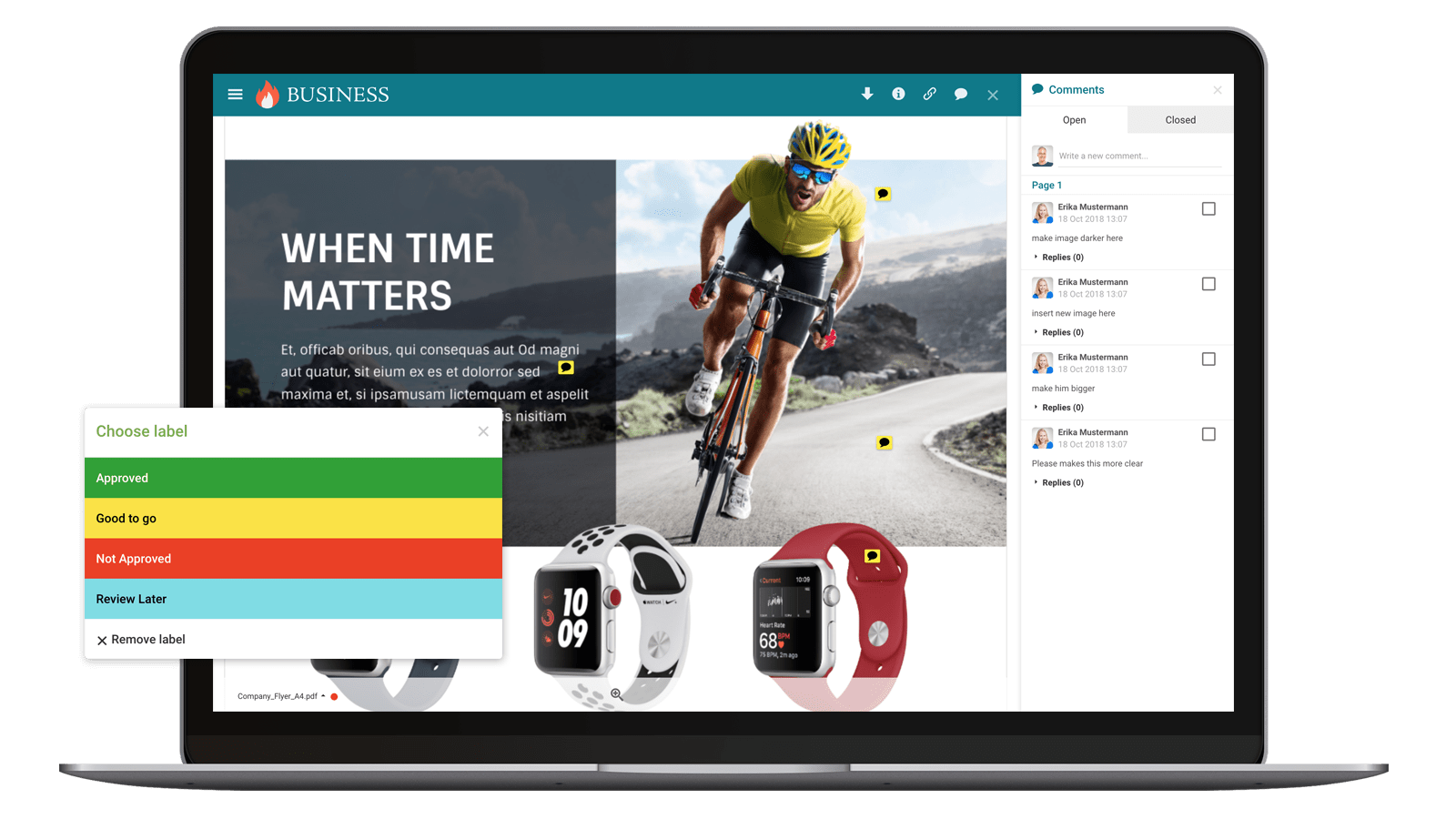
Filecamp enables online proofing, simplifies workflow and speeds up delivery of marketing projects for brands and agencies in over 60 countries.
Use Filecamp to review, comment and approve all popular artwork file types, including multipage PDF files, and PSD, JPG, TIFF image files.
Keep everyone on the same page and up to date with notifications
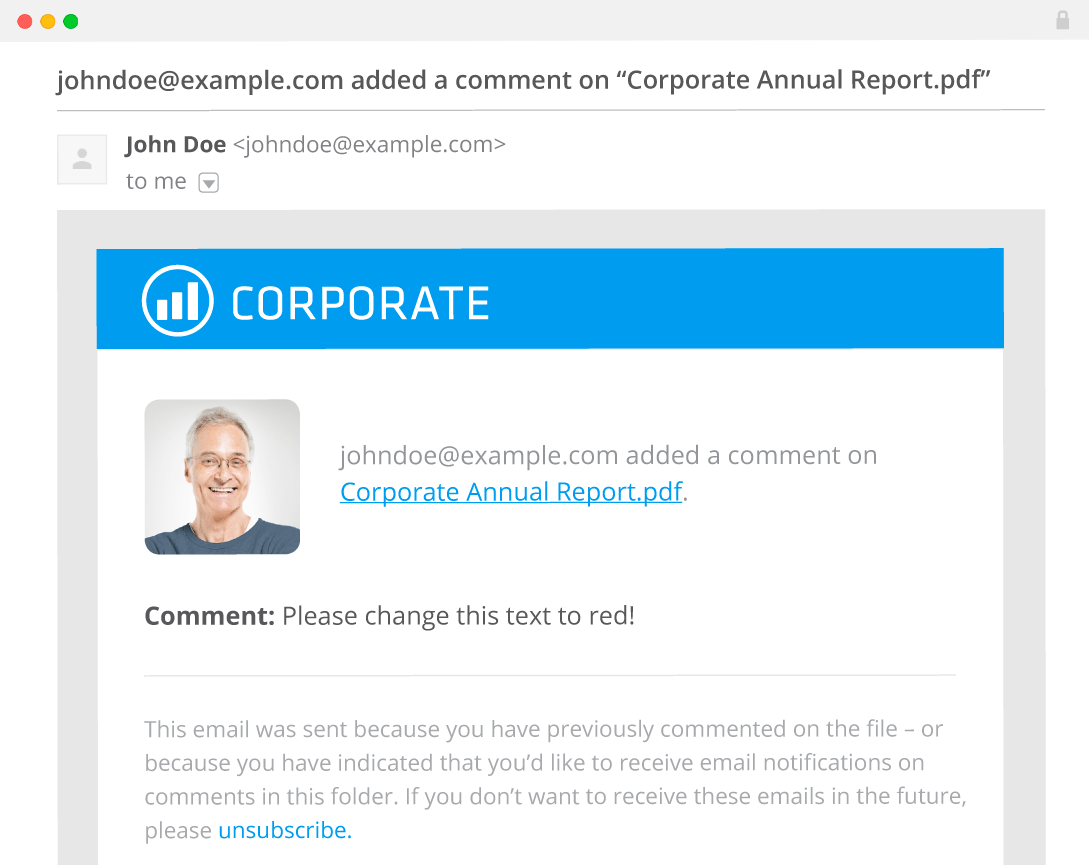
Updates to your files can be delivered by email, so the people working on a job are told when a comment is added or when a file changes label from, say, "Not Approved" to "Approved".
Notifications are set per folder and go to users in your Filecamp; each user can change their own settings at any time. Reviewers who register themselves on a share page to comment do not receive them.
Artwork Approval Features

Easy to adopt
Filecamp uses file and folder structures and familiar drag-and-drop functions. Commenting is as easy as leaving a note, and you can approve designs with the click of a mouse. Now everyone can collaborate online!
Client approvals
Filecamp online proofing and approval makes it easy for clients and other third parties to review and approve projects. After you upload a design, you can easily email a link for approval with a click of a button, right from your Filecamp.
Easy distribution
Share and collaborate with clients and partners with the simple click of a mouse. You can use your Filecamp as a online proofing system as well as for everyday file sharing tasks.
Online collaboration
With every comment available, creative projects can move quickly from start to finish without stepping backwards. When everyone’s voice is heard, you can be sure everyone is happy with the final design. Best of all, there’s no software to install for you, your clients, or your team.
Version control
When you upload a new version of a file, old versions are archived so you can easily access them later. There are sometimes when you need to check an earlier revision to be sure you’ve covered all your bases. Filecamp makes it easy to toggle between different versions.
Custom Branding
Put a professional face on your Artwork Approval system with Filecamp’s custom branding features. Use your company logo and colors, plus a custom URL to make a seamless transition between your company and your approval system.
Supports many file types
Filecamp supports a wide range of files for reviewing, commenting, proofing and approval. Whether it’s a high resolution Photoshop file, or a .pdf uploaded for a quick review, Filecamp gives you the flexibility to collaborate the way you want.
Safe and secure
Built on rock solid HTTPS technology, Filecamp is secure storage for your digital assets. With easy permissions, you can grant access to only the files and folders each person needs.
Save time, increase productivity
Filecamp has a simple and beautiful interface. If you enjoy reading thick manuals, this probably isn’t for you. Jokes aside, Filecamp saves you time and money when your staff doesn’t need any training to get started.
Manage your Artwork Approval process in 5 easy steps:
external reviewers.
comments and markers
directly to the artwork.
changes and upload
a new version.
label when the
artwork is ready.


What an artwork approval system does
An artwork approval system is where a design, label or campaign asset goes to be checked and signed off before it is printed or published. Everyone looks at the same file in a browser, comments land on the artwork instead of in an email thread, each new version keeps the history of the one before it, and the decision is recorded on the file itself. It is also called artwork approval software, an online artwork approval system, or artwork proofing software.
The artwork approval process in five steps
- Upload the artwork into the folder for that job — the print-ready PDF, the label, the ad, the packaging flat.
- Send it for review. Colleagues work in Filecamp; clients, printers or external partners open a secure link to a review page.
- Collect the corrections. Reviewers comment and place markers on the exact spot, and reply to each other, so one correction is discussed once.
- Upload the revision. The new version becomes the current one; earlier versions stay available with the comments that belonged to them.
- Approve and release. Someone sets the approval label, and the approved file stays in the same library that the rest of the business shares.
Who signs off
- The studio or designer uploads the artwork and fixes what comes back.
- The brand or marketing owner decides whether it goes out.
- The client reviews through a link, without being added as a user first.
- The printer or production partner can be given access to the approved file only, using folder permissions.
Do clients need an account?
No. External reviewers open the secure link and register themselves on the review page to comment; nobody has to create accounts for them in advance, and every plan includes unlimited users, so more reviewers never cost more.
One limit to know before you promise it: reviewers who register themselves this way do not get email notifications. Notifications go to users in your Filecamp, are set per folder, and are off until turned on. If a client must be told when a revision lands, add them as a user or tell them directly.
Versions, and what happens to the old artwork
Uploading a revision keeps every earlier version, so you can open or download what was approved last month as easily as today's file. Filecamp does not place two versions side by side to compare them; if you need to overlay a v3 against a v2, check that in the trial first.
What "approved" means here
Approval is a label you define — "Not approved", "Changes requested", "Approved" — with a colour, so anyone can see the state of a job at a glance and search for everything in it. Custom label sets come with the Advanced and Professional plans, and commenting is on the Professional plan, switched on per folder.
There is no automated routing, deadline or reminder engine. That suits teams who want the artwork, the feedback and a visible decision in one place; a regulated packaging workflow with enforced approval chains needs a dedicated system.
Print and packaging artwork: what to watch
- A multi-page PDF is approved as one file. For page-by-page sign-off, split the document before uploading.
- Filecamp shows what the artwork looks like; it is not a preflight tool. It does not check trapping, overprint, separations or ink coverage. Keep that step where it is today.
- Large print-ready files transfer fine, and WebDAV is available for bulk uploads.
What to look for in an artwork approval system
- Whether outside reviewers cost a seat — per-user pricing is what makes approval tools expensive once clients and printers join.
- Whether feedback stays attached to the version it was written about.
- Whether the decision is recorded on the file, and whether you can find every job in a given state later.
- Whether reviewers see your brand or the vendor's.
- What happens after approval: does the artwork live on in a library the whole company can use, or only inside the approval tool?
- Which file types open in the browser, so reviewers do not need the design application.
Questions people ask
Is artwork approval the same as online proofing? Nearly, and the same tools do both. Proofing usually means the comment-and-revise loop on any creative file; artwork approval puts the emphasis on the sign-off before print or publication. See online proofing.
Can I include a printer or an agency? Yes, through a secure link, or as a user with access to just that folder.
Can I see who approved something, and when? The label shows the current state, and comments and versions carry their author and time.
Which files can be reviewed? PDFs, common image formats and many design formats, including AI, EPS and PSD, previewed in the browser.
What does it cost? From USD 29 a month with unlimited users; commenting is on the Professional plan at USD 89. See pricing, or start a 30-day trial with no credit card.
File collaboration, solved.
These days, everyone is drowning in email, especially creative businesses and their clients who are reviewing and commenting on designs via email. Beyond the sheer volume of messages back and forth, email is a twisting thread and there is always the risk of reviewing the wrong version of a file.
With Filecamp’s Online Proofing & Approval tools, creative businesses and their clients can forget about emails and phone calls to handle reviews, comments, and approvals. All notes and revisions are stored right with the project, right on your Filecamp. You can provide access to the files for review on your Filecamp to anyone who is involved in the project.
No software to install or download, for you or your clients ... you just need a browser and access to the internet.
COMMENT
With Filecamp you can easily add comments to your files. You can even place markers to point out exactly where you want your changes made.
APPROVE
Review, comment on and approve your files with labels that make sense for you and your workflow. Everyone involved in the project will know exactly which proofs are approved and which needs a little extra work.
INVITE
Send review invitations to get things started. Anyone with an email address can be included in a review workflow, even if you haven’t added them as users on your Filecamp.
SAVE TIME
Access, review, and approve files anytime, anywhere on PCs and Macs. This makes it the ideal solution for busy, high-performance marketing teams collaborating across multiple locations.
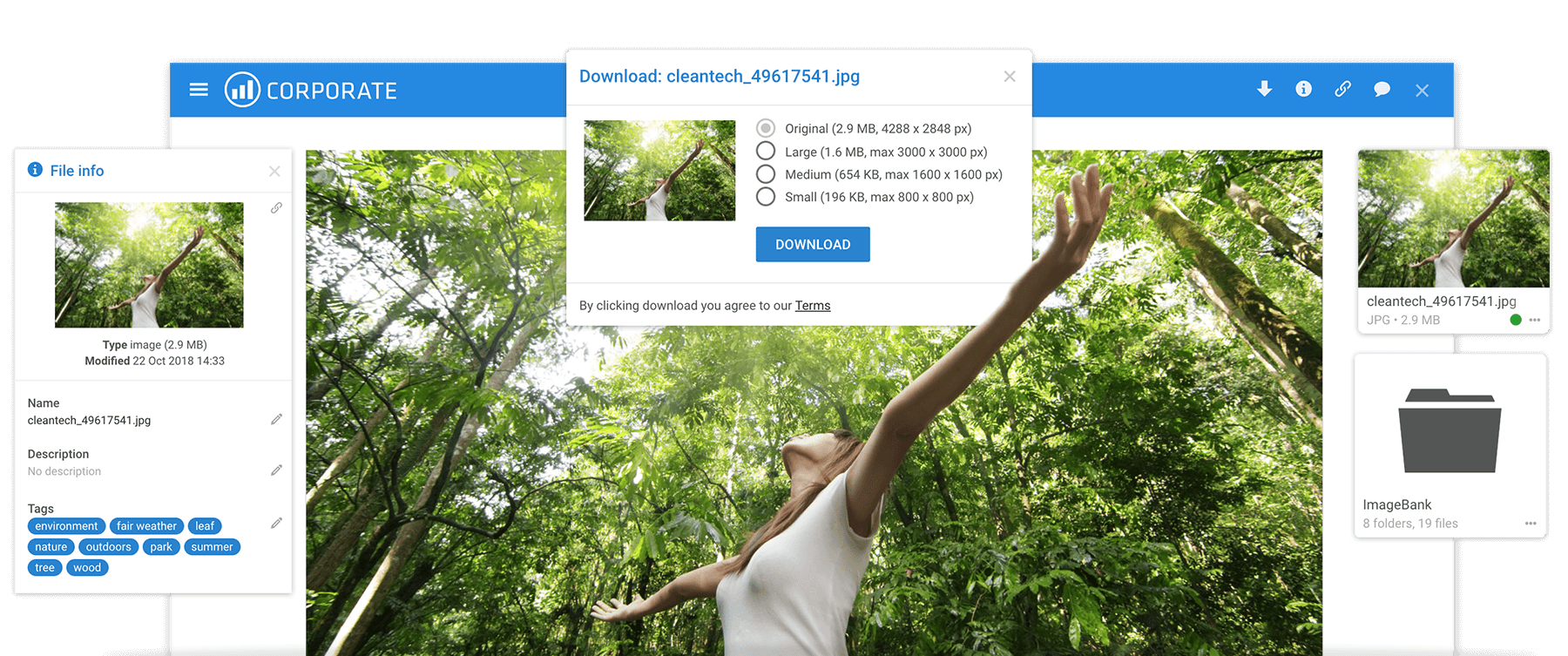
+ get your own Digital Asset Management system!
When choosing Filecamp as your online artwork approval platform, you will automatically get a full-blown Digital Asset Management platform thrown into the deal. Digital Asset Management (DAM) systems are designed to enable you to store digital assets and assign metadata to your library of images, videos, presentations, logos, design files, documents and other brand assets for better searchability.
 "Thank you Filecamp, we highly recommend it!"Filecamp has been the perfect media management tool for our corporation. Before Filecamp, we had company photos, logos, marketing materials, documents, and videos all over the place. Employees didn’t know where to reliably access our materials and were left often using outdated images and documents. Filecamp’s design is easy to use for both administrators and users. Having our media organized and accessible from one place will (and has already) greatly improved our company’s operations … and all of this for a fair price. Thank you Filecamp, we highly recommend it!
Morgan Heinrichs, ANDE
 "It’s fast and easy to use …"Filecamp delivers all the features we wanted without being overcomplicated. It’s fast and easy to use, making it the perfect tool for our needs.
Simon Lusty, Driver and Vehicle Standards Agency
 "Easy to use, easy to control …"Filecamp gives us the perfect platform for managing secure access to assets, ensuring that our team know exactly where to find the most current version, but also which assets are available to our partners. Building Filecamp into our daily workflow was a smooth and easy process, and makes the sharing of assets a much slicker and more efficient part of that workflow. With file level or folder level access controls for both team members and external partners, we have peace of mind, as well as ease of use. I’d highly recommend Filecamp.
Alasdair McWilliams, The Greater Cambridge Partnership
 "Proofing and sharing files is so easy and the 'Multiple themes' thing is just the cherry on top."Filecamp makes it easier for us to collaborate with our clients on our graphic projects. Proofing and sharing files is so easy and the 'Multiple themes' thing is just the cherry on top. We love it!
Mark Christensen, TRUE™
 The alternatives on the market were both messy and expensive”For us, FTP felt obsolete and the alternatives on the market were both messy and expensive – especially for our truck loads of data traffic. This is why we looked into what was available out there. Our criterias was that it should not require designated software and/or computer skills, and it should cost less than our old system. What Filecamp could offer really met our needs, and on top of that we have been able to smoothly tailor certain functions so that it would fit our business in the best way possible.
M. Guldstrand, Bokförlaget Semic
 "... and you were able to offer a solution that wasn’t over-developed and unnecessarily complex."We have very much enjoyed using Filecamp. It easy to use, reliable and you were able to offer a solution that wasn’t over-developed and unnecessarily complex. Thank you!
Ned Jennison, Tata Harper Skincare
 “It is a great easy solution for startups!”It is a great easy solution for startups! The application has many enterprise features. The customer support is excellent!!! They are very responsive to any questions that you may have. I highly recommend this Online Media Management System.
Angelo Rombley, BEO Studios
 “… Filecamp without a doubt has saved us time, money and has simply allowed us to serve our customers better.”A problem our company faced was how to successfully organize and manage the hundreds of proofs that we have for one single project? After researching several different solutions we thankfully found Filecamp. Our clients and employees love being able to view all proofs in one place, from anywhere. It’s notable that our emails were cut down by about 60% per project when we moved to online proofing. Filecamp without a doubt has saved us time, money and has simply allowed us to serve our customers better. Thanks again for an amazing program!
Jasmine Ruth, Deluxe Design
 “Filecamp is really giving us the feeling that we are an important client to them”We were looking for a portal which has a very easy upload function, and at the same time has the possibility to store large amounts of data which is available to our clients in a secured user friendly portal. Filecamp is providing that to us, and Filecamp is really giving us the feeling that we are an important client to them. Their support is very good and they are listening to the needs of their clients.
Roger Maesen, FINVIZI
 “Filecamp fit the bill perfectly.”We were looking for a file sharing platform which gives us the possibility to create personalized portals for our customers, Filecamp fitted the bill perfectly, we received a positive feedback from our customers on there personalized portal were they can download and upload common files. Filecamp is also easy to use.
Joeri DE WINTER, Skyline Networks
 Works "out of the box”, easy to set up, modify and maintain.We have 7000 assets that are changed regularly. Filecamp allows us to have a live cloud-based platform that our 2000 customers can easily access “live” information. It has recently been improved and provides much better value than more expensive clunky systems. Very happy customer!
James Robinson, HORWOOD
 "Highly recommended!"We were on the lookout for a professional file sharing solution, and Filecamp provided the perfect platform. Easy to use for both administrators and customers, it has many functions, and most importantly, it is extremely reliable. I have yet to experience any downtime. Customer support is fast, friendly, and efficient. Highly recommended!
Fergal Keegan, PILGRIM Denmark
 "The user-friendliness and configuration options are big pluses of Filecamp!"As a sports shop formula, sharing content is crucial. New product releases, marketing campaigns, and inspirational content are all being distributed through Filecamp and within hands reach for our entrepreneurs. The user-friendliness and configuration options are big pluses of Filecamp!
Thijn de Bont, SPORT 2000
 "It’s easy to use, safe, and reliable ..."We have used Filecamp for over three years on a daily basis and we love it. It’s easy to use, safe, and reliable.
Niklas Mossvik, Stenbeck Partners
 "I’d definitely recommend Filecamp to anyone looking for a file sharing or digital asset management platform!"Filecamp has allowed my team and those we collaborate with internally and externally to share all formats of files seamlessly. It has streamlined our file sharing and digital asset management system, keeping us organized and increasing productivity. The ability to adjust permission levels for users and to customize folder access for individuals has been extremely useful.
Alexa Corcoran, VF Corporation (VFC)
 "Filecamp has been the perfect platform for us..."Our company spent considerable time searching for a perfect platform for our needs in media sharing while remaining password protected. Filecamp has been the perfect platform for our communications to representatives, writers, and marketing partnerships.
Kevin Wilkerson, Weatherby, Inc.
 "Amazing program and great support"Filecamp is a fantastic solution, easy to use, and cost-efficient. We love the file-sharing function, which allows us to collaborate on files for marketing projects with our partners and customers.
Torsten Schweizer, SPORLASTIC
 "Filecamp has been a dream come true."Filecamp has been a dream come true. It is easy to navigate and makes finding the exact photo you need a quick search. We used to waste so much time trying to figure out where someone saved their photos and how they labeled them. Even employees with low levels of computer skills were able to understand Filecamp and utilize it immediately. It fit into our budget too! Filecamp has made me into the office hero. Thanks!
Kelly Morris, Vacutech, LLC


