
Looking for a Canto Alternative?
Check out Filecamp – pay a fraction of the price while getting tons of features and unlimited users.

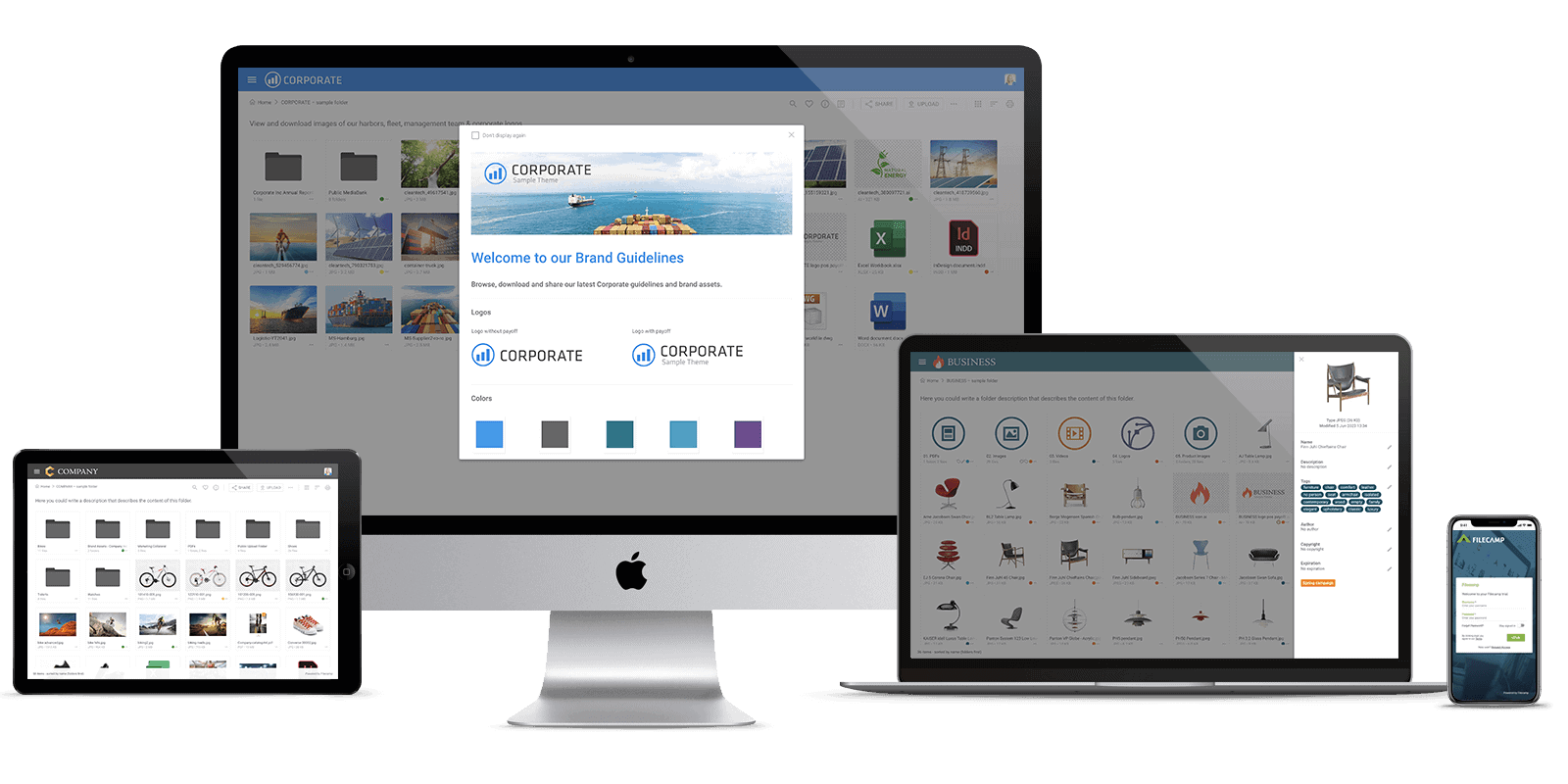
Why our customers prefer Filecamp vs Canto.
More than 1,850 organizations worldwide use Filecamp to manage and share their brand assets.Transparent pricing
Our pricing is 100% transparent. There are no setup fees or other hidden costs.Easy to use and intuitive
Filecamp offers Digital Asset Management right out-of-the-box. Get started in minutes.Self-service & no hassle
All Filecamp plans start with a no-obligation free trial that offers complete functionality and unlimited users. No credit card needed. Upload your own files and start inviting users.Unlimited users
Filecamp offers unlimited users no matter what plan you select— expand your team and customer base without costs.Affordable & scalable
Choose a plan most suited to your business and seamlessly upgrade when needed.First-class & personal support
You won’t need the Filecamp team often but when you do, we’ll be here.Filecamp vs. Canto
Canto sells by quote; its only public price is $25,000 a year. Filecamp? From $29 a month, with unlimited users. Think you’re missing out on features? See for yourself.


Unlimited users, no per-seat fees
Granular access
Share file links
Share folder links
Multiple themes / branded portals (Advanced & Professional)
Keywords/Tags
Search for file names/tags/keywords
Embedded metadata (XMP)
Watermarks
Request file links
Pages (WYSIWYG editor, Advanced & Professional)
Auto tags (Advanced & Professional)
Labels
White label (Professional)
Custom thumbnails
Lowres download
Commenting & markers (Professional)
Yes (annotation marks)
Activity log
Trash bin feature
Custom terms & conditions
Branded login page
Mobile ready/responsive UI
Native mobile app
Version control
Email notifications
Own secure URL, e.g. dam.yourcompany.com (Professional)
Brand guidelines/style guides
Access request / self-registration (Professional)
Favorites
Asset expiration
Drag and drop uploads
Single Sign On (SSO)
Not yet, coming by end of 2026
Integrations
WebDAV access
Public API
Not yet, coming by end of 2026
Try Filecamp for free
Which DAM is right for you? You decide! You can take Filecamp for a free test drive.
We’re confident that Filecamp offers a great mix of features, ease-of-use, and price. But you don’t have to take our word for it.
Sign up for a free trial, no credit card required.
Start my free trial now!
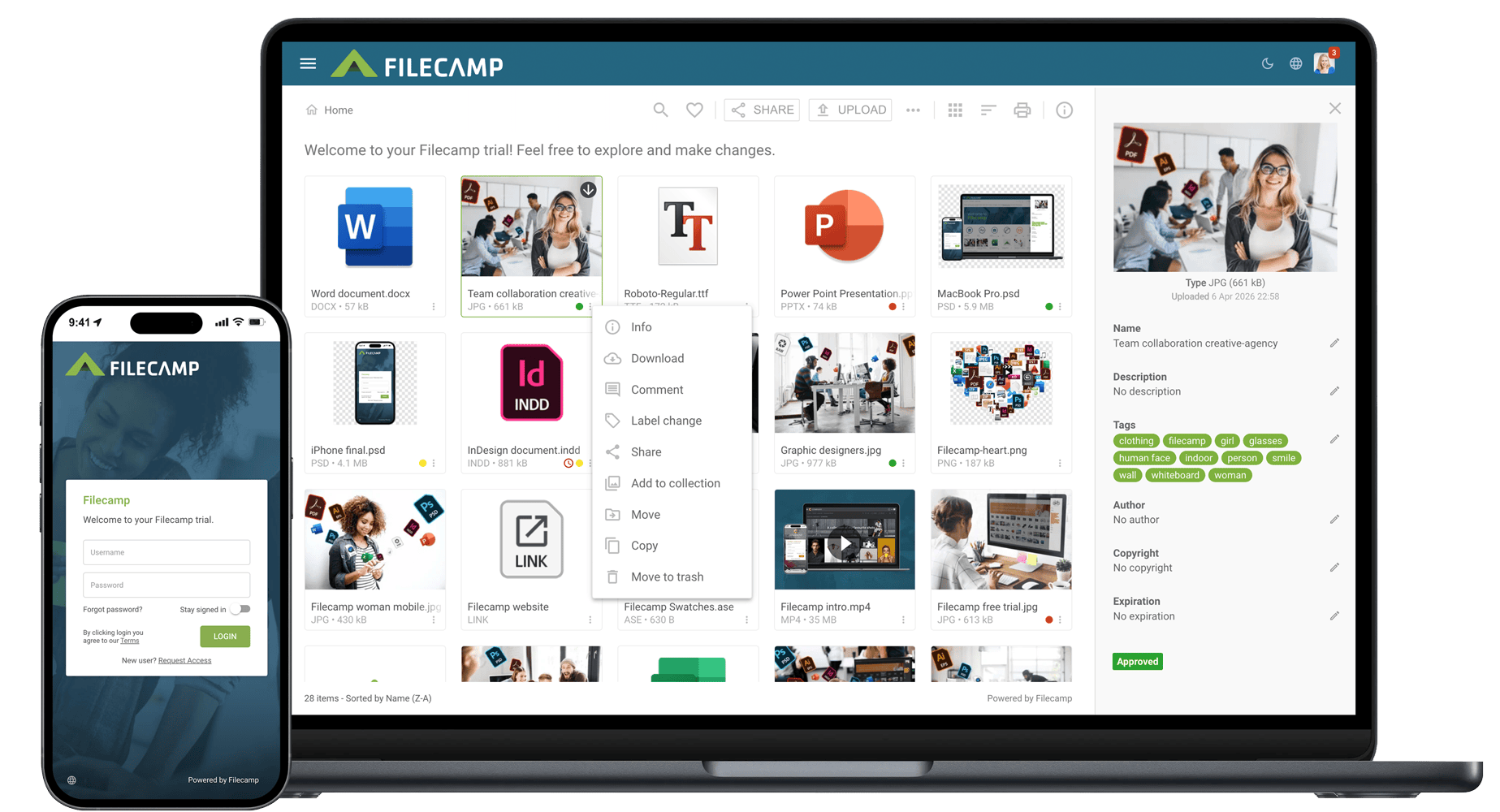
A great Canto alternative:
Affordable. Secure. Easy-to-use.
Every business has its own specific needs and no single DAM will work best for all teams in all situations. That said, we believe that Filecamp offers the best feature mix. And we’re undoubtedly one of the most affordable DAM solutions.
Pages
Filecamp’s built-in WYSIWYG editor makes building custom pages easy. They’ll even appear right in the navigation.
Learn more.
Keywords/Tags
Need to read, write, or edit metadata? With most file types, you can do so right in Filecamp!
Learn more.
Branded folders
Got a lot of clients, projects, or brands to handle? You can associate different themes with different folders.
Learn more.
Security
Filecamp runs on Microsoft Azure. All traffic uses HTTPS, stored files are encrypted with 256-bit AES, and all data is backed up daily.
Learn more.
Easy File Transfer
Receive folders and files– big or small – from anyone, right in Filecamp.
Learn more.
Collections
Curate“Collections” from files stored in multiple folders for easy collaboration and distribution of files.
Learn more.
Auto tags
Filecamp can automatically analyze and tag images to improve search and discovery.
Learn more.
Labels
Label your files for easier indexing or proofing purposes. Create your own labels that work for you and your workflow.
Learn more.
White Label
Filecamp’s Professional plan offers a full white-label experience that ensures your brand is in the spotlight.
Learn more.
Custom thumbnails
We worked hard to give Filecamp a slick and user friendly interface, but it might be useful for you to add some visual cues to files and folders.
Downloads
Filecamp provides a lot of flexibility when downloading brand assets. Feel free to download the original format, or select a lower resolution on the fly.


Morgan Heinrichs, ANDE

William Poli, Poli StudioS

Pip Kirkwood, Brooksrunning
Filecamp: a top-rated digital asset management software

What is Filecamp?
Filecamp is a powerful, flexible, and easy-to-use digital asset management system.
As your organization grows it will get harder to keep your digital files under control. You’ll burn time dealing with requests for images, logos and other files. People may be given the wrong file type for their needs, and a lack of control could lead to branding issues.
Filecamp is designed not only to let you store and share digital assets, but also to assign metadata to your library of images, videos, presentations, logos, design files, documents and other brand assets for enhanced searchability.
Online, and from any device.
Over 1,800 organizations use Filecamp


Filecamp vs. Canto – pricing
Let’s compare Filecamp vs. Canto in terms of pricing. Filecamp publishes its prices. Canto sells by quote; its only public price is a $25,000-a-year package on AWS Marketplace (2 TB, 5 power users). See what Canto actually costs.
1 user
$59/month
Quote only
5 users
$59/month
Quote only
20 users
$59/month
Quote only
+100 users
$59/month
Quote only
USER INTERFACE
Filecamp vs. Canto: Which user interface do you prefer?
Everyone has an opinion about user interfaces, it is not an exact science and there is no right and wrong. Some prefer a Tesla and others prefer a Volkswagen. The two screenshots can give you a quick overview of the differences between Filecamp and Canto.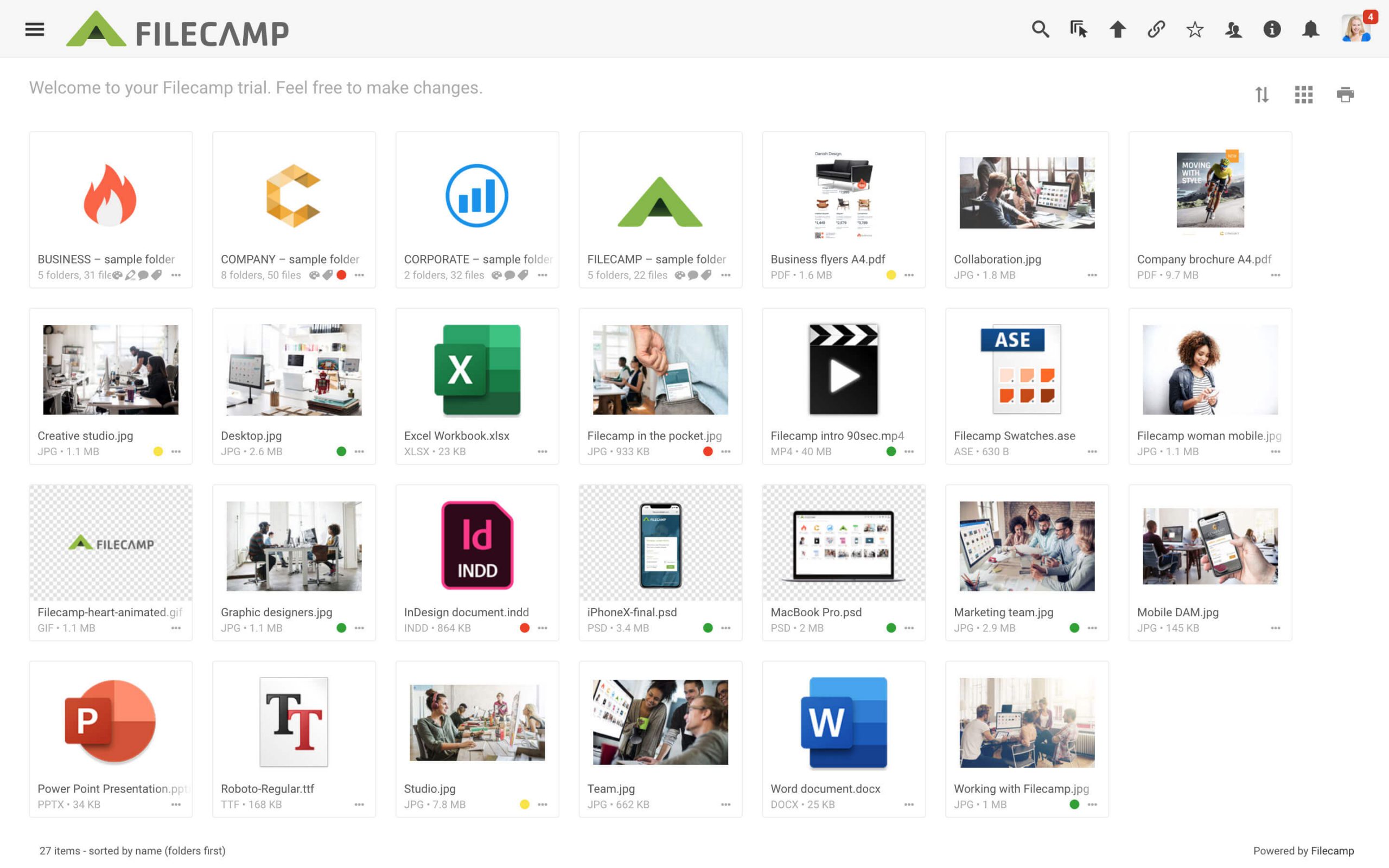
Filecamp's user interface
Perhaps we are biased but we think this looks more slick and user friendly.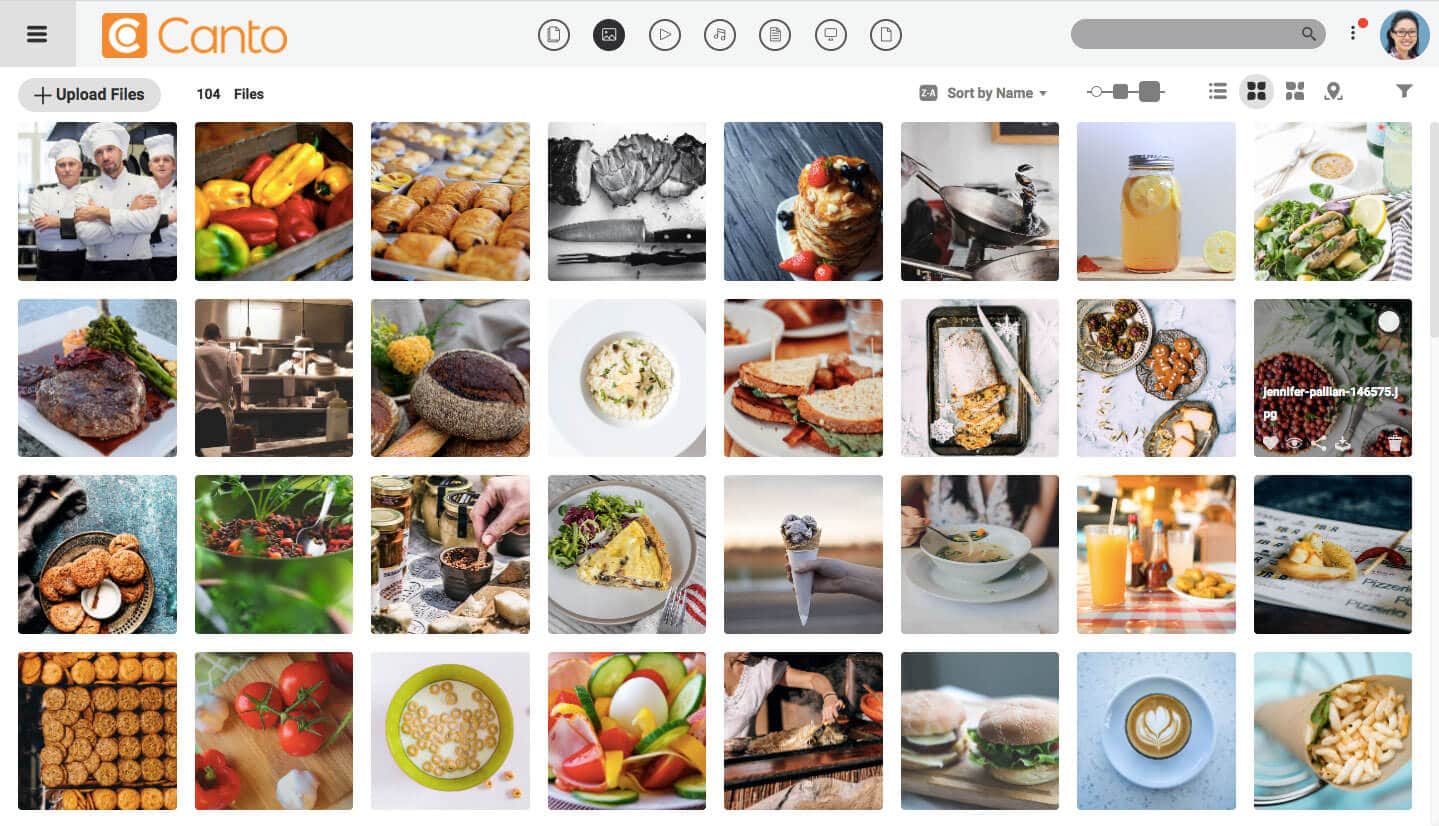
Canto's user interface
Screenshots from 2020; both products have changed since. Try Filecamp free for 30 days and compare for yourself.No credit card required!