Brand Asset Management
Filecamp is an easy to use brand asset management system that gives you straightforward file sharing and brand management for brand guides, brand assets, and more.

Centralize & share your brand assets.
When your users can't find the right file version in an unwieldy email chain or when they get throttled by an attachment size limit, productivity is crushed. Filecamp lets your team share files inside and outside your organization through their favorite access methods. Trusted users can monitor and manage access for other users.Trusted by 1,850+ organizations


Grant Granular User Access with Custom Folder Permissions
Filecamp's permissions and folder access settings give you flexible and intricate ways to control file and folder access. Some administrators need sophisticated permissions where others just want simple yet adaptable access rules. Filecamp gives you both, and more.
Designed with your brand in mind
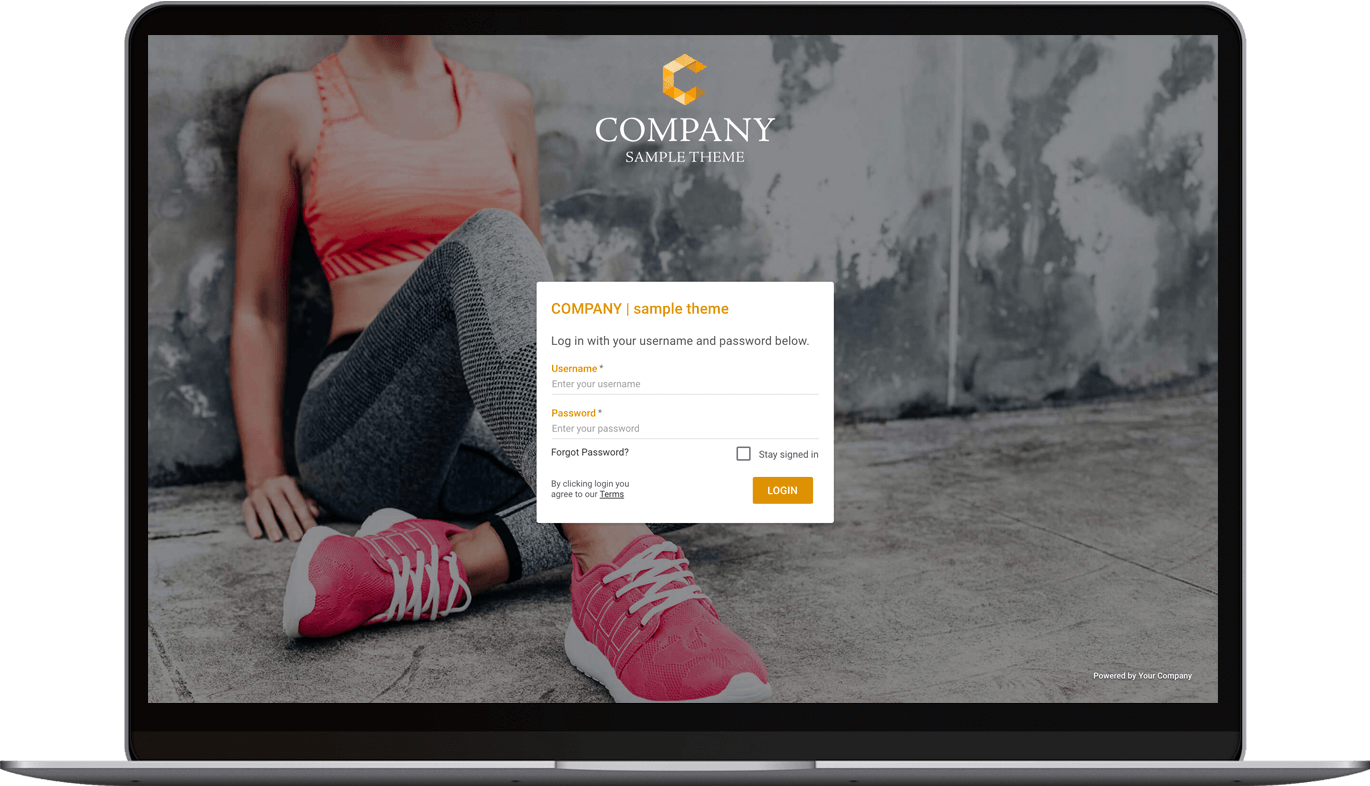
Put your logo, colors and login screen on Filecamp. On the Advanced and Professional plans, create as many themes as you like and give each client, brand or product its own folders with its own look, all in one account.



Easy to manage from any device
Control permissions & download agreements
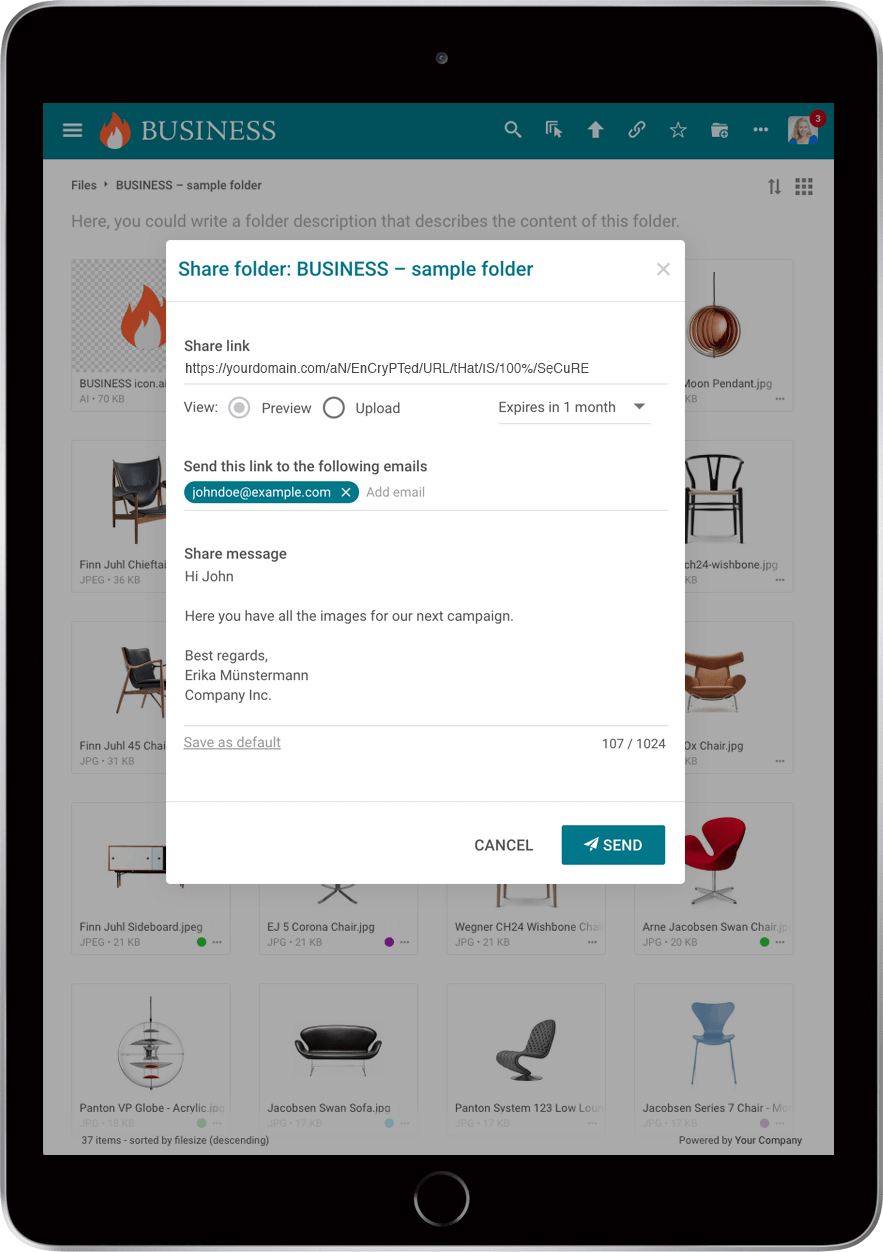
Share specific folders with a link and put it on your website, no login needed. Keep other folders behind permissions, and show your own terms at login and with every download.


Filecamp gives your team one central place to organize, manage, and share images, videos, design files, documents, and other brand assets.
Brand asset management
Keep photos, logos, videos, design files, documents, and other brand assets organized in one central cloud-based library. Your team can access, manage, and share approved files from any device.
Built to scale
Filecamp works for small teams and global organizations alike. Every plan includes unlimited users, and you can add storage as your library grows. With no local servers or software installations to manage, scaling stays simple.
Flexible download options
Download original files or smaller WebP versions for websites and other digital channels. Supported design files, including Adobe Illustrator files, can also be downloaded as WebP, giving non-designers access to web-ready assets without specialized software.
Find files faster
Search file and folder names, descriptions, tags, author and copyright, then filter by type, label and date. Once you find the right asset, share it directly with the people who need it.
Share and collaborate
Share files, folders, and Collections using professional links. Invite comments with point markers on the Professional plan, or collect files from external partners through public upload links.
Custom branding
Customize Filecamp with your logo, colors and branded login screen. On the Professional plan, add your own domain, show your own name in the “Powered by” line and send emails from a neutral address, so your users see your brand, not ours.
Familiar and easy to use
Organize assets in a familiar folder structure and upload files using drag-and-drop. The straightforward interface helps team members and external partners get started without formal training.
Multiple branded experiences
Create multiple themes and assign them to specific folders. Give each client, product, or brand its own customized experience while managing everything from one Filecamp account.
Trusted worldwide
Filecamp is trusted by more than 1,850 organizations in over 60 countries. From growing teams to global brands, customers use Filecamp to organize, manage, and share their digital assets.
Tim Deasy, Creative Director / Founder, Standard Official™
Pip Kirkwood, Brooksrunning
Jasmine Ruth, Deluxe Design
Brand asset management, explained
Brand asset management (BAM) means keeping every approved brand file – logos, colours, fonts, photos, video, templates and guidelines – in one place, so everyone who works with your brand, inside and outside the company, uses the right, current version. A brand asset management system is the software for it: one library with search, access rules, sharing and your guidelines next to the files.
What counts as a brand asset
- Logos and their variants (colour, mono, icon, lock-ups)
- Colour palettes and fonts
- Photography, illustration and product images
- Video and animation
- Templates for presentations, social media and print
- Brand guidelines
- Brochures, sell sheets, packaging artwork and press kits
Brand asset management vs digital asset management
Brand asset management is digital asset management (DAM) set up for the brand. A general DAM may also hold work in progress, raw footage and archives for a small team; a brand library holds fewer, finished, approved files and shares them with many people: colleagues, agencies, distributors and press. The software is the same kind. What differs is the setup: who gets in, what they see, and whether it looks like your brand. Filecamp is a DAM built for that: branded, with permissions per folder, links that need no login, and unlimited users.
What a brand asset management system should do, and how Filecamp does it
| One library | Folders, drag-and-drop upload of whole folders, file versions, previews of images, video, PDF, Office and design files. |
| Find the right file fast | Search file and folder names, descriptions, tags, author and copyright; filter by type, label and date. AI tags on images: one at a time on Advanced, automatically on upload on Professional. |
| The right people see the right files | Roles, permission sets and folder permissions. Unlimited users on every plan. |
| Share outside without accounts | Links to files, folders and collections: view only, download, or both, with an expiry date. Request-file links collect files from partners. Your own terms show at login and with every download. |
| Only approved versions in use | Labels such as “Approved”, file versions, and expiry dates that can move old files to the trash automatically. |
| Guidelines next to the files | Pages, rich-text pages in the menu or on a folder, on Advanced and Professional. Or keep your guidelines PDF in the library. |
| Your brand, not ours | Your logo, colours and login screen on every plan; a theme per client or brand on Advanced and Professional; your own domain and your name in the “Powered by” line on Professional. |
| Know what is used | An activity log of uploads, downloads (also through links) and shares. |
Who uses it
Marketing teams that are tired of sending the same logo by email. Agencies that look after several clients’ brands, one theme per client. Franchises, distributors and resellers who need current material in many markets. Nonprofits and schools with many volunteers and partners. And journalists, through a press folder anyone can open.
Getting started in five steps
- Collect the files that are approved today, and retire the rest.
- Organise by audience (Brand, Campaigns, Products, Press), not by department.
- Decide who sees what with roles and folder permissions.
- Add your look and your rules: your theme, and your guidelines as a page or a PDF.
- Invite people and share links. Give campaign files an expiry date so they leave on their own.
What brand asset management software costs
Most brand platforms do not publish prices; Frontify, Bynder, Brandfolder, Canto and Lytho all ask you to request a quote. Filecamp’s prices are on our pricing page, with unlimited users and no setup fee on every plan:
| Basic, $29 a month | 20 GB, one theme, share and request-file links, roles and folder permissions. |
| Advanced, $59 a month | 50 GB, a theme per client or brand, Pages for guidelines, collections, AI tags on single images. |
| Professional, $89 a month | 100 GB, your own domain, your name in the “Powered by” line, access requests, comments with markers, AI tags on upload. |
Extra storage can be added at any time, up to 20 TB. For what other tools charge, see our comparison of DAM pricing.
What Filecamp does not do
Filecamp has no template editor for making new designs, no approval workflow with stages and reviewers (labels and comments do that job), no single sign-on, no integrations with design tools, and no public API yet (planned by the end of 2026). If you need those, a larger platform will suit you better, at a larger price.
Questions people ask
What is brand asset management?
Keeping approved brand files in one place with access rules, so everyone uses the current version. The software for it is a brand asset management system.
What is the difference between brand asset management and DAM?
Brand asset management is DAM focused on finished, approved brand files shared with many people. The tools overlap; the setup differs.
How much does brand asset management software cost?
From quote-only enterprise contracts to a few dollars a month. Filecamp costs $29, $59 or $89 a month, with unlimited users on every plan.
Can agencies and partners get our files without an account?
Yes. Send a link to a file, folder or collection. Or give them a user account; users are unlimited.
Can we run separate portals for several brands or clients?
Yes, on Advanced and Professional: give each brand or client its own theme and its own folders, in one account.
Can we use Google Drive or Dropbox instead?
For a small team, often yes. They are built for storing and syncing files; a brand library is built for giving many outside people a branded place with only the approved files, and control over what they see and download.
Is there a free trial?
Yes: 30 days with every Professional feature, no credit card.