
Cloud Digital Asset Management
Cloud-based, lightweight Digital Asset Management (DAM) and other online tools for Marketing Professionals combined in one attractive solution.

Trusted by 1,850+ organizations


Cloud based Digital Asset Management
Filecamp is a cloud-based Digital Asset Management solution with unlimited users, intuitive file management, your own branding, easy collaboration and much more.
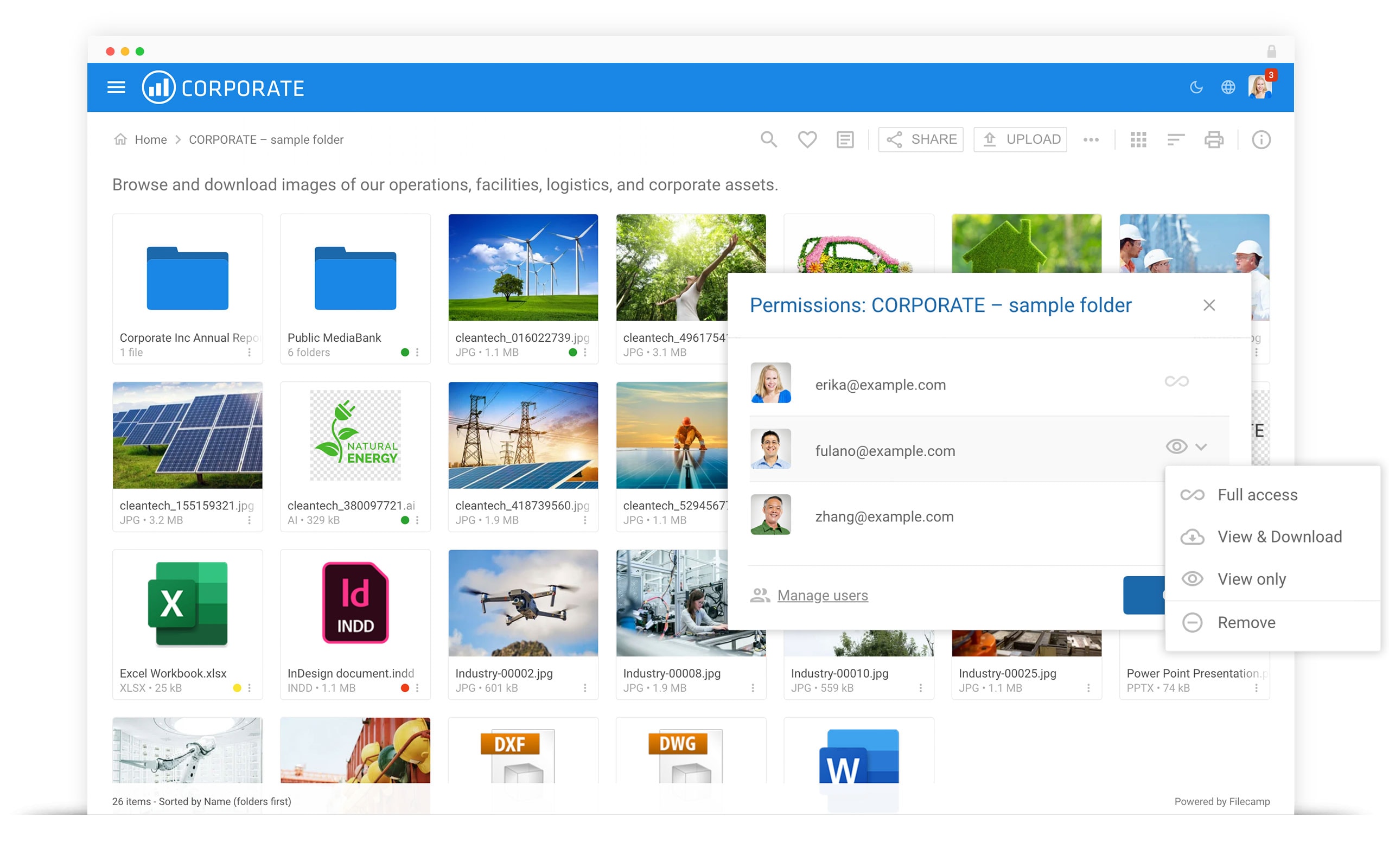
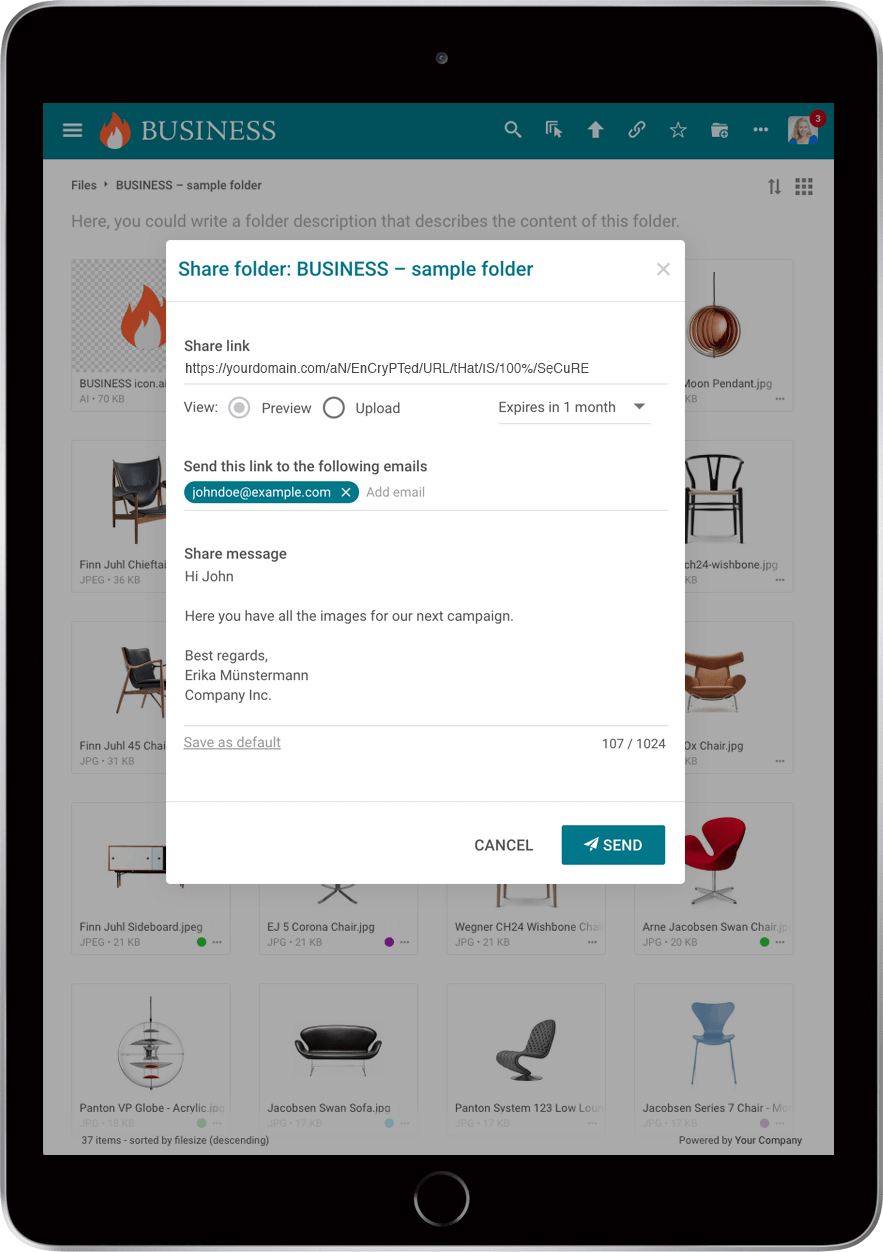
Control how your assets are being shared with permissions. From downloading, uploading, viewing to commenting, Filecamp allows you to choose exactly what your users can do with your files.
No more wasted time spent searching or managing your assets.
Advanced download options
Download the original, or a web-ready WebP version up to 3,000 pixels. So if you need an Illustrator logo in a Word document, you can download it without opening design software.


Cloud DAM, explained
Cloud DAM (cloud digital asset management) is software for storing, finding and sharing an organisation’s photos, video, logos, design files and documents that runs on the vendor’s servers instead of yours. You use it in a web browser; the vendor keeps it running, updated and backed up; and your team, clients and partners reach the files from anywhere, by login or by link.
Cloud vs on-premise DAM
| Cloud DAM | On-premise DAM | |
| Where it runs | In the vendor’s data centres; you open it in the browser | On your own servers |
| Getting started | Sign up and upload, the same day | Buy servers and licences, install and configure |
| Updates and security fixes | Done for you | Your IT team |
| Backups | Included | Your IT team |
| Access for partners | From anywhere, by login or link | Through a VPN or firewall rules |
| Cost | A monthly or yearly subscription | Licences up front, plus hardware and staff |
| Control | The vendor runs the platform | Full control, and full responsibility |
On-premise still makes sense when rules say files may never leave your own network, or when you need to change the software itself. For most marketing and communication teams, cloud is simpler and cheaper. The long version: cloud-based vs on-premises DAM.
Where your files live, and how they are protected
-
Microsoft Azure. Filecamp stores all files on Microsoft Azure, in the region for your country: Europe, the US or Asia-Pacific.
-
Encrypted. Every connection uses HTTPS, and Azure encrypts stored files with 256-bit AES.
-
Backed up. On top of Azure’s own redundancy, we back up all data every day and keep the backups for 30 days.
-
Certified data centres. Azure’s data centres are certified under ISO/IEC 27001 and audited for SOC 1, 2 and 3. More on our security and data centres page.
-
Private unless you share. A file is only public through a share link you create; roles and folder permissions decide what each user sees.
What to look for, and how Filecamp does it
| Search that works | File and folder names, descriptions, tags, author and copyright; filters for type, label and date. AI tags on images: one at a time on Advanced, automatically on upload on Professional. |
| Previews | Images, Illustrator, EPS, Photoshop and PDF files, video, audio and Office documents, in the browser. |
| Versions | Upload a new version of a file; earlier versions stay available to view and download. |
| Metadata that travels | Descriptions, author, copyright and keywords are written into the file itself (XMP and IPTC), so they go with it when it is downloaded. |
| Sharing | Links to files, folders and collections with an expiry date, and request-file links to collect material from partners. |
| Access control | Roles, permission sets and folder permissions. Unlimited users on every plan. |
| Your brand | Your logo, colours and login screen; a theme per client or brand on Advanced and Professional; your own domain on Professional. |
| Activity log | Uploads, downloads (also through links) and shares. |
Moving in, and moving out
Upload whole folders by drag and drop in the browser; previews are made for you. For a large library, connect Filecamp as a drive over WebDAV (on every plan) and copy folders across from Finder or Windows Explorer. If you ever leave, download folders as zip files or copy them out the same way. After cancelling, your files are kept for at least four weeks, so there is time to change your mind.
What cloud DAM costs
Most cloud DAM vendors publish no price at all: Bynder, Canto, Frontify, Brandfolder, MediaValet and Aprimo are quote only. Where a price is published, it usually grows with your team: Lingo is $80 a month plus $16 per editor, FileCloud $7 per user with at least 20 users, and Kontainer €350 a month for up to 25 users (checked on their own pages in September 2026). Filecamp has one price per plan, with unlimited users on every plan:
| Basic, $29 a month | 20 GB, search, tags and previews, share and request-file links, roles and folder permissions, WebDAV. |
| Advanced, $59 a month | 50 GB, collections, a theme per client or brand, guideline pages, AI tags on single images. |
| Professional, $89 a month | 100 GB, your own domain, AI tags on upload, comments with markers. |
No setup fee, and extra storage can be added at any time, up to 20 TB. See all plans, or what others charge in our comparison of DAM pricing.
What Filecamp does not do
No integrations with design tools such as Adobe, Canva or Figma; no single sign-on and no public API yet (both planned by the end of 2026); no two-factor login; no face recognition or visual search; and no approval workflows with stages. If you need those today, an enterprise DAM is the better fit.
Questions people ask
What is a cloud DAM?
A digital asset management system that runs on the vendor’s servers. You use it in the browser, and the vendor looks after servers, updates and backups.
Is a cloud DAM secure?
A good one is. Ask where the files are stored, whether they are encrypted, how they are backed up and who can see them. For Filecamp: Microsoft Azure in your region, HTTPS and 256-bit AES encryption, daily backups kept for 30 days, and nothing public unless you share it.
Can we move our existing files in?
Yes. Drag whole folders into the browser, or connect over WebDAV and copy them across.
What happens to our files if we leave?
They are yours. Download them as zip files or over WebDAV at any time; after cancelling, they are kept for at least four weeks.
Does Filecamp keep file versions?
Yes. Upload a new version and the earlier ones stay available to view and download.
Is there a storage limit?
20 GB on Basic, 50 GB on Advanced and 100 GB on Professional. Add storage at any time, up to 20 TB.
How fast can we start?
The same day. Try it for 30 days, with every feature and no credit card.

What is Filecamp?
All from one intuitive and visual place in the cloud.
Easy Metadata and Keywords Management
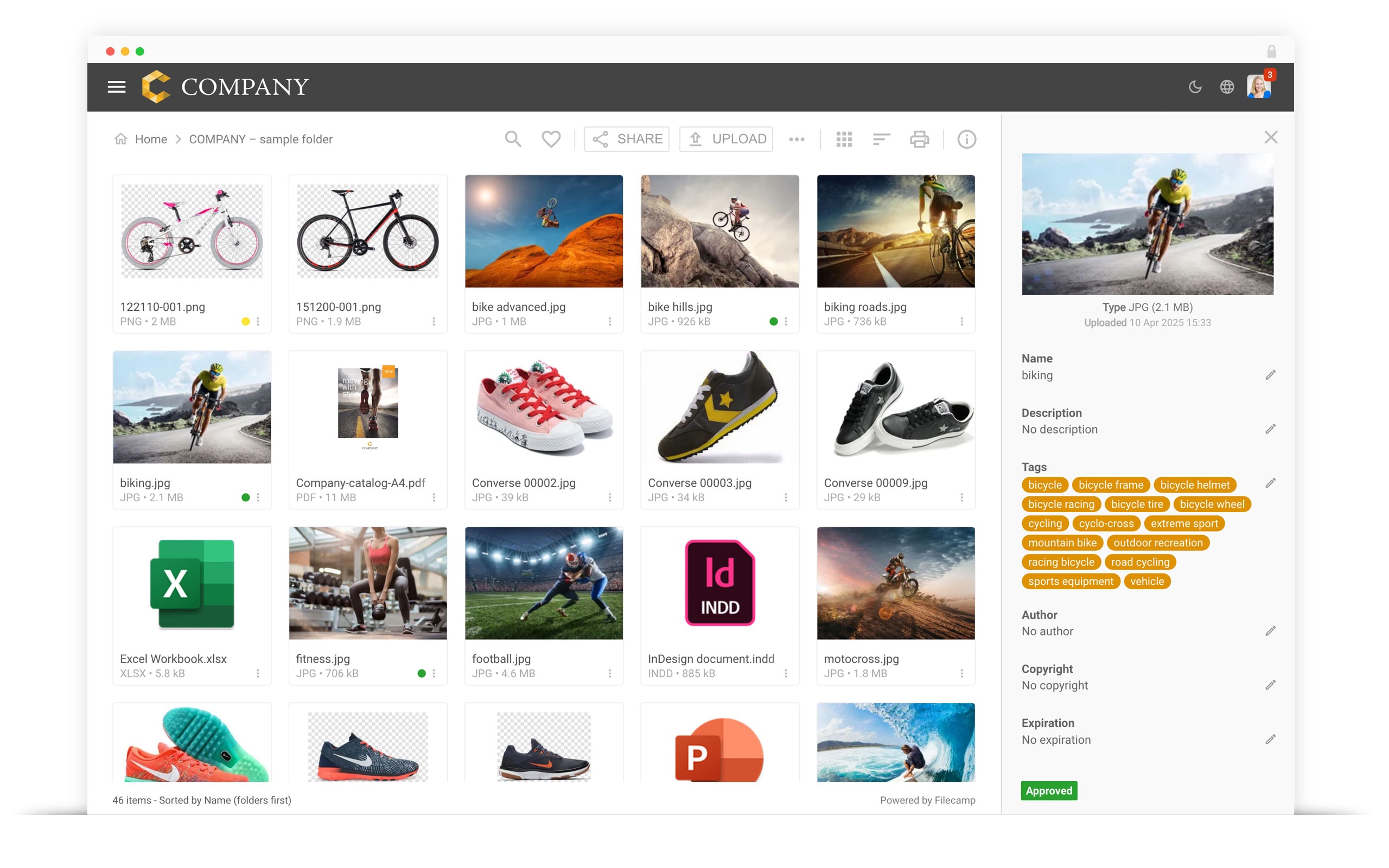
Filecamp metadata is based on the Adobe® XMP technology and features the ability to read and write metadata from a wide range of file types. Filecamp is a registered Adobe XMP partner.
IMAGES
Create an image gallery for your company images. Customize it with preview, tags and privacy settings.
LOGOS
Upload your logos and vector files. Download the original, or a web-ready WebP version, without opening design software.
VIDEOS
Store, view and share your company videos alongside your other brand related content.
DOCUMENTS
Make your important documents accessible and ready to be shared.
Easy to manage
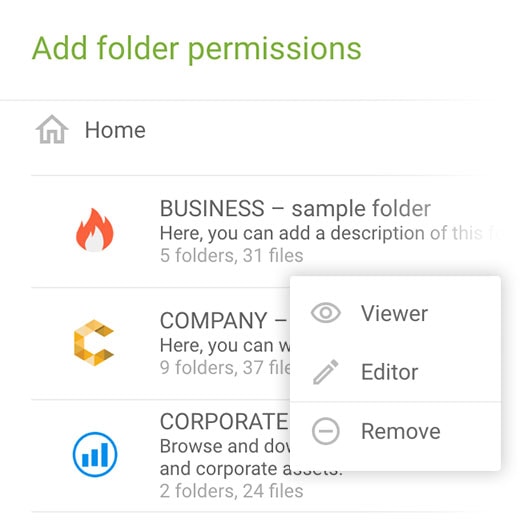
Filecamp is a 100% cloud-based DAM solution, and comes with unlimited users, advanced granular sharing permissions, file previews and mobile ready user interface.
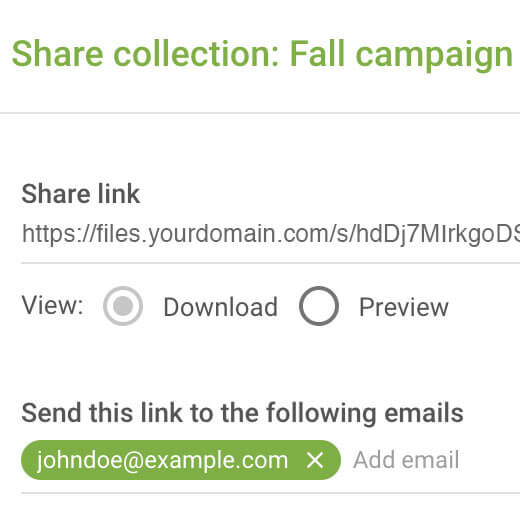
Share files and folders
Filecamp lets your team share files inside and outside your organization through their favorite access methods. Trusted users can monitor and manage access for other users.
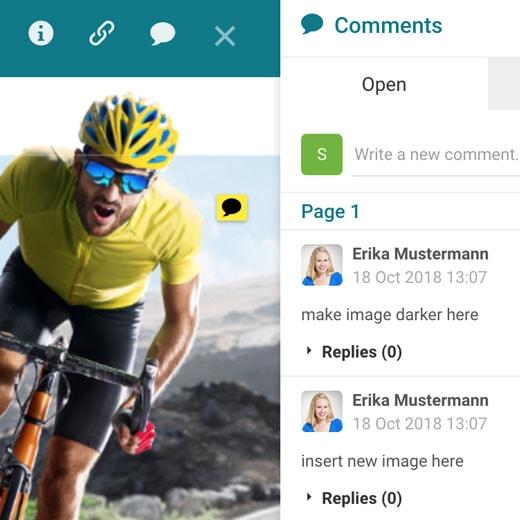
Online commenting
On the Professional plan, comments with point markers make it easy to get feedback on creative projects. Your clients, partners and team can view, comment on and review files, all in the browser.
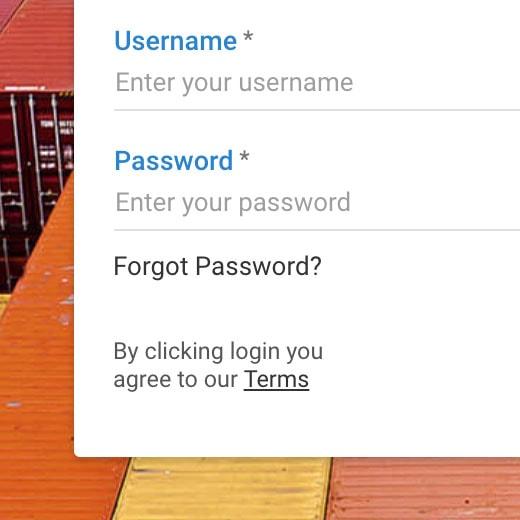
Public links and private folders
Make specific folders public and link to them from your website. Keep other folders private with roles and folder permissions, or require users to log in first. Your own terms can be shown at login and with every download.
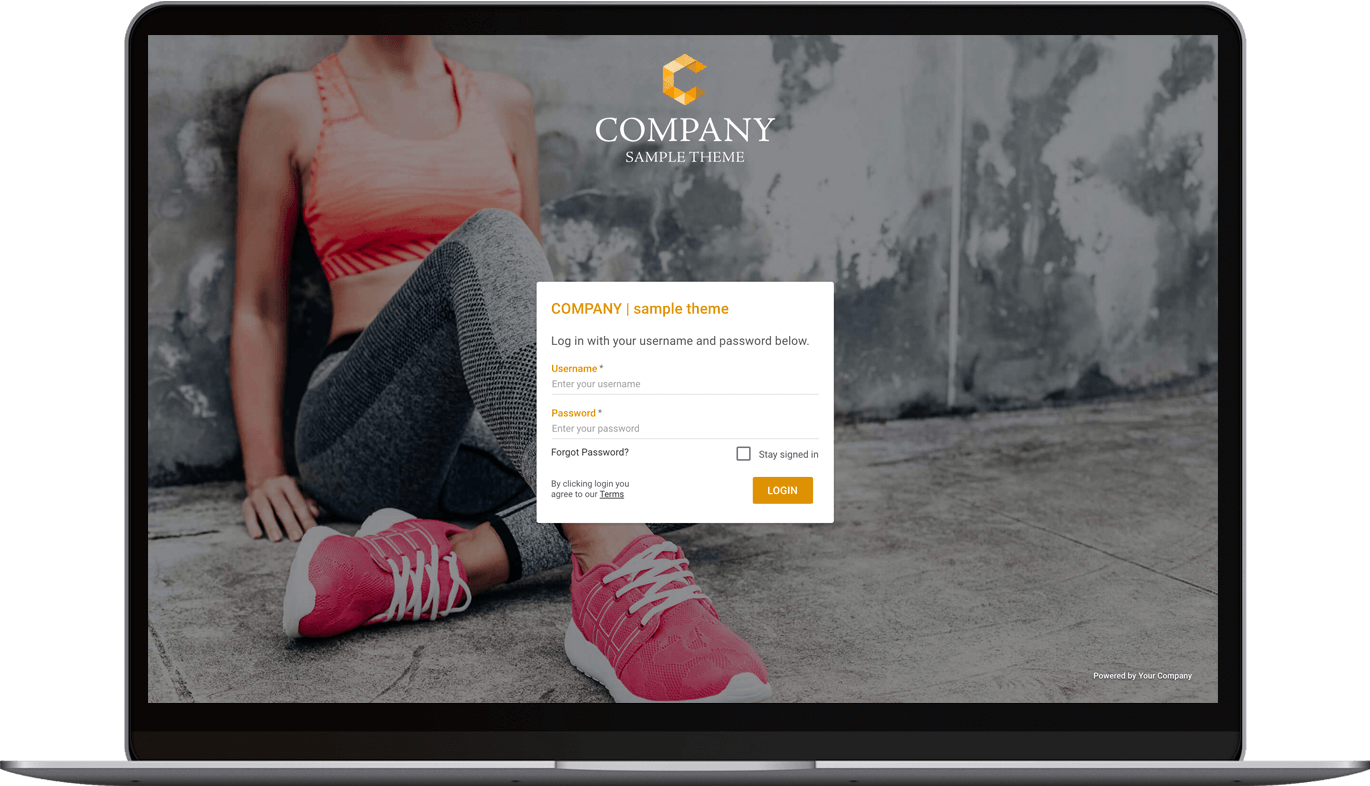
Designed with your brand in mind
Put your logo, colors and login screen on Filecamp. On the Advanced and Professional plans, create as many themes as you like and give each client, brand or product its own folders with its own look, all in one account.



Cloud Digital Asset Management
Filecamp is a cloud based Digital Asset Management (DAM) solution that enables you to transform your digital library into logical order. New features and updates are rolled out automatically
No training required
Filecamp makes managing and accessing your digital assets easy with simple and familiar controls for browsing, uploading and downloading. Your team and your partners on a project can start using Filecamp with no training or experience.
Easy distribution
Share and collaborate with clients and partners with the simple click of a mouse. You can use your Filecamp as a corporate Digital Asset Management system as well as for everyday file sharing tasks.
Scalable
As a cloud based Digital Asset Management platform, Filecamp is highly scalable. Filecamp requires no additional IT staff or costs. From small businesses that dream of an IT staff to large enterprises looking to reduce their IT budget, Filecamp is the perfect fit for any business.
Finding and sharing content
Your digital assets are easy to find using the convenient search feature. With public downloads and uploads, Filecamp’s unique file sharing features help you quickly share rich media files with a select group of partners in a secure and professional manner.
Your brand, your DAM
Put a professional face on your digital asset management system with Filecamp’s custom branding features. Use your company logo and colors, and on the Professional plan your own domain, to make a seamless transition between your website and your Filecamp digital asset management system.
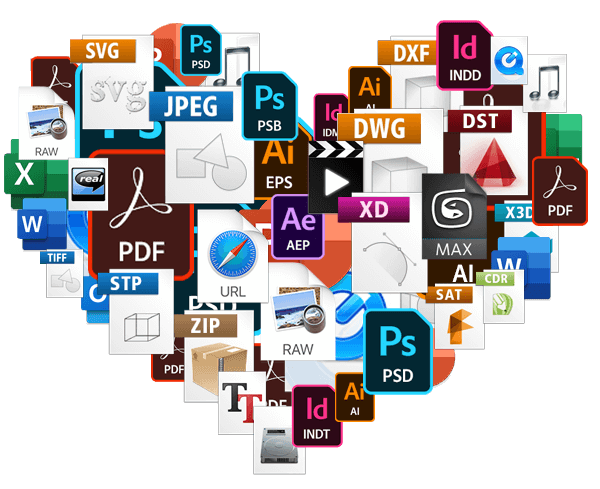
Broad file support
From simple Word documents and PowerPoint presentations to rich graphics and media files, Filecamp supports them all. Quickly upload and share files and enjoy visual previews of formats such as Adobe Illustrator, right on your Filecamp.
Safe and secure
All communication between you and Filecamp is encrypted using the SSL technology. This is the same standard used to encrypt your browser connections to secure (HTTPS) websites.
With easy permissions, you can grant access to only the files and folders each person needs.
Save time, increase productivity
Filecamp has a simple and beautiful interface that makes finding and sharing your digital assets a breeze. If you enjoy reading thick manuals, this probably isn’t for you. Jokes aside, Filecamp saves you time and money when your staff doesn’t need any training to get started.

James Robinson, HORWOOD

Mariona Castells, Lékué

Ned Jennison, Tata Harper Skincare