all from a single, easy-to-use, custom-branded platform in the cloud.

Easy to Manage and Use
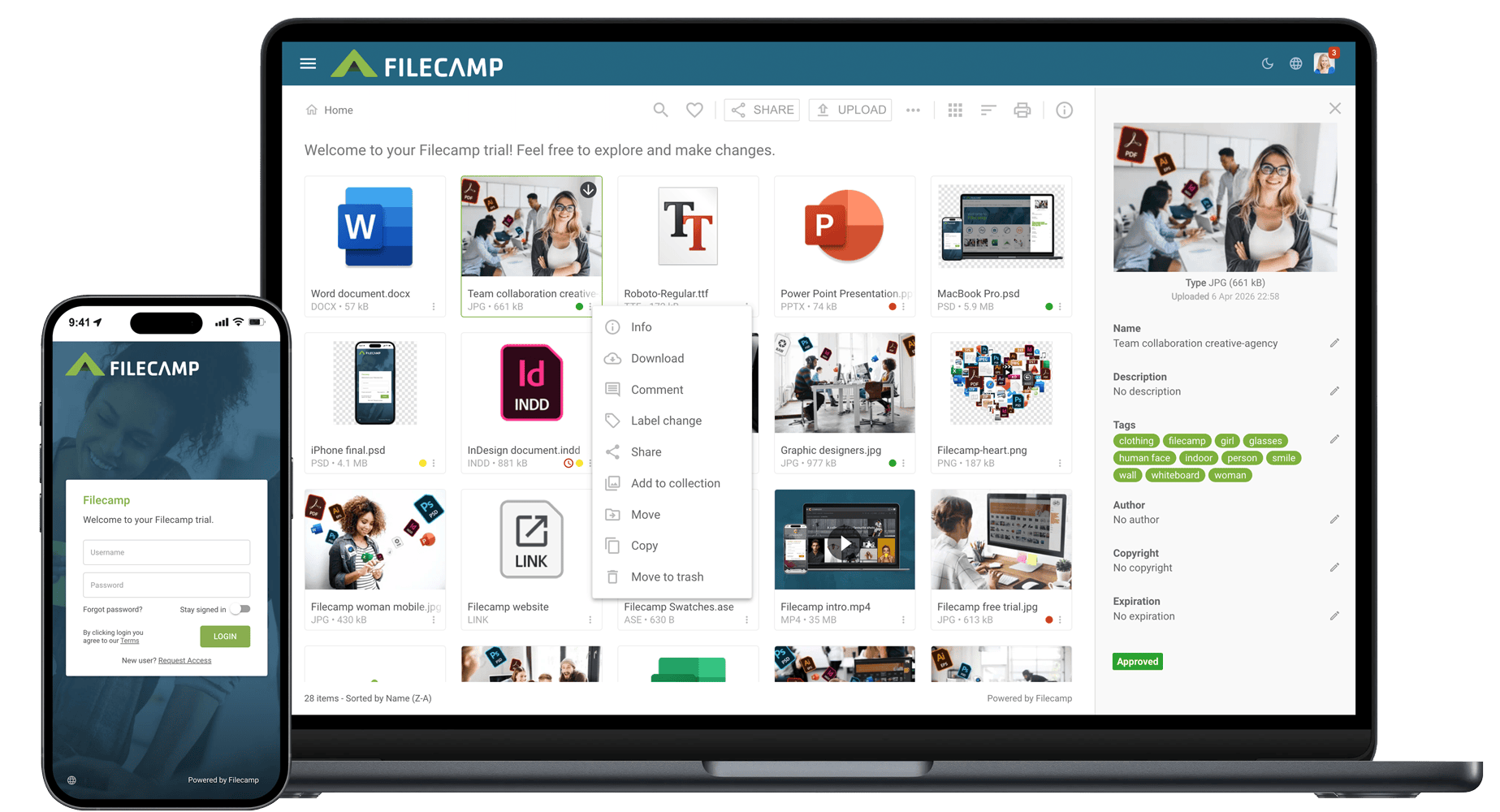
Filecamp is a cloud-based SaaS DAM platform that offers granular permissions control, a mobile-friendly UI, custom labeling, and file previews. And with our DAM, you get unlimited users at no extra cost.
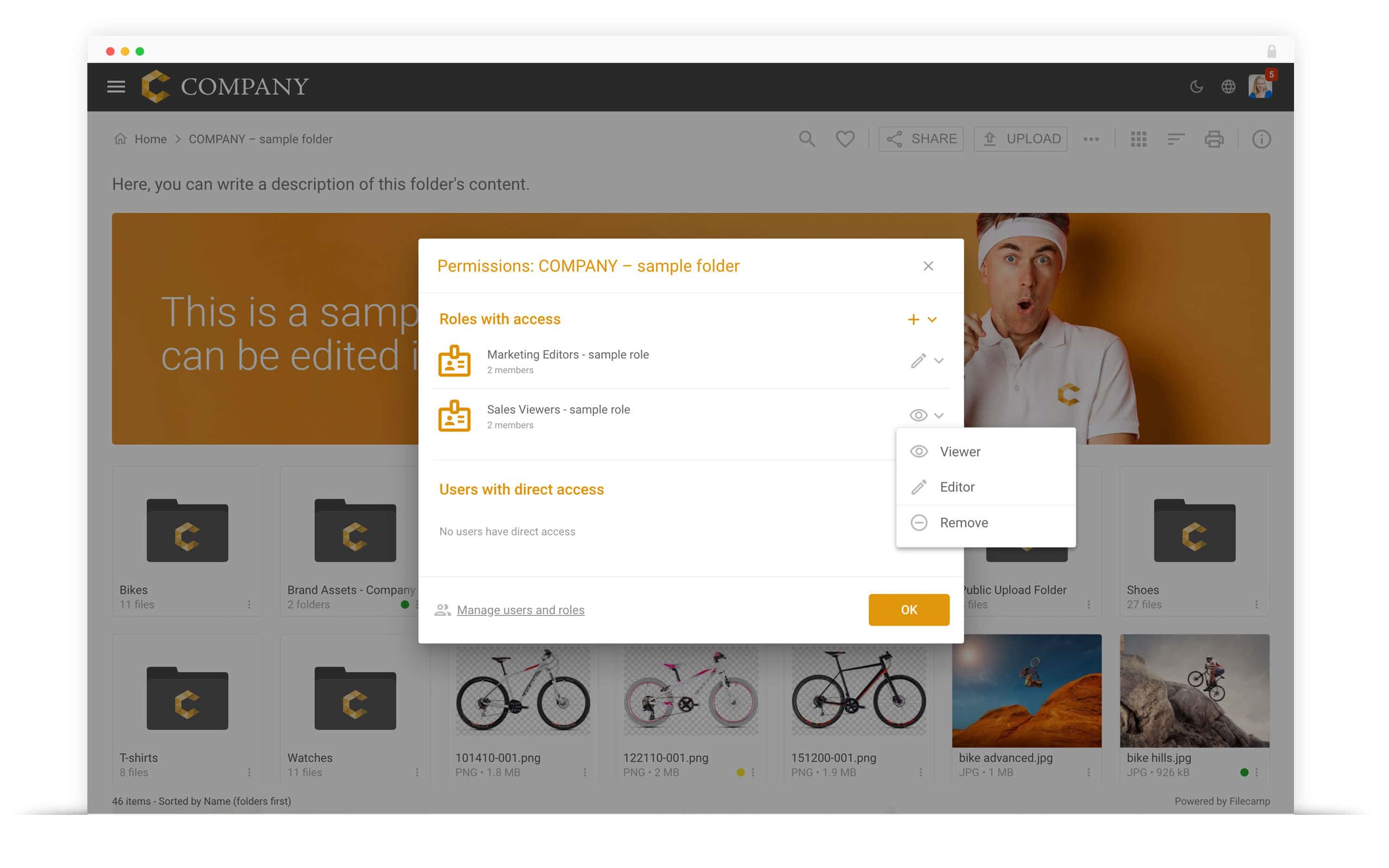
Granular Access Control
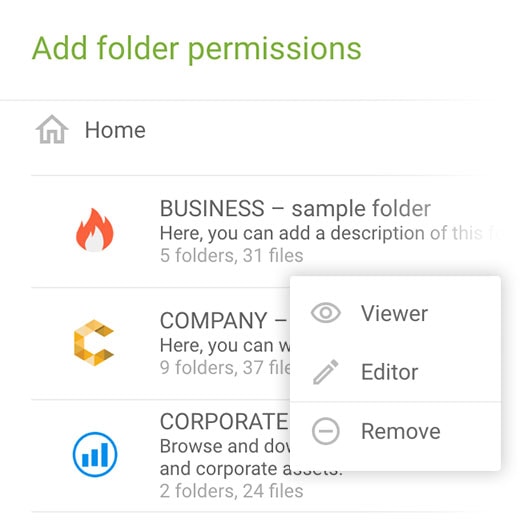
Control who can access files with our advanced yet intuitive folder permission controls. From external clients to internal administrators, you’re always in control with our adaptable access rules.
Read more.
Approve and Comment
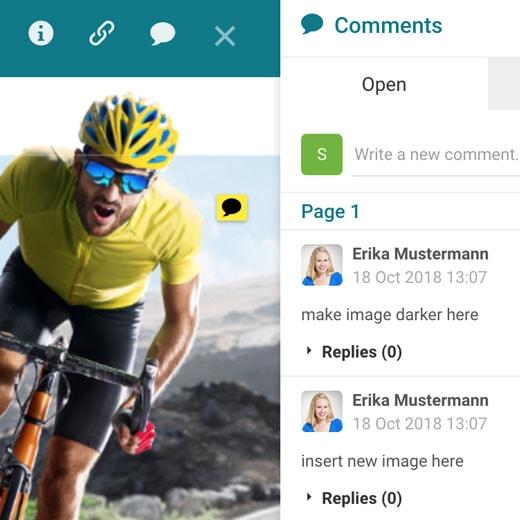
You can approve and reject files, such as documents and graphics, without having to download files. Use our annotation tools and online commenting to leave feedback and monitor projects.
Read more.
Put Your Brand First
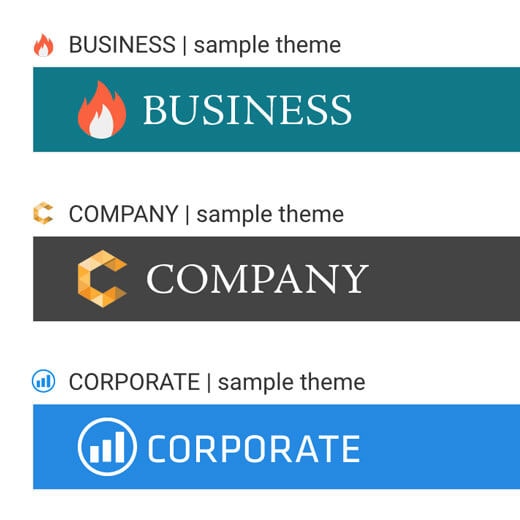
You can Whitelabel the Filecamp digital asset management platform, using your logos and brand to impress clients with your professional file organizing system.
Your DAM solution. Your branding.
The user experience starts on your login page. Make our DAM platform your own with your logo, color scheme, and a background image that tells your story.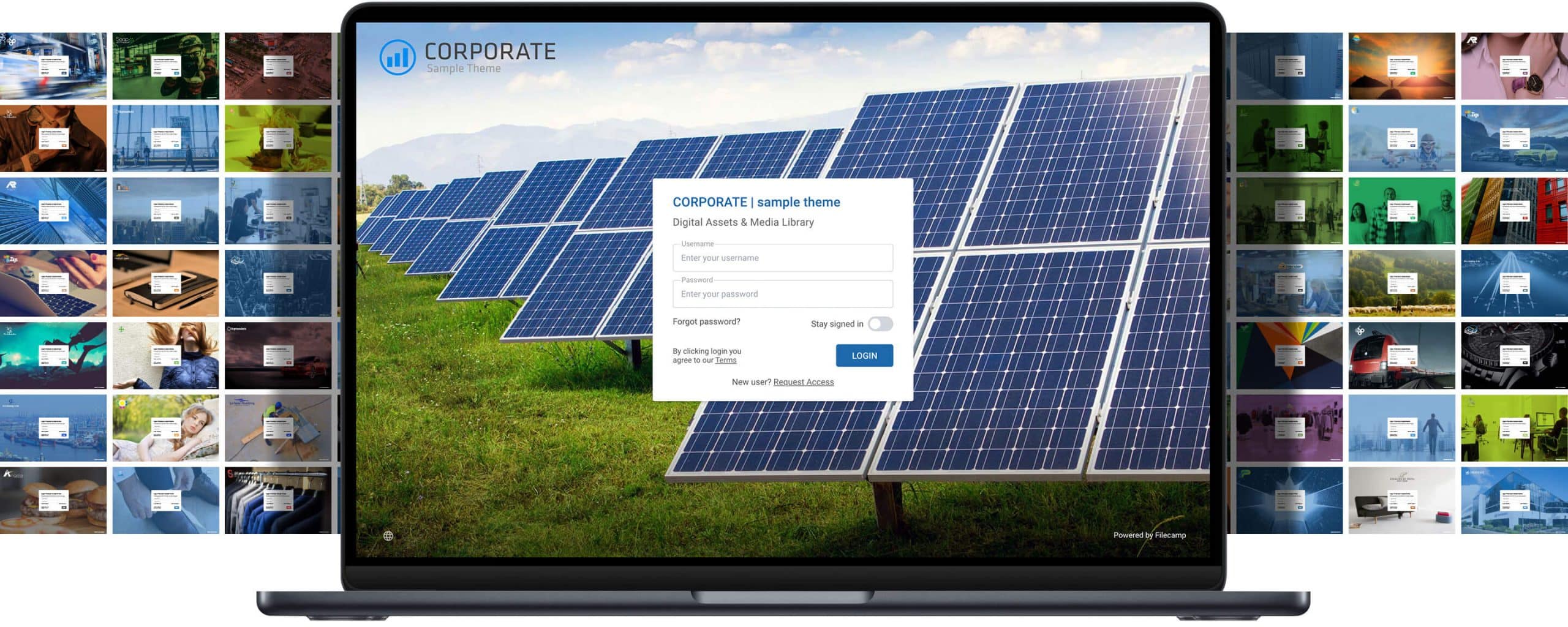


With unlimited users in all plans
Filecamp is for everybody.
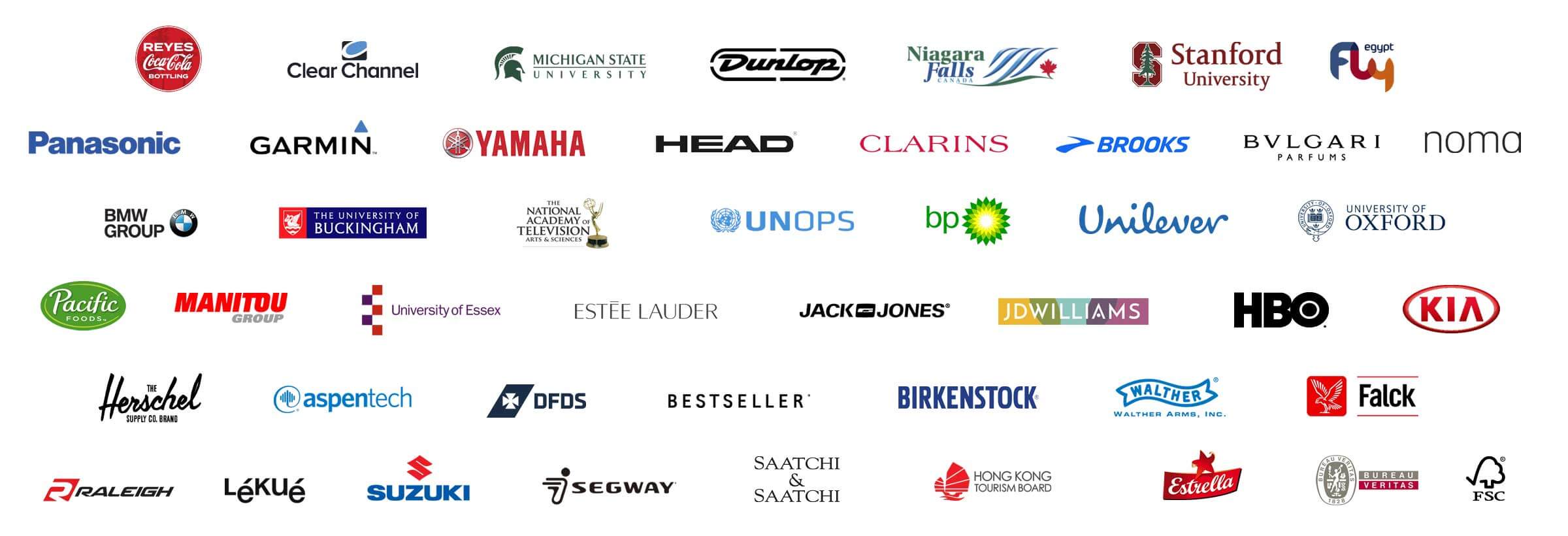
Small and large brands from all industries use Filecamp for managing their digital assets while maintaining brand consistency.
Productivity on your terms.
Leverage your assets as efficiently and effectively as possible while maintaining tight security. Our proven Digital Asset Management software can boost productivity and unleash creativity by allowing companies to easily find, share, and store their digital assets.No credit card required!

IMAGES
Put together a crisp, clean image gallery. Organize photos to show clients, or ensure your assets, such as logos, are all safely secured in one place.
VIDEOS
Safely and securely store brand-related content, such as company videos, commercials, and more with our digital asset management software.
LOGOS
Upload master copies of your graphics and logos, including vector files. Download in the original format or convert as needed, right inside Filecamp, while ensuring version control.
DOCUMENTS
Share important documents and enable easy collaboration with our digital asset management platform, even if your team is spread across the world.
Efficiency, Optimized
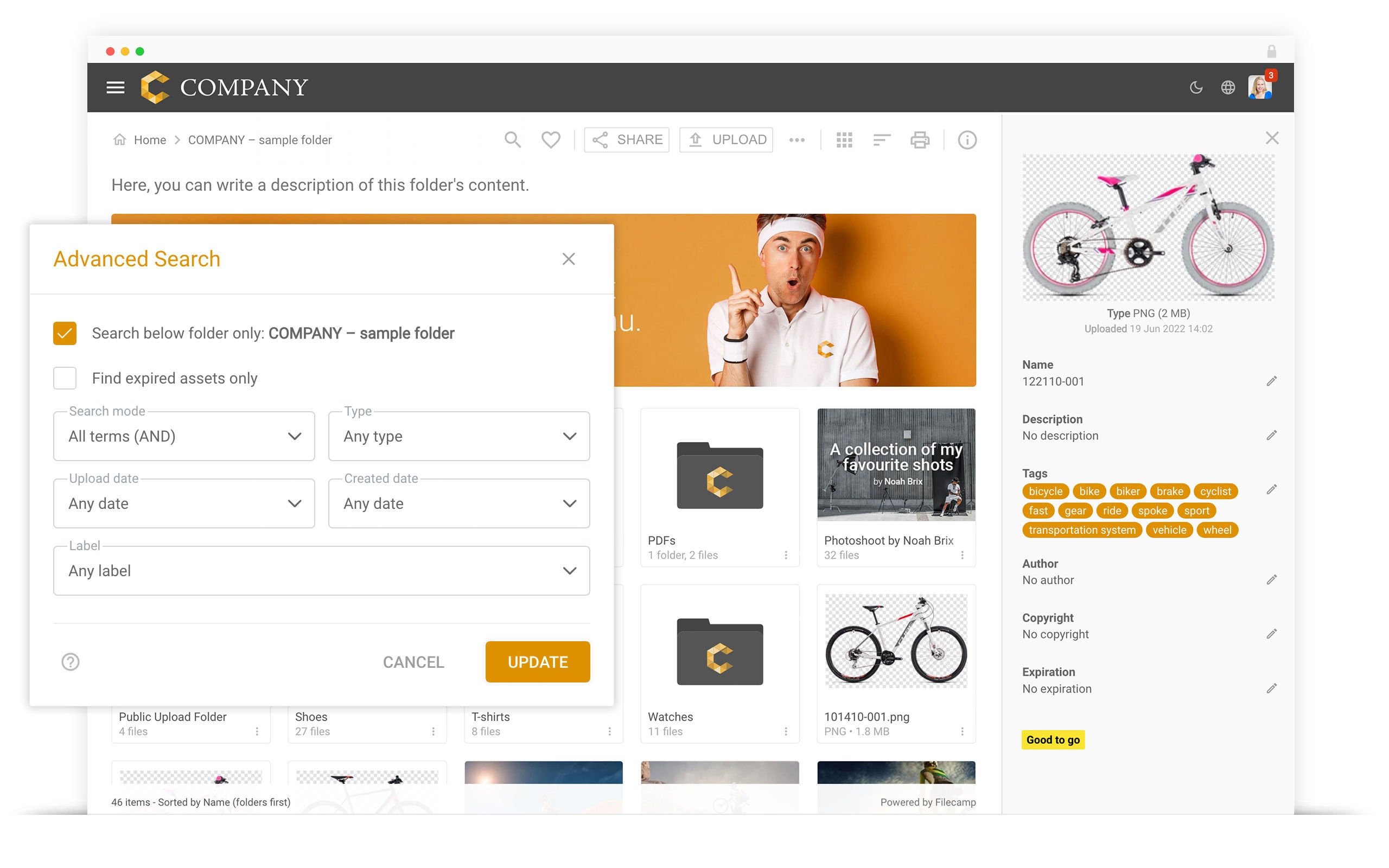
Sharing files and managing teams has never been easier. With Filecamp, you can add as many users as you need, and can remove team members with just a few clicks. Managing permissions is simple too, and you can use custom labels and other tools to track progress on documents, graphics, and more. With AI, we can scan images and use auto-tagging to make it easier for team members to find what they need.
Collaborate with Ease
Whether you need to work with a team member down the hall, or a remote worker on the other side of the world, Filecamp is there for you. Upload files right from your browser. Download them too, in a format that suits your needs.
The Files You Need in the Format You Desire
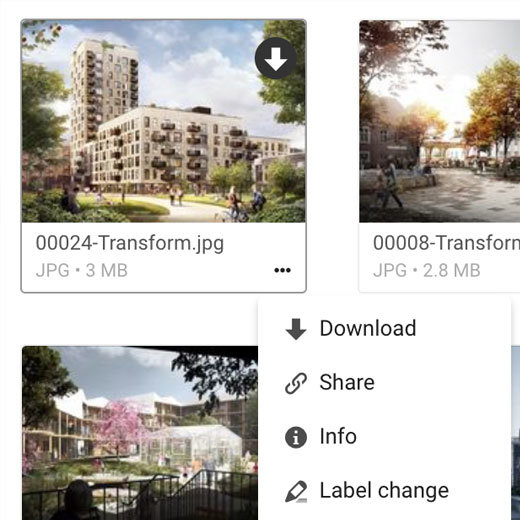
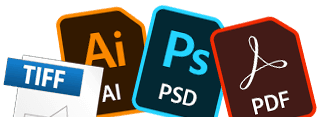
File systems become cluttered with different file types. With the Filecamp digital asset management platform, you can download the file type you need when you need it. Need a high-res Adobe Illustrator file? You got it. Only want a simple WebP for a document? It’s just a few clicks away. Download on your terms.


What digital asset management software is
Digital asset management software is a system of record for the files a brand uses in public: photos, video, logos, artwork, documents and the versions of each. It gives every file a home, a set of keywords, permissions that decide who may see or download it, and a history of what changed. The point is not storage — cloud drives already store — but finding the right file, knowing it is the approved one, and sharing it without emailing a copy. DAM tools are also sold as DAM systems, DAM platforms, digital asset libraries or media libraries; the differences are mostly in scale and price.
What a DAM system actually does
- Organises files in folders and collections, with keywords and metadata that survive downloads.
- Finds them: search by name, keyword, file type or metadata, including keywords added automatically by image recognition.
- Controls access per folder and per group, so an agency sees its own work and nothing else.
- Shares by link or a branded portal instead of by attachment, with links that can expire.
- Keeps versions, so the current file is obvious and the old ones are still there.
- Records decisions: who commented, who approved, and when.
- Looks like you: your logo, colours and domain, if the tool supports white labelling.
DAM, cloud storage, CMS or PIM?
| What it is for | Where it stops | |
|---|---|---|
| Cloud storage (Dropbox, Google Drive, OneDrive) | Storing and syncing any file | No keywording worth the name, no approval state, no branded portal, sharing is per file |
| DAM | Finding, approving and distributing brand and creative files | Not a place to author documents or run a website |
| CMS | Publishing pages on a website | Its media library is tied to that one site |
| PIM | Product data: SKUs, specifications, prices | Holds product images by reference, but is not built for creative review |
Most teams that think they need a DAM are outgrowing cloud storage on two specific points: nobody can tell which logo or photo is current, and sharing with people outside the company is awkward.
Do you actually need one?
You probably do if: more than a handful of people ask "where is the latest version of…" every week; you send files to agencies, printers, resellers or press; brand assets exist in several places and you cannot say which is right; or someone has used an out-of-date logo in public.
You probably do not if: one or two people handle all the files, nothing goes outside the company, and search in your existing drive is good enough. A DAM is overhead when nobody outside the team ever needs a file. That is worth saying plainly on a page that would rather sell you one.
How to choose
- Pricing model before features. Per-user pricing decides your real cost, because a DAM is only useful once agencies, printers and colleagues are in it. Check the price for the number of people who will actually log in, not the entry plan.
- Permissions granularity. Folder-level access by group is the difference between one library and a set of private ones.
- Branding. If partners and clients will use it, does it show your brand or the vendor's?
- Review and approval. Can feedback and an approval state live on the file, or does that happen in email anyway?
- Search that matches how people ask. Keywords, metadata, file type, and automatic tagging for large image libraries.
- Getting in and out. Bulk upload, bulk download, and an export you can take elsewhere. Ask what happens to metadata on the way out.
- Integrations and API, if a system must read the library automatically. This is where lightweight tools stop and enterprise suites earn their price.
- Where the data lives, and what the vendor says about encryption, backups and access control.
What DAM software costs
Prices are the hardest thing to find in this category. Most vendors publish none. These were checked on the vendors' own pages on 22 September 2026:
| Vendor | Published price | Model |
|---|---|---|
| Filecamp | USD 29 / 59 / 89 a month | Flat, unlimited users on every plan |
| Bynder | None (an AWS Marketplace package lists USD 66,000/year) | Quote |
| Brandfolder | None | Quote |
| Adobe Experience Manager Assets | None | Quote |
| Canto | None (an AWS Marketplace package lists USD 25,000/year) | Quote |
| Extensis Portfolio | None | Quote |
| Wiredrive | From USD 350 a month | Per plan |
| Dropbox Standard | USD 15 per user a month | Per user |
| Google Workspace Business Starter | USD 7 per user a month | Per user |
| Microsoft 365 Business Basic | USD 7 per user a month | Per user |
| ShareFile Advanced | USD 16.50 per user a month, minimum 3 | Per user |
Two things follow. First, "starting at" numbers in listicles are usually the vendor's smallest plan, and the quote-only vendors are quote-only for a reason: the real number depends on seats, storage and modules. Second, per-user pricing is what makes a DAM expensive in practice. Ten people at USD 15 each is USD 150 a month; the same ten on a flat plan is the plan price. For reference, some directories list Filecamp as "from USD 29 per user per month". That is wrong: USD 29 is the whole plan, and every Filecamp plan includes unlimited users.
The shortlist, by what you are buying
- Enterprise suites — Bynder, Adobe Experience Manager Assets, Brandfolder, Aprimo, Acquia DAM: deep integrations, workflow automation, SSO, APIs, and procurement to match. Sensible when a DAM must be wired into a stack.
- Mid-market DAM — Canto, MediaValet, and similar: most of the capability, still quote-based, usually per seat.
- Lightweight DAM — Filecamp, Pics.io, Air: published prices, days rather than months to set up, and the features most teams actually use. Where the trade is fewer integrations.
- Not a DAM, but often enough — Dropbox, Google Drive, OneDrive, SharePoint: if you need storage and light sharing rather than findability and approvals.
Where Filecamp fits, and where it does not
Filecamp is the lightweight end: USD 29, 59 or 89 a month with unlimited users on every plan, folder-level permissions, a fully white-labelled portal on the Professional plan, comments and approval labels on files, automatic image tagging, versioning, collections and WebDAV for bulk transfer. It is used by more than 1,850 organisations.
What it does not have, stated so you can rule it out: no public REST API and no SSO yet — both are planned for release by the end of 2026 — no native integrations with Creative Cloud, Slack or Zapier, and no workflow automation with routing and deadlines. If your requirement list starts with "it must connect to…", an enterprise suite is the honest answer.
Questions people ask
What is the difference between a DAM and a media library? In practice, none: "media library" usually describes a smaller, image-and-video-focused library. The tools are the same.
How long does it take to set up? A lightweight DAM is a folder structure, a permission scheme and an upload — a day or two of decisions, not a project. Enterprise implementations are measured in months because of integrations and migration.
Can people outside the company use it? That is the main reason to have one. Check whether outside users cost a seat; in Filecamp they do not.
Do we have to migrate everything? No, and most teams should not. Start with the files that get asked for: logos, current campaign assets, product photography.
What about AI tagging? Automatic tagging reads an image and suggests keywords, which saves hours on a large library. Treat it as a first pass, not a substitute for the handful of keywords your team actually searches by.
How do we try one properly? Upload a real folder, invite one colleague and one outsider, then search for something a week later. Most DAM decisions come down to that. Filecamp's trial is 30 days and takes no credit card; see pricing, the digital asset lifecycle for how files move through one, and what DAM software costs for the full pricing picture.
Written by the Filecamp team. Prices verified on vendors' own pages on 22 September 2026; last updated 23 September 2026.
Easy Digital Asset Management
Filecamp offers Digital Asset Management (DAM) software online, from any device. Our cloud-based DAM platform will bring order to your digital library, and make it easier to search through media files. Once you find what you want, download in a format that suits your needs.
No Training Needed
While designing Filecamp, we stuck with simple and familiar controls so new users can easily browse, upload, and download files at their convenience. Most users will be able to use our DAM in just minutes, no training required. Should you need help, our team and community resources are there for you.
Your brand, your DAM
Filecamp offers whitelabeling tools that you can use to add company logos, colors, and pictures. You can even create a custom URL that makes transition between your website and the Filecamp digital asset management platform seamless.
No Hassle Collaboration
Whether you need to collaborate with someone on staff or need to share with an external client or contractor, Filecamp’s digital asset management software is hassle free. Control access on your terms with only a few clicks.
Scale with Ease
You don’t need to hire additional IT staff to manage the Filecamp digital asset management platform. Since Filecamp is Software-as-a-Service, we handle updates and maintenance. And as your team grows, add as many users as needed at no extra cost.
Powerful Search Tools
Powerful features, including auto-tagging, make it easier to hunt down the files you need. As your library grows, you’ll have powerful search tools at your fingertips. Save time sorting through files and get to work with our DAM software.
Broad file support
Whether you need to work with Word docs and PowerPoint presentations, or rich media and graphic files, Filecamp is there for you. Uploading is quick and painless, and visual previews make it easier to find the file you need.
Top-Notch Security
Digital assets are valuable. Keep them organized and secure with the Filecamp digital asset management platform. We use HTTPS and our servers are located in a facility monitored 24/7. Managing access is easy too.
Reduce Time Wasted
Our simple, intuitive user interface makes it easy for you to find and share digital assets. You can manage access and teams with no hassle. Don’t waste time digging through manuals, and get to work immediately!

Camden Easterling, Vacutech LLC

Alexa Corcoran, VF Corporation (VFC)

Jocke Gustafsson, F22 studio AB
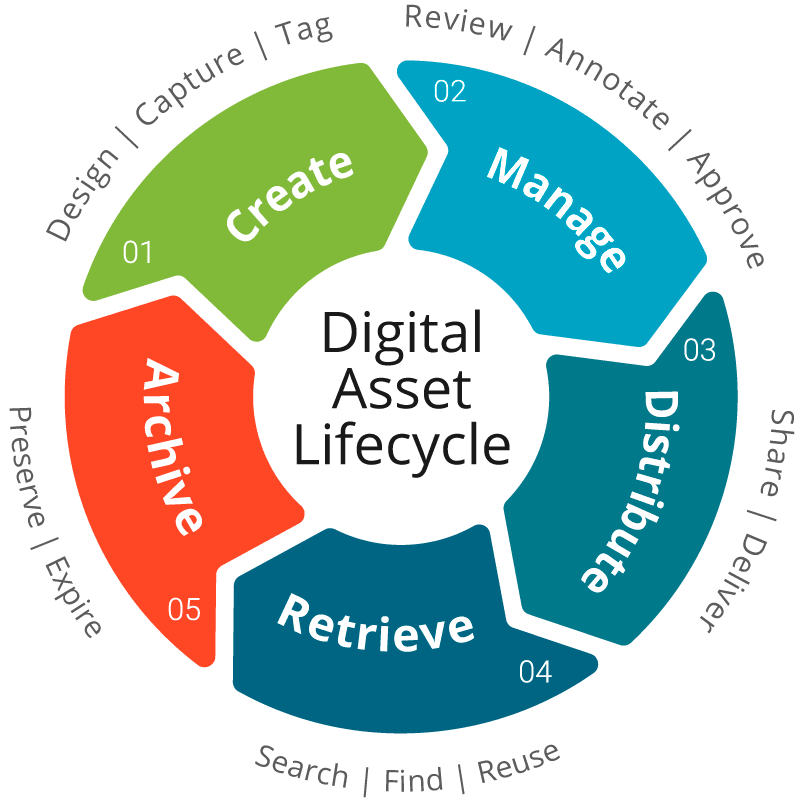
The digital asset lifecycle