Media Library Software
Store, organize, and share your organization’s images, videos, graphics, and documents from one central workspace in the cloud.
Join global brands from every industry


Filecamp makes it easy to manage and share your media library

Invite your whole team
Filecamp is 100% cloud-based image and media library software. All plans include unlimited users, flexible Roles and folder permissions, secure sharing, file previews, and privacy controls for teams.
Custom Folder Permissions
Filecamp’s flexible Roles and folder permissions let you control which folders users can access and whether they can view or edit the content. Keep permissions simple or create more detailed access rules for complex teams and workflows.
One-click send and share
Share files, folders, and Collections with colleagues, clients, and external partners without leaving your workspace. On the Professional plan, invite comments with point markers, and keep every conversation next to the file it is about.
Public links and private folders
Create public links to selected folders and add them to your website. Keep other folders private and control access using Roles and folder permissions, or require users to log in first. Your own terms can be shown at login and with every download.
Try Filecamp for free. All features included. No obligation!
Start my free trialNo credit card required!
Designed with your brand in mind
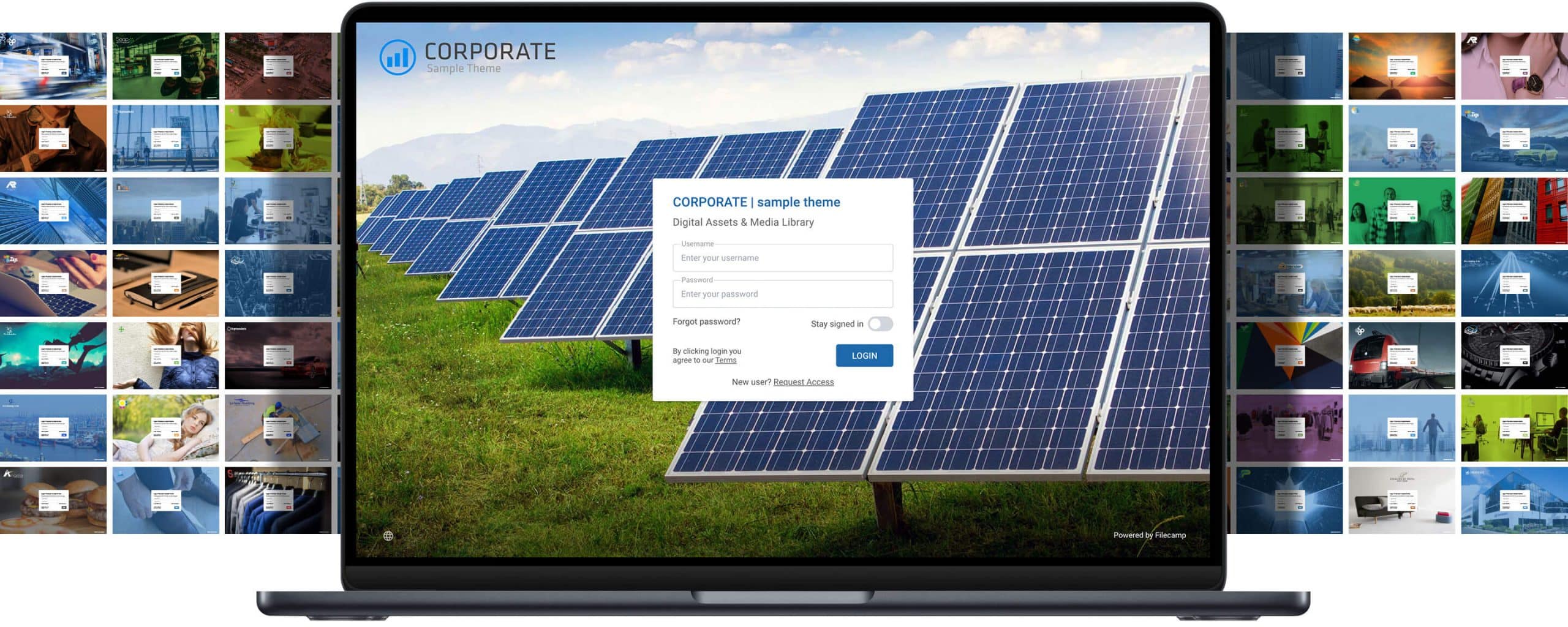
Put your logo, colors and login screen on Filecamp. On the Advanced and Professional plans, create as many themes as you like and give each client, brand or product its own folders with its own look, all in one account.


Kevin Wilkerson, Weatherby, Inc.
Camden Easterling, Vacutech LLC
Paul Dunkerley, Creative Mojo Ltd
IMAGES
Create an image gallery for your company images. Customize it with previews, tags and privacy settings.
LOGOS
Upload your logos and vector files. Download the original file, or a web-ready WebP version, without opening design software.
VIDEOS
Store, view and share your company videos alongside your other brand-related content.
DOCUMENTS
Make your important documents accessible and ready to be shared.
Advanced download options
Get the file size you need without opening design software. For example, download a high-resolution Adobe Illustrator file as a smaller WebP version suitable for websites and other digital channels. Flexible download options make it easy to fulfill media requests on the fly.


Cloud-based image and media library
Filecamp is fully hosted in the cloud, so there is no software to install or infrastructure to maintain. We handle hosting, maintenance, and regular product and security updates, freeing your team to focus on managing and sharing assets.
No training required
Filecamp makes managing and accessing your image and media library easy, with familiar controls for browsing, uploading, and downloading files. Team members and external partners can get started immediately, with no previous experience or formal training.
Easy distribution
Share files, folders, and Collections with clients and partners using secure links. Use Filecamp as your central image and media library while also handling everyday file-sharing and collaboration tasks.
Scales with your organization
As a cloud-based file-sharing and media library platform, Filecamp can grow with your users, storage needs, and asset library. Unlike self-hosted systems, it requires no local servers or dedicated maintenance. Filecamp works for small teams without IT resources and larger organizations looking to reduce infrastructure and administration costs.
Finding and sharing content
Quickly find corporate images and media using filenames, tags, labels, folder names, and advanced search filters. Share files and folders through professional, branded links, or collect files from external partners using public upload links.
Beautifully branded
Customize Filecamp with your logo, colors and branded login screen, and give each client or brand its own theme on the Advanced and Professional plans. On Professional, add your own domain and show your own name in the “Powered by” line, so clients and partners get a media library that feels like your own.
Affordable image and media library
Store, preview, and share images, videos, documents, design files, and other media with clients and partners. Plans start at $29 per month with unlimited users, giving growing teams and established organizations a secure, cloud-based media library that can scale with their needs.
More control and security
Use Roles and folder permissions to control which folders users can access and whether they can view or edit the content. On the Advanced and Professional plans, create Collections to gather selected files from different folders, then share them without giving recipients access to the rest of your library. All data transfers are protected with HTTPS encryption.
Save time
Keep digital images and media organized in one central library. Find the right asset quickly using filenames, tags, labels, folder names, and advanced search filters, so your team spends less time searching and more time creating.
Custom Labels
Create custom labels to organize files and folders in ways that fit your workflow. Give each label a name and color.
Quickly search for and locate files and folders assigned to specific labels.
Create as many labels and label sets as you need, and assign label sets to specific folders.
Media library software, explained
Media library software is one shared place for an organisation’s photos, video, logos, design files and documents, where people can find the right file quickly, see it before they download it, and share it with colleagues and outside partners. Think of it as the company’s picture archive and brand shelf, online, with search and access rules.
What goes in a media library
Photos and illustrations, with previews
Logos and design files such as Illustrator, EPS, PDF and Photoshop, with previews and a web-ready WebP download
Video and audio, converted to play in the browser
PDFs, presentations and Office documents, which open in the browser
Brand guidelines, templates and press material
Media library vs DAM
A media library is the heart of digital asset management (DAM): the files, how you find them and how you share them. Larger DAM systems add workflows, integrations and rights management around it. Most teams start with a media library and only need the rest when their process grows. Filecamp is a DAM with a strong media library at its core: fast search and tags, previews, permissions and branded sharing, without the enterprise price.
Media library vs Dropbox or Google Drive
Dropbox and Google Drive are built to store and sync files for the people who work on them. A media library is built for the many people who need to find and use finished files: search by tags and labels, previews of every file, downloads in the size you need, a branded site your partners recognise, and per-folder access for people outside the company, without giving everyone an account or a seat.
What to look for, and how Filecamp does it
Find files fast | Search file and folder names, descriptions, tags, author and copyright; filter by type, label and date. AI tags on images: one at a time on Advanced, automatically on upload on Professional. |
More than folders | Tags, coloured labels, and collections that gather files from many folders without moving them (Advanced and Professional). |
See before you download | Previews of images, design files, video, audio, PDF and Office documents. |
The right size | Download the original, or a WebP version up to 3,000 pixels for web and social, even from an Illustrator file. |
Share inside and out | Links to files, folders and collections with an expiry date, and request-file links to collect material from partners. |
Control who sees what | Roles, permission sets and folder permissions. Unlimited users on every plan. |
Your look | Your logo, colours and login screen; a theme per client or brand on Advanced and Professional; your own domain on Professional. |
Know what happens | An activity log of uploads, downloads (also through links) and shares. |
Getting started
Upload whole folders by drag and drop; previews are made for you.
Add tags and labels to what people search for most, or let AI tag your images.
Set access with roles and folder permissions, for your team and for partners.
Brand it with your logo and colours.
Invite people and share links. No training needed: it works like the folders people already know.
What it costs
Every plan has unlimited users and no setup fee, so a team of 40 pays what a team of 4 pays:
Basic, $29 a month | 20 GB, previews, search and tags, share and request-file links, roles and folder permissions. |
Advanced, $59 a month | 50 GB, collections, a theme per client or brand, AI tags on single images. |
Professional, $89 a month | 100 GB, your own domain, AI tags on upload, comments with markers. |
Extra storage can be added at any time, up to 20 TB. See all plans on our pricing page, or what other tools charge in our comparison of DAM pricing.
What Filecamp does not do
No face recognition or visual search, no usage-rights management beyond expiry dates, author and copyright fields, no integrations with design tools, no single sign-on, and no public API yet (planned by the end of 2026).
Questions people ask
What is media library software?
One shared place for an organisation’s photos, video and documents, with search, previews, access rules and sharing.
What is the difference between a media library and a DAM?
The media library is the core of a DAM. Bigger DAM systems add workflows and integrations around it; many teams never need them.
What file types can I store?
Any file. Images, design files, video, audio, PDFs and Office documents get previews in the browser.
Does it handle video?
Yes. Videos are converted to play in the browser and can be shared by link like any other file.
Can clients and partners get files without an account?
Yes, through links to files, folders or collections. Or give them an account: users are unlimited on every plan.
How is it different from Dropbox or Google Drive?
It is built for finding and sharing finished files with many people, with tags, previews, your branding and per-folder access, rather than for syncing working files.
Do we need training?
No. Folders, drag and drop and search work the way people expect. Try it for 30 days, with every feature, no credit card.
No credit card required!