

AI in Digital Asset Management
What Is Useful, What Is Hype, and What Should Filecamp Build Next?
Artificial intelligence is becoming part of almost every software category, and Digital Asset Management is no exception.
For teams managing thousands of images, videos, documents, brand files, and campaign assets, AI can sound very promising. Better search. Less manual tagging. Faster organization. Automatic descriptions. Smarter recommendations. Maybe even content creation. But not every AI feature is equally useful.
Some AI features can save teams hours of repetitive work. Others look impressive in a product demo but add little value in real daily workflows. And some raise important questions about privacy, accuracy, brand control, and how much decision-making should really be handed over to a machine.
At Filecamp, we already use AI in selected areas, including automatic tags and AI-assisted tag review. But we are also looking closely at where AI can make Filecamp better in the future.
This article is not a list of promised features. It is a look at where AI is heading in the DAM industry, which features may actually matter, and which ones you would like us to consider for Filecamp.
Table of contents
- Why AI makes sense in DAM
- Useful AI features in DAM
- Automatic tagging
- AI-assisted metadata suggestions
- Semantic search
- Visual search
- Duplicate and near-duplicate detection
- Search inside documents and PDFs
- Video transcription and scene detection
- Translation and localization
- Brand and compliance checks
- AI assistants for DAM users
- AI-assisted people tagging
- AI analytics dashboard
- What AI should not do in DAM
- What Filecamp already does today
- Help us prioritize future AI features
- Tell us more
Why AI makes sense in DAM
A DAM system is only useful if people can find, understand, and reuse the right assets.
That sounds simple, but in practice it can be difficult. Files are uploaded by different people. Naming conventions are inconsistent. Metadata is incomplete. Old campaign assets remain mixed with new ones. Similar images are uploaded again and again. Some files are approved for use, while others should no longer be used.
AI can help with some of this.
Instead of relying only on users to describe every file manually, AI can analyze files and suggest metadata. Instead of searching only for exact filenames or tags, AI can help users find assets based on meaning, visual content, or context.
In other words, AI can make a DAM more searchable, more organized, and easier to maintain.
But there is a catch: AI is not magic. It needs to be useful, predictable, and controllable.
Useful AI features in DAM
Here are some of the AI features now appearing across the DAM industry.

Automatic tagging
Automatic tagging is one of the most common AI features in DAM.
When an image is uploaded, AI can detect objects, scenes, colors, landmarks, text, or other visual elements and suggest tags automatically.
For example, an image might receive tags such as “beach”, “laptop”, “blue sky”, “product packaging”, “people”, “outdoor”, or “summer”.
This can reduce manual tagging work and make files easier to find later.
However, automatic tagging is only useful if the tags are relevant. Too many generic or inaccurate tags can create noise instead of clarity. A DAM full of bad tags is not much better than a DAM with no tags.
So the real value is not just automatic tagging. It is automatic tagging with control, cleanup, and review.

AI-assisted metadata suggestions
Tags are only one type of metadata.
AI can also help suggest titles, descriptions, captions, alt text, keywords, and other metadata fields.
This could be useful when uploading large batches of assets where writing descriptions manually would take too long. It could also help improve accessibility by generating alt text for images.
Still, human review matters. A generated description may be technically correct but not brand-appropriate. It may describe what is visible in the image but miss the intended campaign, product, audience, or usage rights.
AI can help start the metadata process. It should not always finish it.
Semantic search
Traditional search often depends on exact words.
If a file is tagged “automobile” but someone searches for “car”, the result may be missed. If a photo is named IMG_2048.jpg, the filename says nothing useful at all.
Semantic search tries to understand meaning rather than only matching exact text.
This could allow users to search for things like:
- “summer product photos with people”
- “images suitable for a LinkedIn campaign”
- “photos of offices with warm lighting”
- “approved logo files for print”
This is one of the more interesting AI opportunities in DAM because it can improve discovery without requiring perfect manual metadata.
But it also needs guardrails. In professional environments, users must trust that search results are relevant and that permissions, approval status, expiration dates, and usage restrictions are still respected.
Visual search
Visual search lets users search by image rather than text.
For example, you might select an image and ask the DAM to find visually similar assets. This could help teams find similar campaign photos, alternative product images, duplicate or near-duplicate files, or assets with a similar color, layout, or composition.
This can be especially useful for large image libraries where filenames and tags are inconsistent.
The risk is that “visually similar” does not always mean “suitable”. Two images may look alike but have different licensing, approval status, markets, or intended uses. Again, AI can assist discovery, but DAM rules still need to stay in control.
Duplicate and near-duplicate detection
Many asset libraries contain duplicates.
Sometimes the same file is uploaded several times. Sometimes slightly different versions exist with different names. Sometimes an old version keeps circulating because nobody knows which file is the latest one.
AI could help detect exact duplicates and near-duplicates, making it easier to clean up the library and reduce confusion.
This is not the flashiest AI feature, but it may be one of the most practical.
Search inside documents and PDFs
Many DAM systems store more than images and videos. They also store PDFs, presentations, brochures, brand guidelines, press kits, and documents.
AI can help extract and understand text inside these files. That could improve search and make it easier to find assets based on what is inside a document, not just its filename or manually entered metadata.
Examples:
- Find documents mentioning a specific product.
- Search inside PDFs and presentations.
- Summarize longer documents.
- Suggest keywords based on document content.
This could be useful for teams with large document libraries, not only creative image libraries.
Video transcription and scene detection
Video is harder to manage than images.
A video file may contain many scenes, people, products, spoken words, locations, and moments. Without good metadata, valuable video content can be difficult to find and reuse.
AI can help by generating transcripts, identifying scenes, detecting topics, and making video content searchable.
For teams working with interviews, webinars, product videos, events, or social media clips, this could make video libraries much more useful.
Translation and localization
Global teams often need assets in multiple languages.
AI can help translate descriptions, captions, metadata, and maybe even some document content. This could make DAM libraries easier to use across regions and markets.
But translations are sensitive. A poor translation can create confusion or brand problems. For legal, medical, financial, or highly branded content, human review is still important.
AI translation is useful as a starting point, not always as a final version.
Brand and compliance checks
Some DAM platforms are exploring AI features that help identify whether assets follow brand rules.
For example, AI could help flag outdated logos, wrong colors, missing disclaimers, expired campaign material, off-brand visuals, or potentially sensitive content.
This could be useful, especially for larger organizations with many users and strict brand guidelines.
But it is also hard to get right. Brand rules are often contextual. What is wrong in one campaign may be correct in another. AI can help flag potential issues, but final approval should remain with the people responsible for brand and compliance.
AI assistants for DAM users
Another emerging idea is the AI assistant inside the DAM.
Instead of browsing folders or building advanced searches manually, users could ask questions such as:
- “Find the latest approved product images for the spring campaign.”
- “Show me logos approved for external use.”
- “Which files are expiring soon?”
- “Summarize this folder.”
- “Help me find assets for a trade show brochure.”
This could be powerful if it works well.
But for a DAM, an assistant must understand permissions, folder structure, metadata, approval status, share settings, and account-specific rules. A generic chatbot is not enough. The assistant must understand the DAM context.
AI assistants can also work with external tools to access information beyond the DAM. Marketing teams might connect them with platforms for CRM, analytics, social media, email marketing, or SEO to support different workflows and decisions. For SEO tasks, this could include Semrush, DataForSEO, or other DataForSEO alternatives that provide keyword, backlink, search, and visibility data. Connecting assistants with the right tools gives them more relevant information to work with and expands the range of tasks they can support.
AI-assisted people tagging
AI-assisted people tagging can help DAM users find images of specific people faster, especially in large media libraries with thousands of portraits, event photos, campaign images, or press materials.
In a DAM, this could be used to suggest people tags automatically, group similar faces, or make it easier to locate approved images of employees, spokespeople, or public figures.
However, this type of AI feature also comes with privacy and compliance concerns. It should only be used when there is a clear legal basis, proper consent, and strong controls around who can access and search this type of data.
AI analytics dashboard
An AI analytics dashboard can help teams understand how their digital assets are used, searched for, and reused across the organization.
Instead of only showing basic download or view counts, AI could surface patterns such as underused assets, popular search terms, duplicate content, missing metadata, or files that may need review.
This can help marketing and brand teams make better decisions about what to keep, update, archive, or promote, while also improving the overall quality of the asset library.
What AI should not do in DAM
AI can be useful, but it should not remove control from the people managing the assets.
A DAM is often the source of truth for brand files, campaign material, product images, and business-critical content. Accuracy matters. Permissions matter. Usage rights matter. Auditability matters.
So we believe AI in DAM should follow a few principles:
- AI should assist, not take over.
- AI suggestions should be reviewable.
- AI should respect permissions and account settings.
- AI-generated metadata should be easy to edit or remove.
- AI should make assets easier to find, not create metadata clutter.
- AI features should solve real workflow problems, not just look impressive.
The best AI features are often the boring ones that quietly save time every day.
What Filecamp already does today
Filecamp already includes selected AI-assisted features.
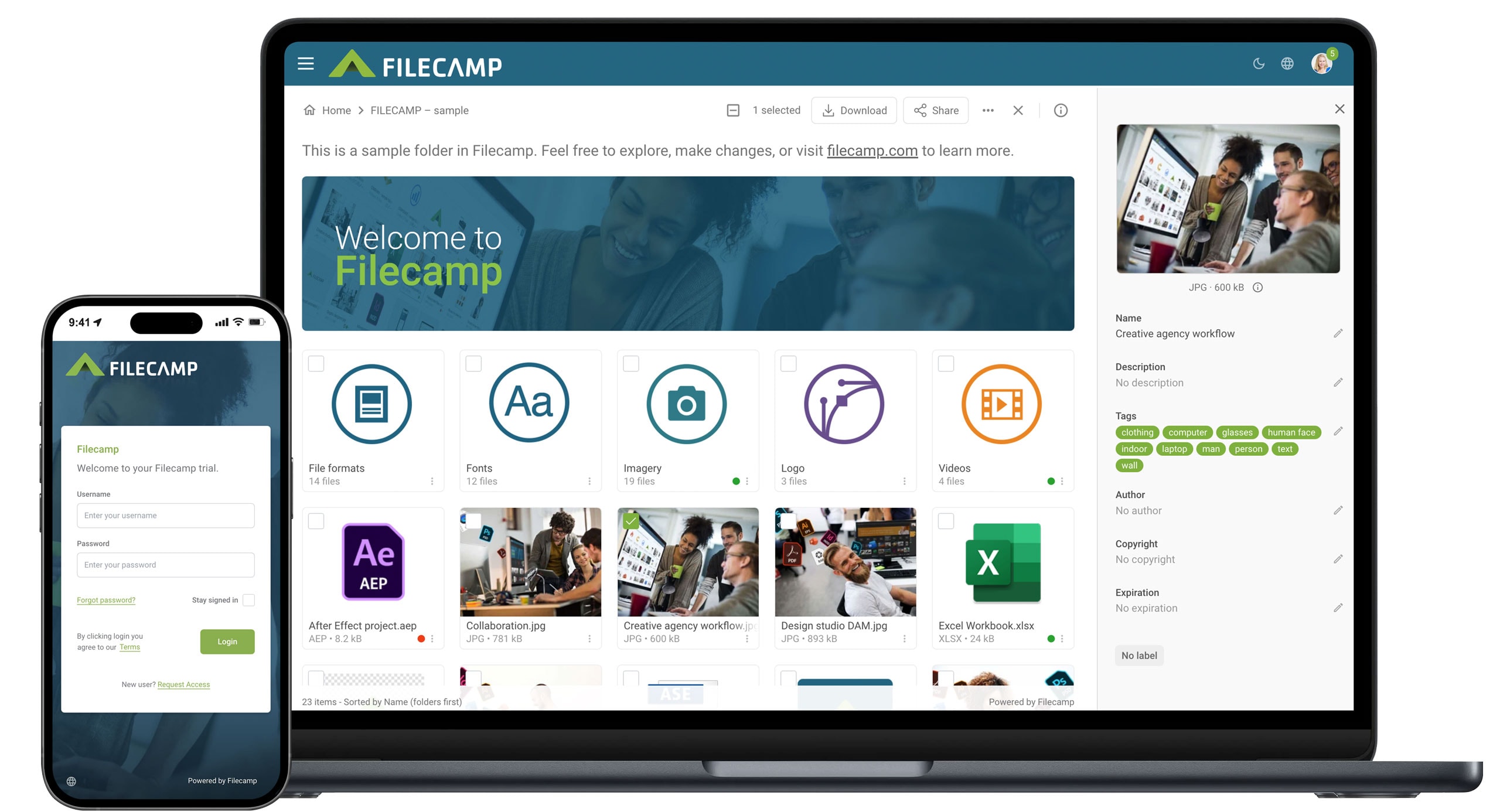
For example, Filecamp can automatically generate tags for uploaded images. This helps make assets easier to search and organize without requiring every file to be tagged manually.
Filecamp also includes tools for reviewing and cleaning up tags, so teams can keep their metadata useful over time.
That last part matters. AI-generated tags are only valuable if they improve the library. If they create clutter, they become another thing to manage.
Help us prioritize future AI features
We are interested in hearing which AI features would actually help your team.
Some AI features may be useful for many Filecamp customers. Others may only be useful for specific workflows. And some may not be worth adding at all.
That is why we would like your input.
***
***
After voting, you can see the current results and how other Filecamp users are voting.
This poll helps us understand customer interest. It does not guarantee that a specific feature will be built, but it will help us decide what to explore next.
Tell us more
If you have a specific workflow, use case, or AI feature request, we would love to hear from you.
Send us your thoughts at hello@filecamp.com and tell us which AI features from this article you would like to see in Filecamp.
Your feedback helps us prioritize what to build next, and just as importantly, what not to build.
Because AI in DAM should not be about adding features for the sake of it. It should be about making your asset library easier to manage, easier to search, and more useful for the people who rely on it every day.
Share this Post