
Embed links
Use files from Filecamp on websites, in emails, and in other applications.
Embed links give you URLs for displaying or downloading files outside Filecamp. For everyday file sharing, use Share instead.
Access Embed links
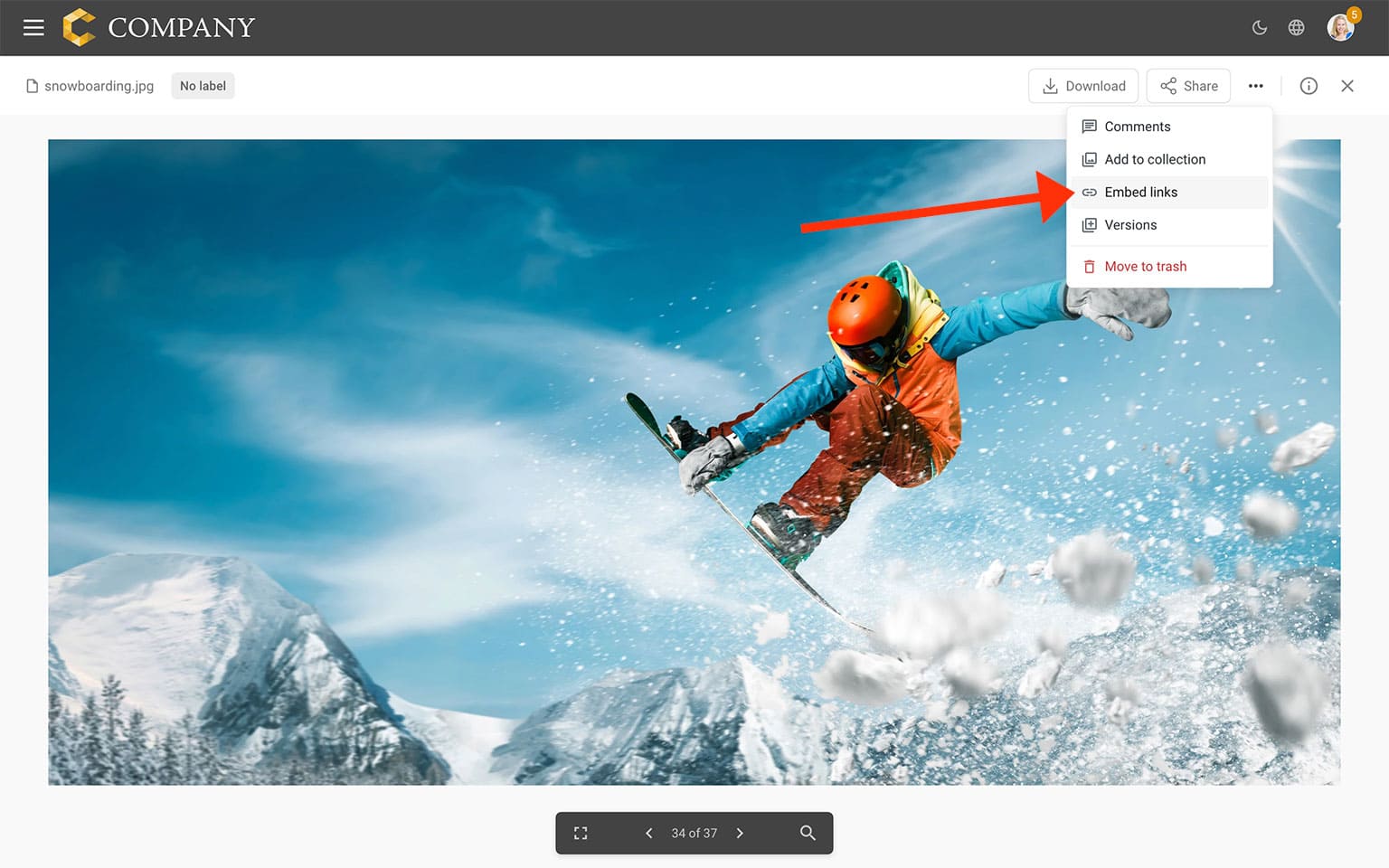
Open a file, click the three-dot menu in the toolbar, and select  Embed links.
Choose your link options
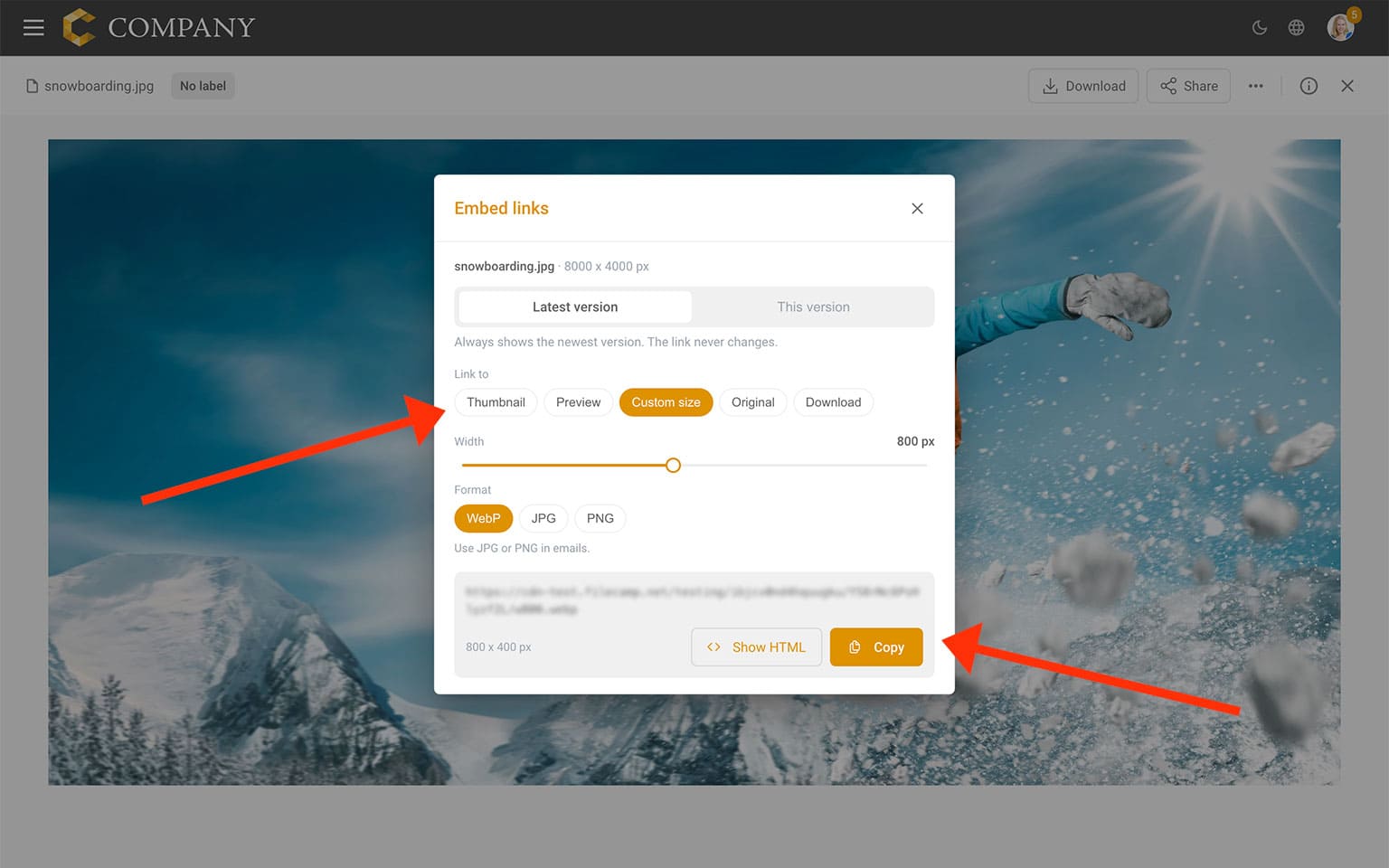
Choose which version your link should point to:
- Latest version — Always points to the newest version of the file. When you upload a new version, the link stays the same.
- This version — Points to the specific version, so uploading a new version does not change what the link displays.
Under Link to, choose the output you need:
- Thumbnail — A small image suitable for thumbnails.
- Preview — A preview of the file.
- Custom size — An image sized to your chosen width.
- Original — The original file.
- Download — A link for downloading the file.
For Custom size, use the Width slider and choose WebP, JPG, or PNG. Use JPG or PNG for images in emails.
Copy your link
Click Copy to copy the URL, then paste it into the website, email editor, or application where you want to use it.
If you need HTML embed code, click Show HTML.
Faster delivery with a CDN
Embed links use a Content Delivery Network (CDN) to deliver files from servers closer to your visitors. This helps images load faster, reduces delays for audiences around the world, and keeps delivery responsive when many people access your content at once.