
Change language
Choose your preferred language for the Filecamp interface.
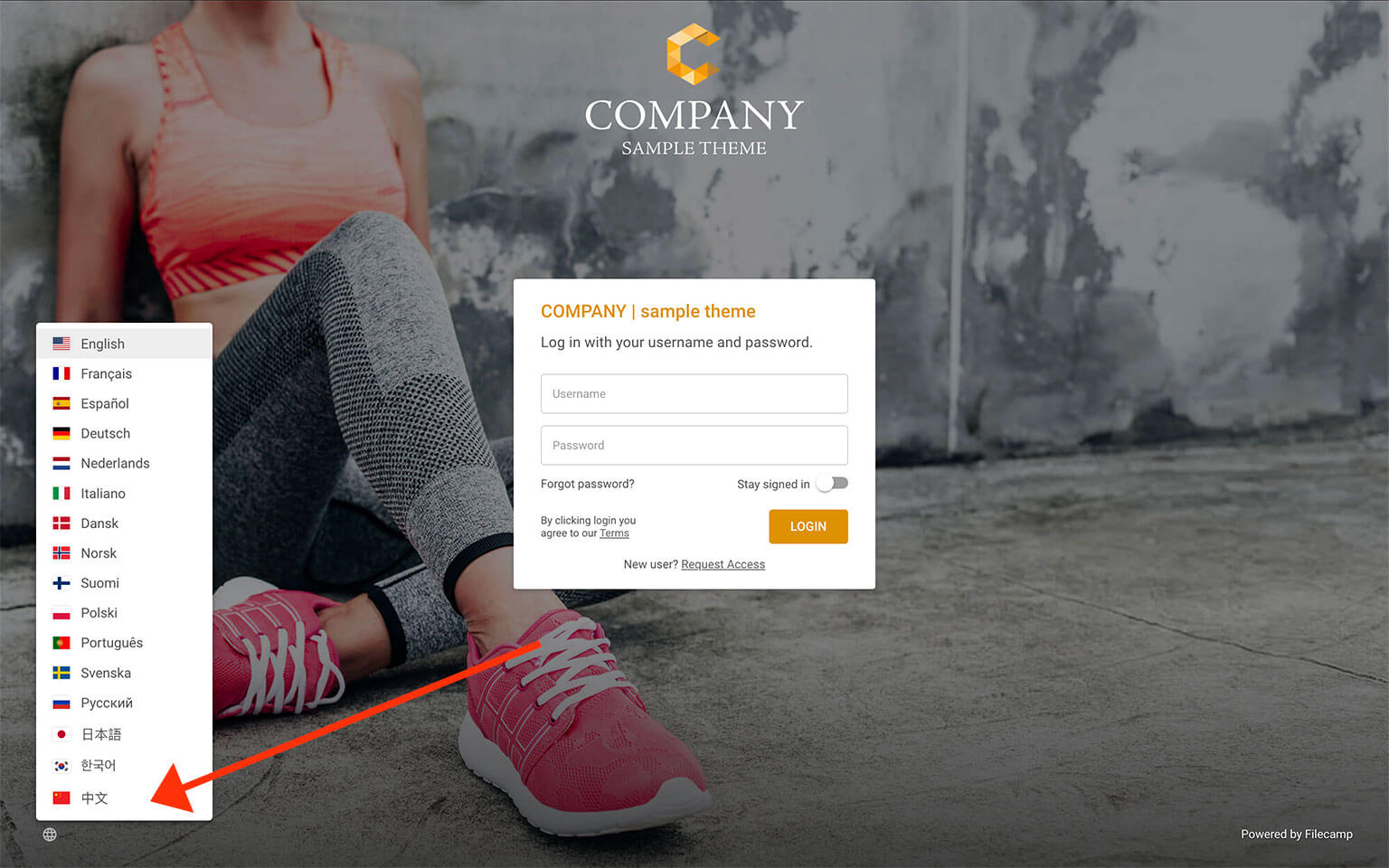
On the Login Page
Click the globe icon  in the bottom-left corner of the login page and select your preferred language.
Within Filecamp
Click on the globe icon located in the upper-right corner of the interface:
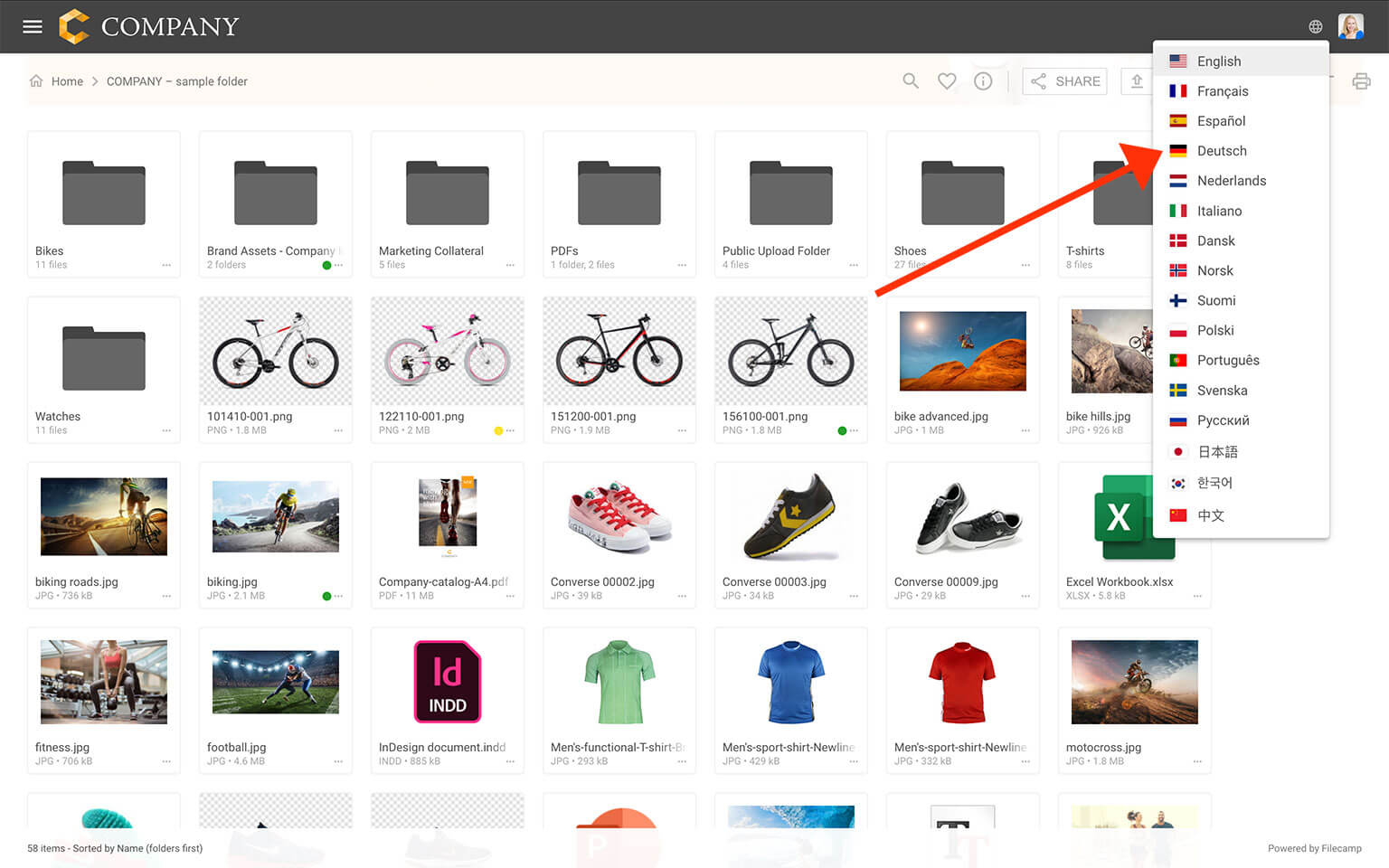
From the dropdown menu, select the language you prefer. Filecamp supports multiple languages, including those most frequently requested by our users.
Related articles
User
Admin
Supported Languages
 English
 Français
 Español
 Deutsch
 Nederlands
 Italiano
 Dansk
Dansk
 Norsk
Norsk
 Suomi
Suomi
 Polski
 Português
 Svenska
 Русский
 日本語
日本語
 한국어
한국어
 中文
中文
If your preferred language isn’t listed, contact us to request it.