My Profile
Update your username, avatar (profile photo), and personal notification settings.
Click your avatar in the top-right corner of the browser window and select  My Profile.
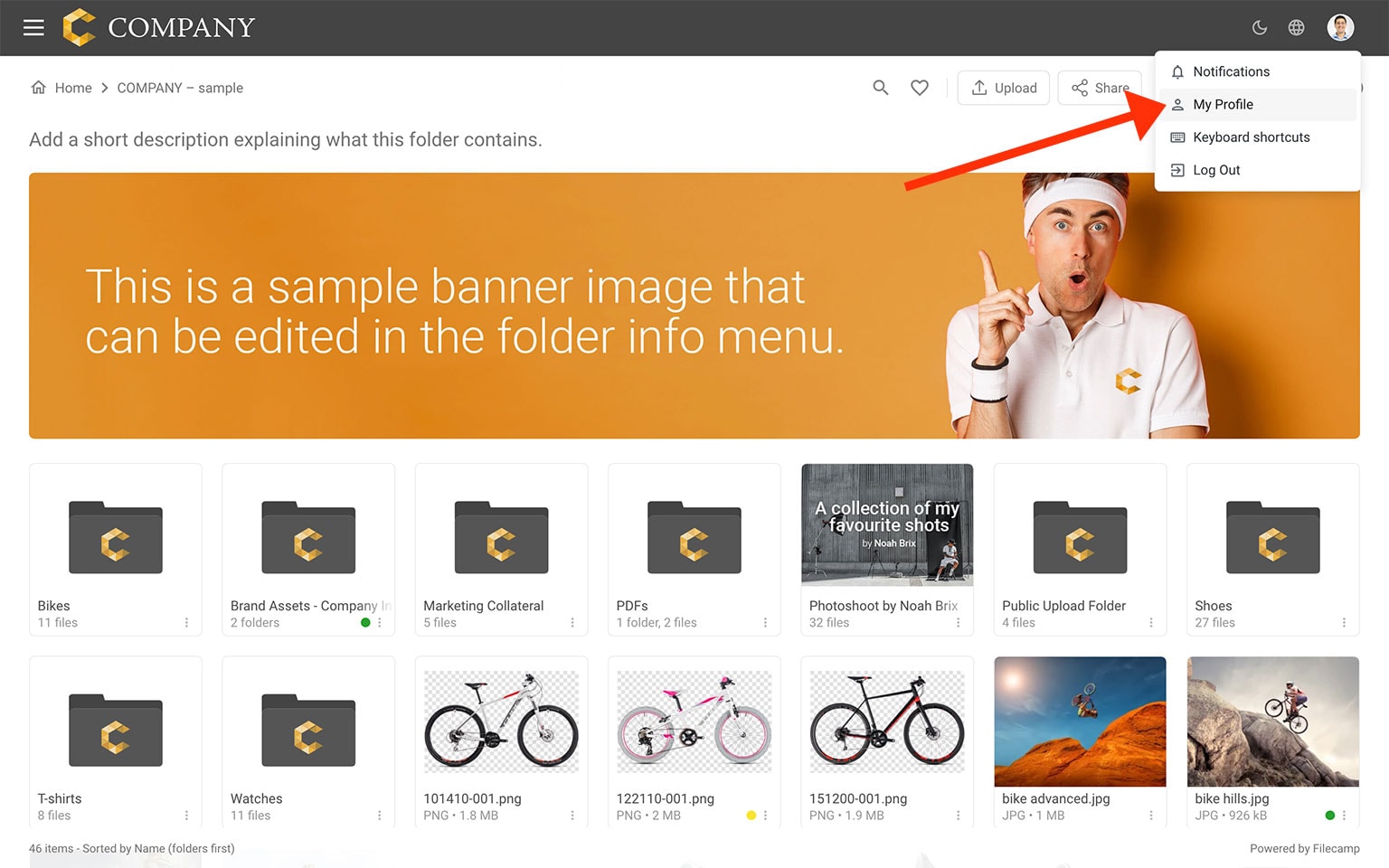
Edit my profile
Click your avatar to upload a new profile picture or delete the current one. You can also update your username and password here. If you change your password, enter the new password twice to confirm. Click Save when you are done.
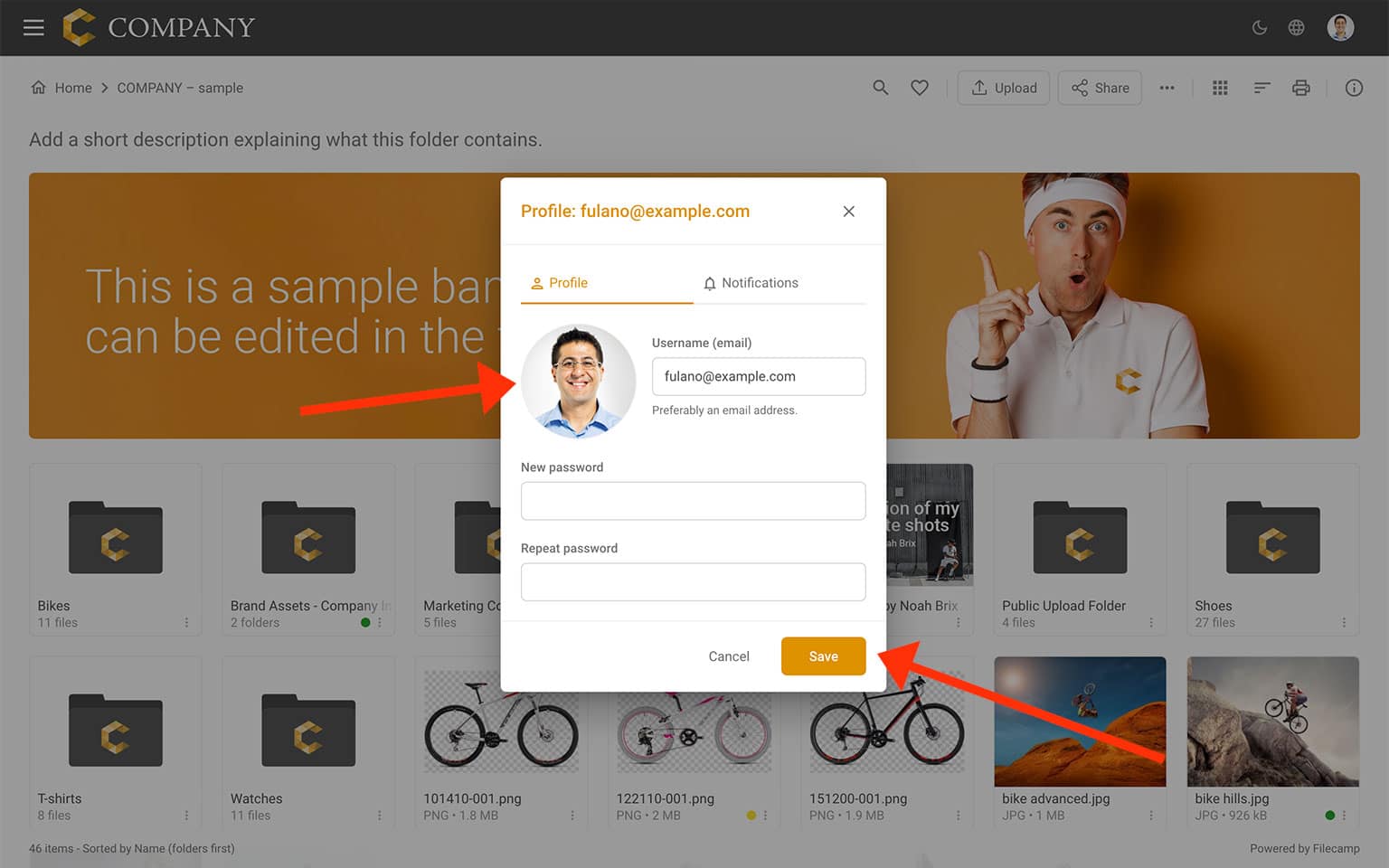
Say cheese! Your profile picture should be square, at least 110 × 110 pixels, and no larger than 500 × 500 pixels.
Notice: Only users who use their email address as their username can receive their login credentials through the Invite feature and reset their password using the Forgot Password option. For this reason, we strongly recommend using email addresses as usernames.
Notice: Please follow these password security practices:
- Select a password that is easy for you to remember, but difficult for others to guess.
- Keep your password confidential and do not share it with anyone.
- Change your password on a regular basis. We suggest every 90-120 days.
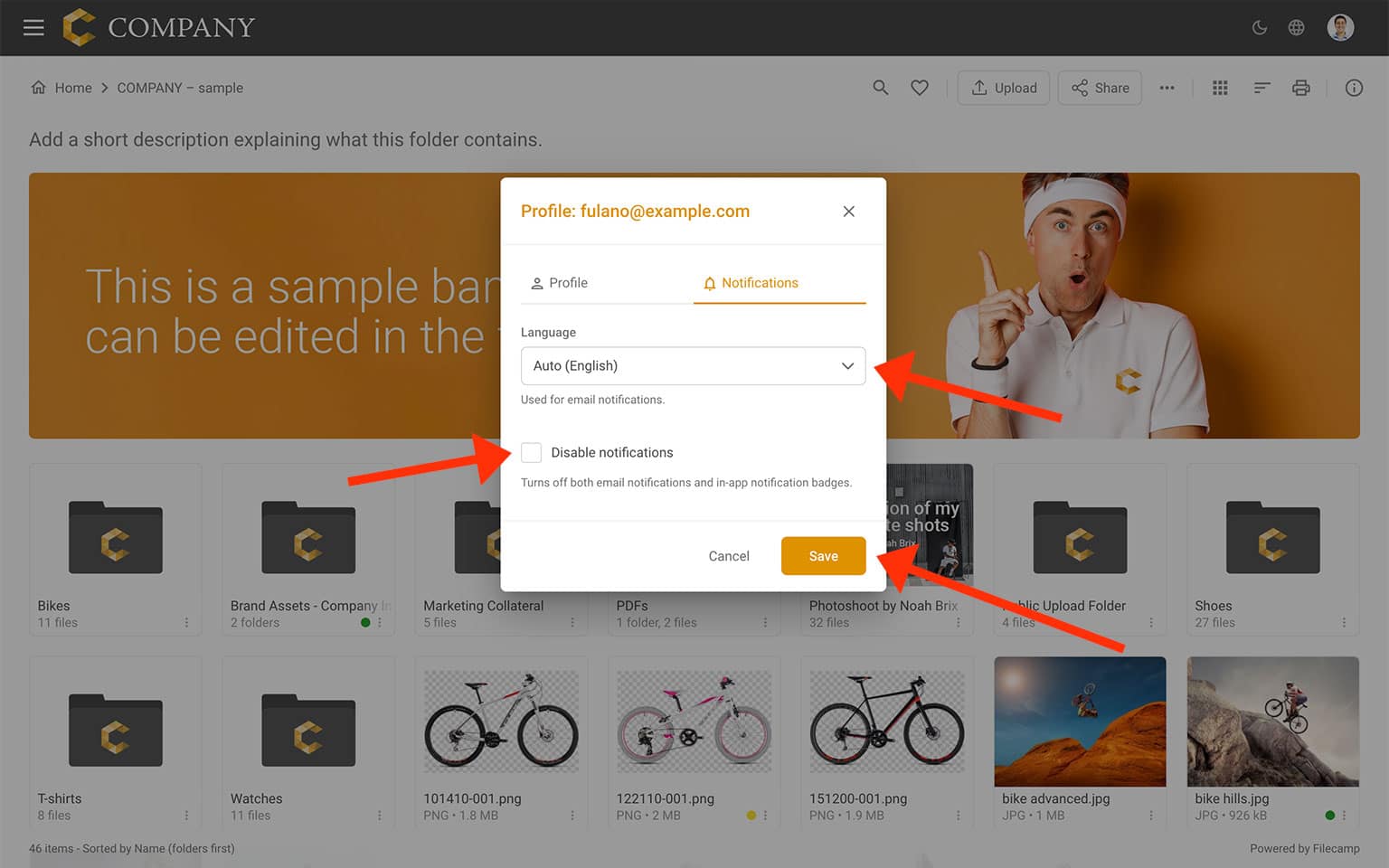
Edit my notification settings
On the Notifications tab, you can set your preferred language for notifications and disable all notifications. Click Save when you are done.