
General settings
Manage account-wide settings for email, embed links, auto-tagging, branding, and more.
General Settings
Log in as an Account Owner or Administrator, then go to Admin > General from the Main menu  in the top-left corner.
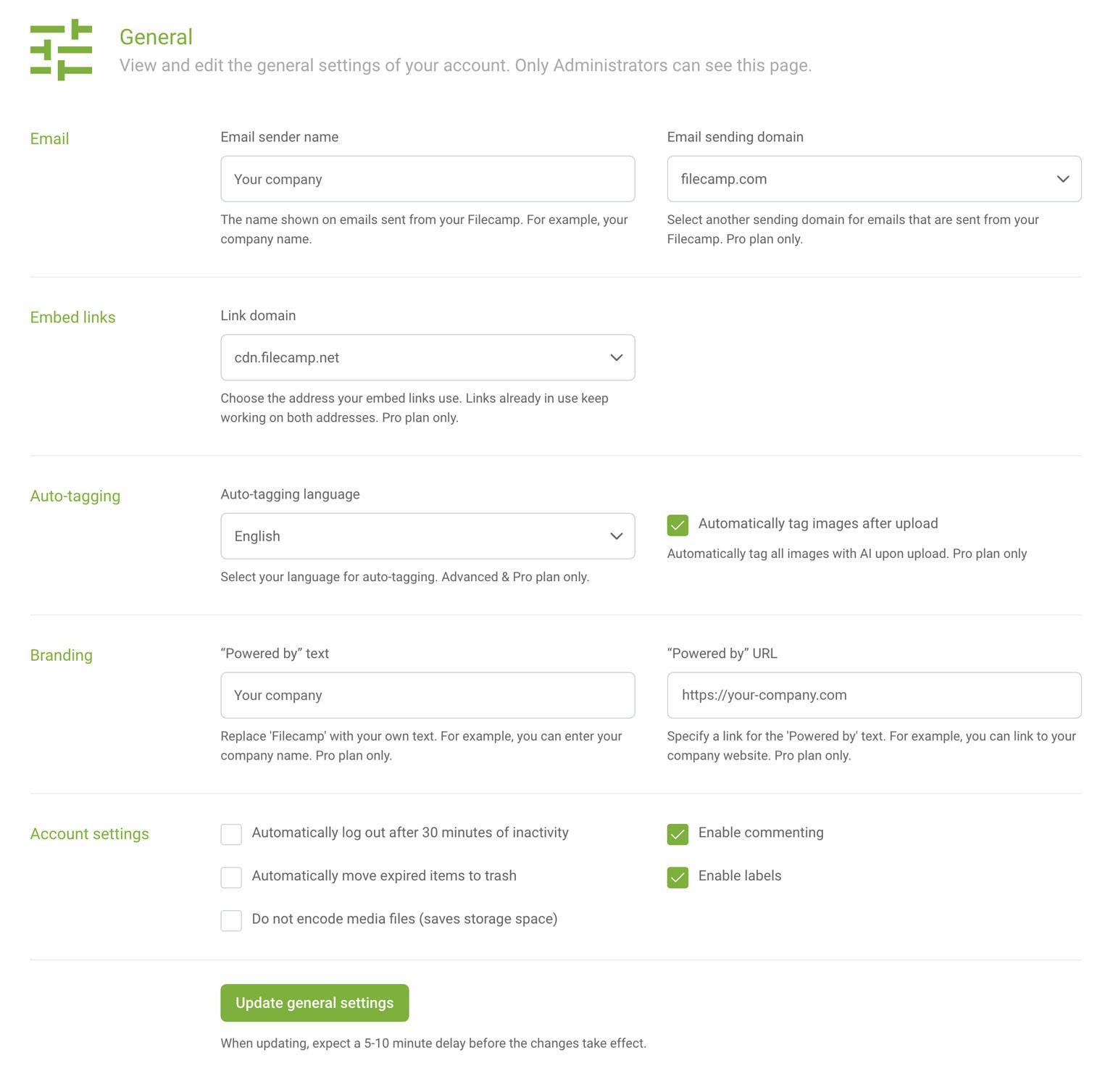
- Email sender name – enter the name shown on emails sent from your Filecamp, such as your company or brand name.
- Email sending domain – choose the domain used to send emails from your Filecamp. The default is filecamp.com. On the Pro plan, you can select another predefined sending domain to hide Filecamp branding in the sender’s email address.
Embed links
- Link domain – choose the domain used for your embed links. Existing links continue to work on both domains, so you do not need to replace links already in use. The default is cdn.filecamp.net. On the Pro plan, you can select another predefined domain to hide Filecamp branding in your embed links.
Auto-tagging
- Auto-tagging language – choose the language used for AI-generated image tags. Advanced and Pro plans only.
- Automatically tag images after upload – enable this setting to automatically add AI-generated tags to images when they are uploaded. Pro plan only.
Branding
- “Powered by” text – replace “Filecamp” in the “Powered by” text with your company name or other text. Pro plan only.
- “Powered by” URL – enter the destination for the “Powered by” link, such as your company website. Pro plan only.
Account settings
- Automatically log out after 30 minutes of inactivity – automatically sign users out after 30 minutes without activity.
- Automatically move expired items to trash – move expired files to the Trash automatically.
- Do not encode media files (saves storage space) – disable the creation of browser-compatible media previews to save storage space. This may affect whether media files can be previewed in Filecamp.
- Enable commenting – turn commenting on or off across your account.
- Enable labels – turn labels on or off across your account.
Save your changes
Click Update general settings to save. Allow 5–10 minutes for changes to take effect.
Tip: Commenting and labels are account-wide settings. If you disable either feature here, it will not be available in individual folders.
Notice: Only Account Owners and Administrators can access and edit these settings.
Notice: By customizing your email sending domain, embed link domain, “Powered by” text, and “Powered by” URL – and using your own URL for Filecamp – you can present a fully branded experience to your clients. Read more about white labeling.